
sebinko - Minecraft Skins & Skin History
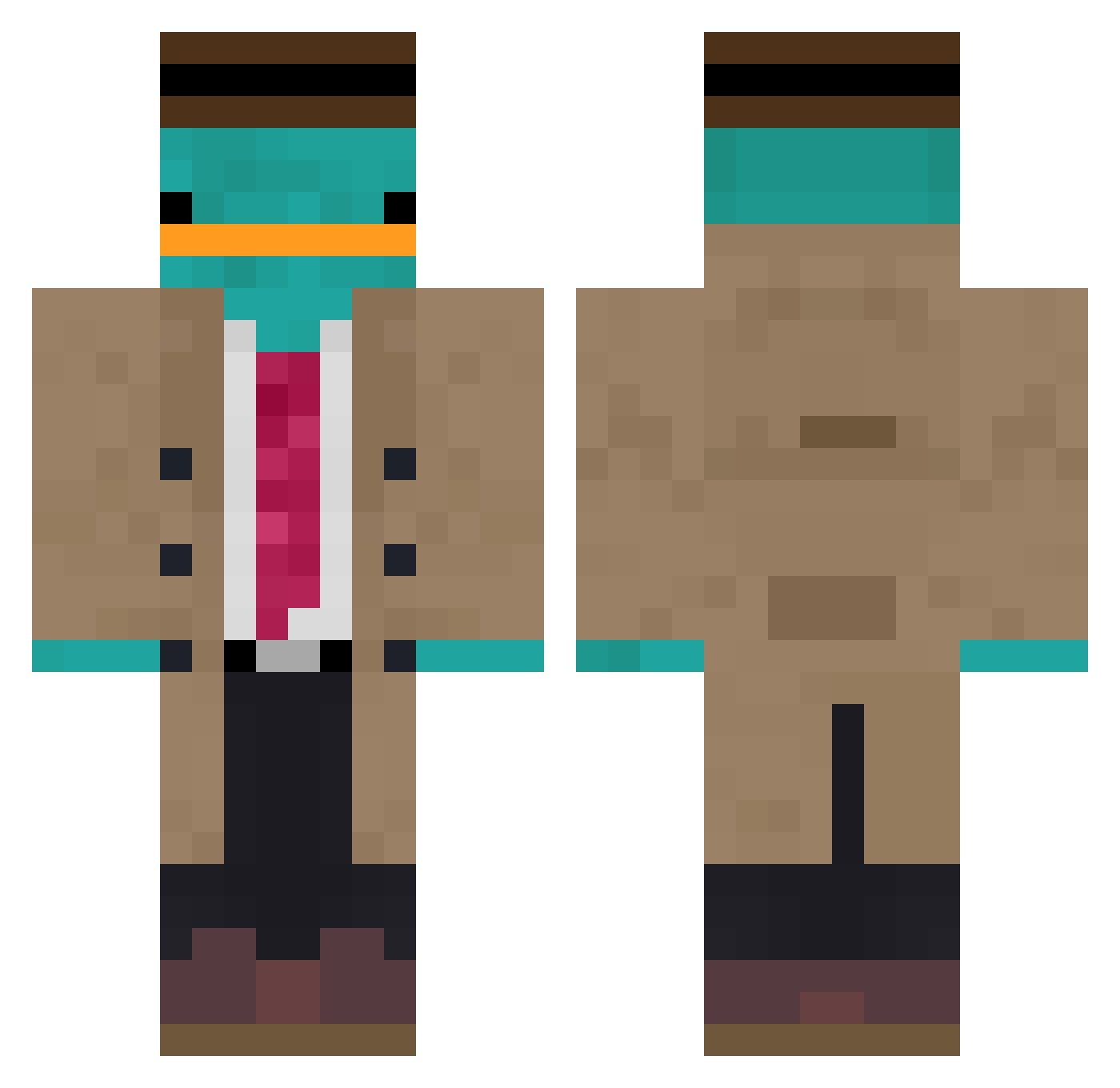
Current Minecraft skin of the player sebinko, loaded from the official Mojang API. Rotate the 3D model with your mouse or finger, then download the skin as a PNG file and use it in Minecraft: Bedrock Edition or Java Edition for free. When sebinko changes their skin, this page updates automatically and the old skin stays in the history below.
Other players with this skin (861)
sebinko was the 14th player we have seen with this skin, first spotted on 23.07.2026. The same skin was seen on these players. Open a nickname to see their current skin and skin history.
 Sandwyche calpna Cry1ngAway Dilpickle89 Hapaboyjr05 cocojumbo96 Gaurav7894 MTS0403 samurai_974 Devansh04 MasterHeHe Pikipandaxx Witek541 Agora2509 LachsAura19706 washed_fr
 Eness48 Armyvagyok SebitasZero evildad30 VTHGO _XNoahmsPvPX_ Sergete432 Mansinius JiltedMonkey B00_Bees Linotox95 ScareCxow Flownnnn KillerCarr Snoucky AsL92 Finamorss Luxav1 RandaleRalf99 ABakedPotatoe Meneizz LaixeB Sylvain_BR8 MQ_Ancorri SMUGLYY mchraba Razardy Jexyung TheLu1324 LKrugerr uxeo sheepboy33 Zurisol carlozinzin MikeHuchi69 pepe344 Solarequity lkpalkjdf02 Clement0915 SadeceArd Duckiducki SLEEF0X SweedGummyOFOM samh4830
More Platypus Minecraft skins
How to install the sebinko skin
- Press the Download button above to save the skin as a PNG file.
- Minecraft: Bedrock Edition (PE): open the Dressing Room from the main menu (or tap your character → Edit Character), go to Classic Skins → Owned, press the + (new skin) button, choose the downloaded PNG and pick the Classic (Steve) model. Works on PC and mobile; consoles cannot import custom skins.
- Minecraft: Java Edition: open the Minecraft Launcher, go to the Skins tab, click New Skin, load the PNG, pick the Classic (Steve) model and press Save & Use. You can also upload it at minecraft.net → Profile → Change Skin.
The skin does not show up after import - what should I do?
Restart Minecraft and open the Dressing Room again - imported skins sometimes appear only after a restart. Also make sure you selected the imported skin and picked the Classic (Steve) model.
Which model should I choose, Classic or Slim?
This skin is designed for the Classic (Steve) model. If you pick the wrong model, the arms of the skin will look stretched or squeezed.
Is the skin of sebinko free to download?
Yes. Press Download, save the PNG file and use it in Minecraft: Bedrock Edition or Java Edition - no payment or registration needed. The skin also works on multiplayer servers and Realms.
More skins
Looking for more? Go back to all Minecraft skins and check the top skins of the week, month and all time, or find any player's skin by nickname.