
seanna_96 - Minecraft Skins & Skin History
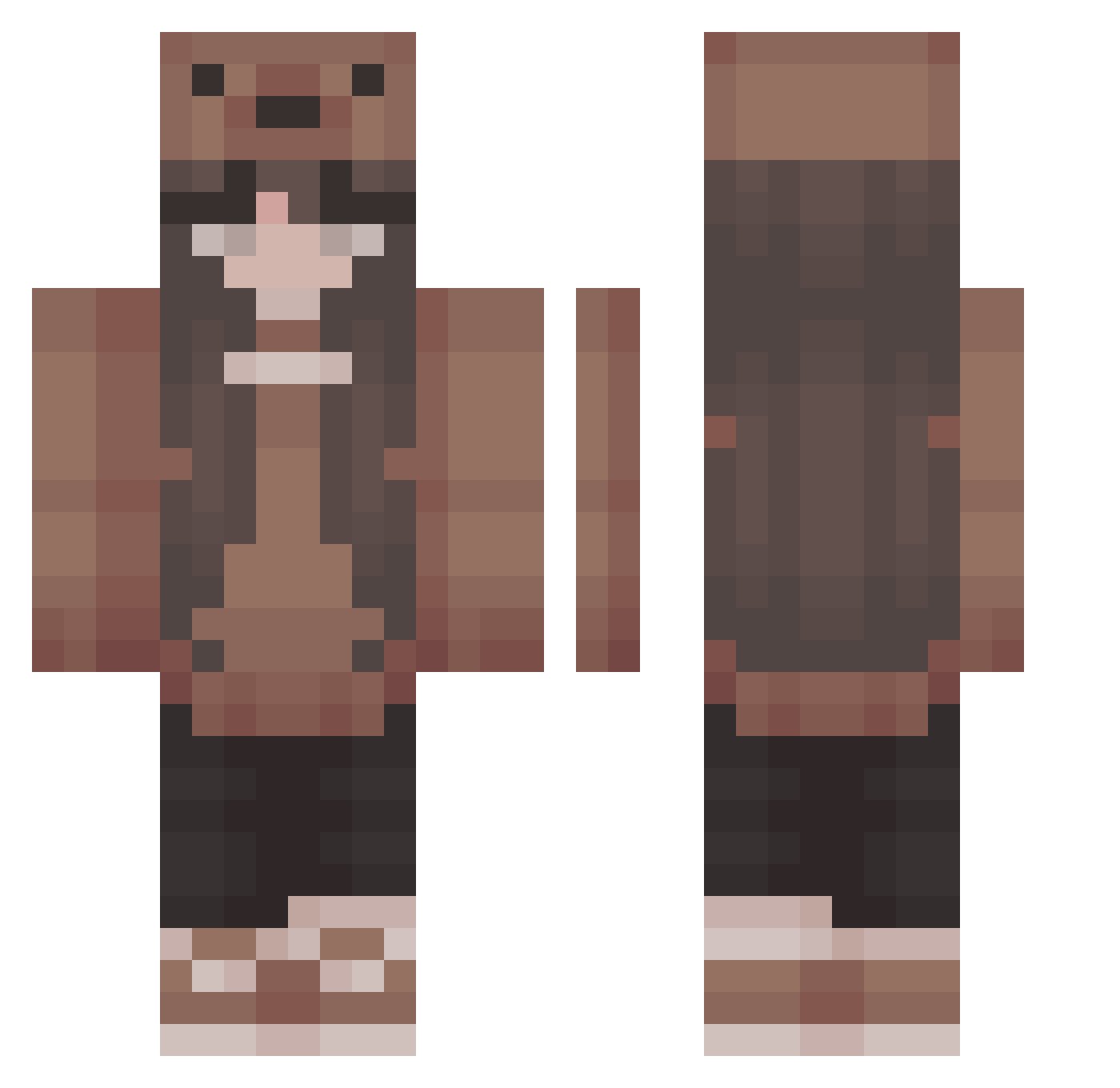
Current Minecraft skin of the player seanna_96, loaded from the official Mojang API. Rotate the 3D model with your mouse or finger, then download the skin as a PNG file and use it in Minecraft: Bedrock Edition or Java Edition for free. When seanna_96 changes their skin, this page updates automatically and the old skin stays in the history below.
Other players with this skin (413)
seanna_96 was the 63rd player we have seen with this skin, first spotted on 09.08.2026. The same skin was seen on these players. Open a nickname to see their current skin and skin history.
 WildHunter2011 Jenin55 Msfrepsalot Kassy0722 slushbunny13 Lenaaa1921 ValentinaGamerZ Amyluwho Astarzshadow SaraRKul
 Rhae13 KnifeyWifey dealazy LittlePerson13 SchlxfendesEtwas Apologies_
 Krembliss SunnyB98 _mugitaro_ jaamixx Sydneysnw Hannahwhity Giuliana0406 Froyyy awwful_ bokeklej veruskha labebecitaa20 Criistii_ pumpkinnn Gulpsmarties yuri20202 RooosjeB milkie_milk ToomiChan 0PrettyPrincess0 Gaile16 Hopper921 shuridog tt4n1a omega2011 Aidualkowa xbkiwi allievator 0kxra0 Souhhls vxleriee t2heke keikeicrisp tilphousia TaterTooty mxdySCR A1MXEE k4thq yayayapper DutchBeauty yejicantaim MrsTiny Lilac0001 sunbunparks
More Cute Minecraft skins
How to install the seanna_96 skin
- Press the Download button above to save the skin as a PNG file.
- Minecraft: Bedrock Edition (PE): open the Dressing Room from the main menu (or tap your character → Edit Character), go to Classic Skins → Owned, press the + (new skin) button, choose the downloaded PNG and pick the Classic (Steve) model. Works on PC and mobile; consoles cannot import custom skins.
- Minecraft: Java Edition: open the Minecraft Launcher, go to the Skins tab, click New Skin, load the PNG, pick the Classic (Steve) model and press Save & Use. You can also upload it at minecraft.net → Profile → Change Skin.
The skin does not show up after import - what should I do?
Restart Minecraft and open the Dressing Room again - imported skins sometimes appear only after a restart. Also make sure you selected the imported skin and picked the Classic (Steve) model.
Which model should I choose, Classic or Slim?
This skin is designed for the Classic (Steve) model. If you pick the wrong model, the arms of the skin will look stretched or squeezed.
Is the skin of seanna_96 free to download?
Yes. Press Download, save the PNG file and use it in Minecraft: Bedrock Edition or Java Edition - no payment or registration needed. The skin also works on multiplayer servers and Realms.
More skins
Looking for more? Go back to all Minecraft skins and check the top skins of the week, month and all time, or find any player's skin by nickname.