
scrubbzzJr - Minecraft Skins & Skin History
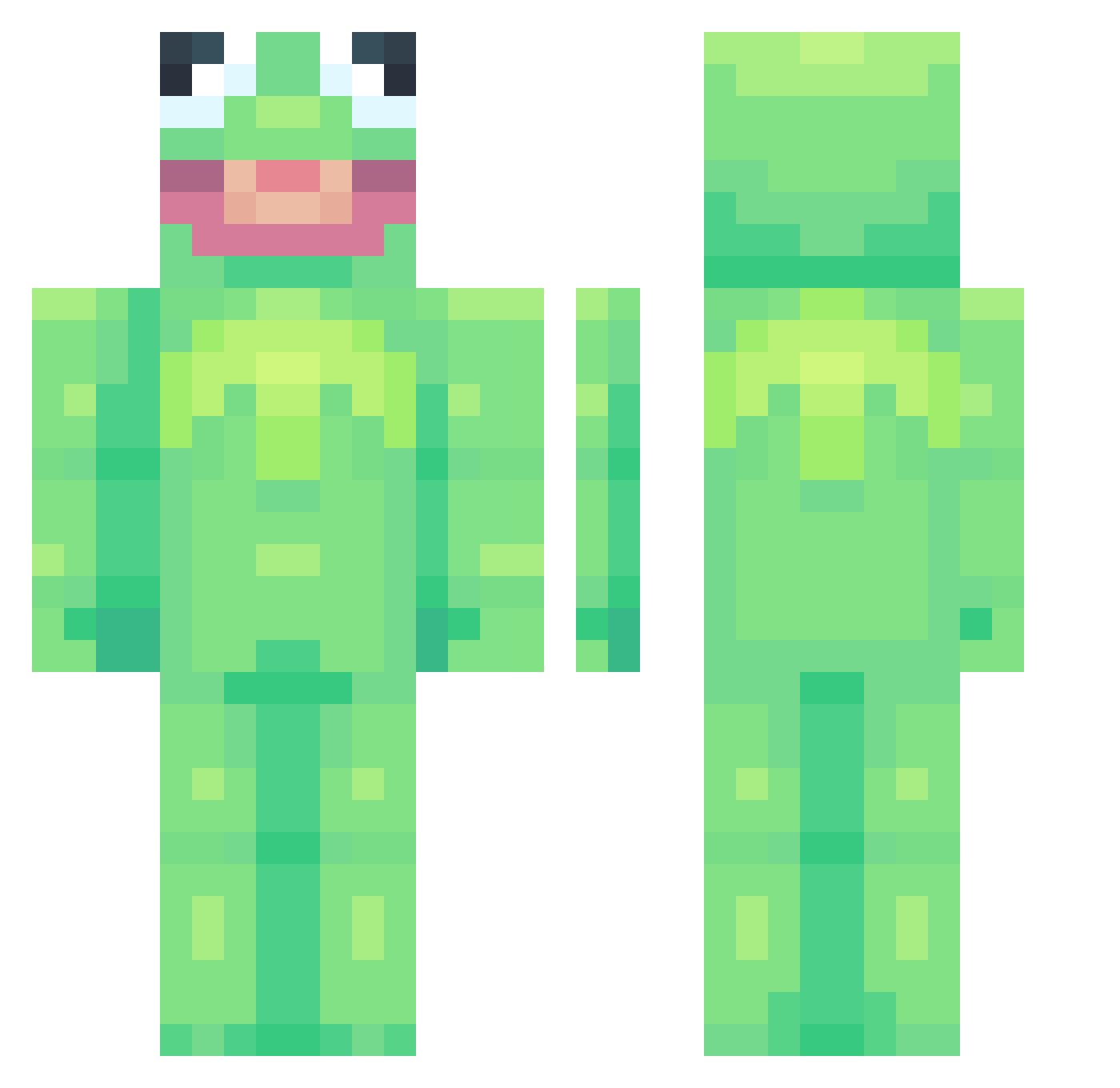
Current Minecraft skin of the player scrubbzzJr, loaded from the official Mojang API. Rotate the 3D model with your mouse or finger, then download the skin as a PNG file and use it in Minecraft: Bedrock Edition or Java Edition for free. When scrubbzzJr changes their skin, this page updates automatically and the old skin stays in the history below.
Other players with this skin (912)
scrubbzzJr was the 787th player we have seen with this skin, first spotted on 05.11.2026. The same skin was seen on these players. Open a nickname to see their current skin and skin history.
 KIMJIHO1234 Tohcs SaltyToffee happypapi8 _murtaza Lucas_gamming Tilted_Juice bandok1ller TheBigCoz Alex7PR mishkaparis007 itslila MilkaOhneM scarletman Harim_e camisados wesseldieben01 Tyrekk smikkeljudith Phatplatypuzy Dernosaur danoau shnings19 Taktak28 BUBBA_COOL09 GideonOfnir jameRL5 jumpyrabbit8 ahoneyboy Gulie360 PopeyesBaddie MartinGump RazvanRac AmatuerFish Crillz camarine1018 J3nka StandBriMe will0_ UsetheKamehameha DiscoJungle AngelGaming420 Flawsibly Camasay15 RSTURBO85 AgentT3xas illidan76 anilePNG cowforg Aza98 Jose2431 AwesomeJoe9000 raenelle bruh__7 okaykamii Icecubex11 denewulf JasmijnP YeetJesseYeet xxfishloverxx69
More Kermit The Frog Minecraft skins
See all 472 Kermit The Frog skins
How to install the scrubbzzJr skin
- Press the Download button above to save the skin as a PNG file.
- Minecraft: Bedrock Edition (PE): open the Dressing Room from the main menu (or tap your character → Edit Character), go to Classic Skins → Owned, press the + (new skin) button, choose the downloaded PNG and pick the Classic (Steve) model. Works on PC and mobile; consoles cannot import custom skins.
- Minecraft: Java Edition: open the Minecraft Launcher, go to the Skins tab, click New Skin, load the PNG, pick the Classic (Steve) model and press Save & Use. You can also upload it at minecraft.net → Profile → Change Skin.
The skin does not show up after import - what should I do?
Restart Minecraft and open the Dressing Room again - imported skins sometimes appear only after a restart. Also make sure you selected the imported skin and picked the Classic (Steve) model.
Which model should I choose, Classic or Slim?
This skin is designed for the Classic (Steve) model. If you pick the wrong model, the arms of the skin will look stretched or squeezed.
Is the skin of scrubbzzJr free to download?
Yes. Press Download, save the PNG file and use it in Minecraft: Bedrock Edition or Java Edition - no payment or registration needed. The skin also works on multiplayer servers and Realms.
More skins
Looking for more? Go back to all Minecraft skins and check the top skins of the week, month and all time, or find any player's skin by nickname.