
schmeaged - Minecraft Skins & Skin History
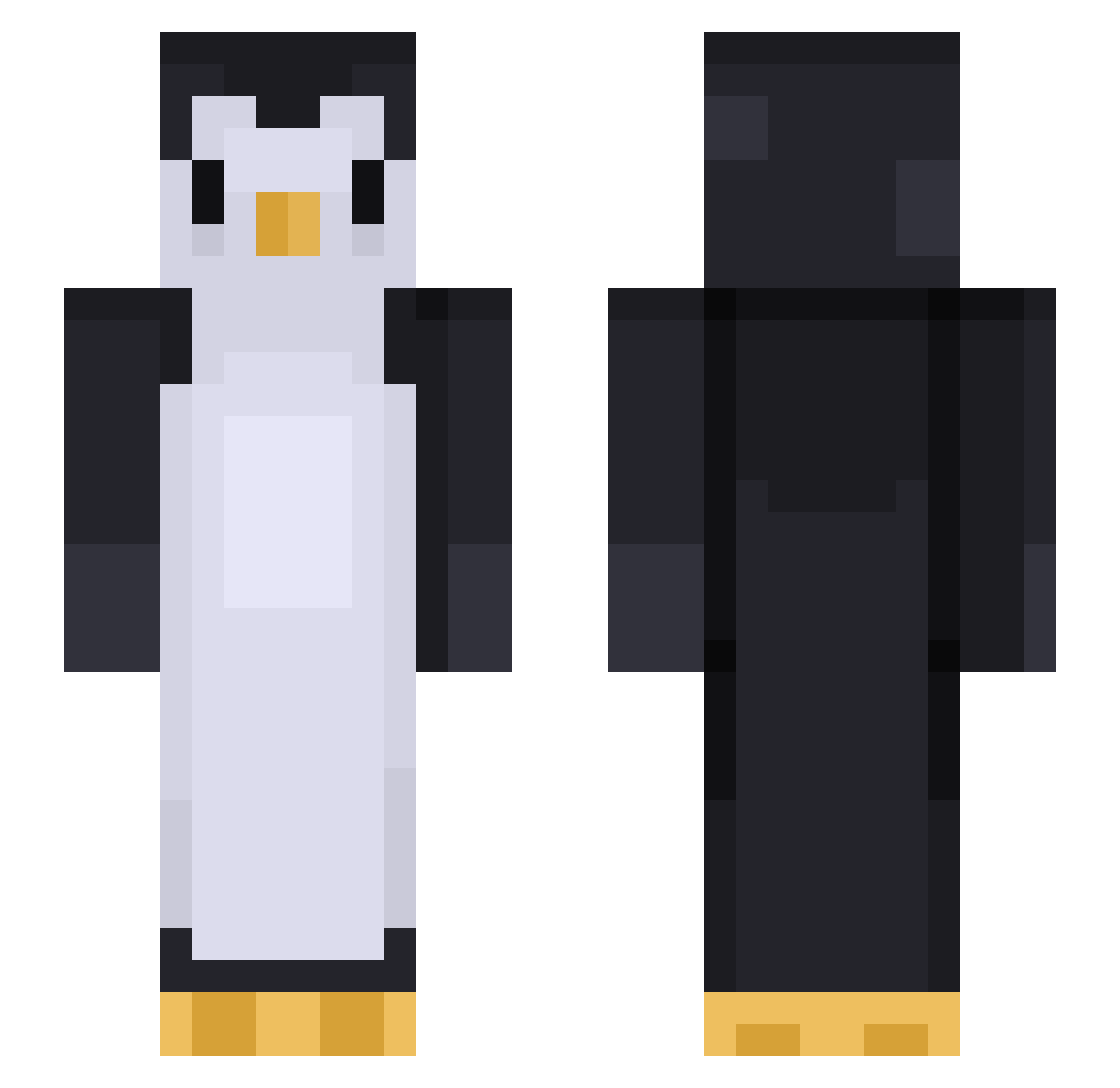
Current Minecraft skin of the player schmeaged, loaded from the official Mojang API. Rotate the 3D model with your mouse or finger, then download the skin as a PNG file and use it in Minecraft: Bedrock Edition or Java Edition for free. When schmeaged changes their skin, this page updates automatically and the old skin stays in the history below.
Other players with this skin (452)
schmeaged was the 342nd player we have seen with this skin, first spotted on 14.10.2026. The same skin was seen on these players. Open a nickname to see their current skin and skin history.
 LeeJuYeong NDP_18 Icarus1529 Zwiiebelbyte ToxicCyberSpace PuckeTheMaddened thrhoh Kyt_Kat Thestrongest123 Yuggufu seandj3j Steathy99 rpaehd pin9oo bsapavel DerpyBurps AstolfoTr4p HeeJu98 Th0xy Ben1919 nedionasd LumpyThePug evanyi VoteKickEdits KiTeFu_ HumanPeople2 Mrnicekl ElDarKo9_9 PopSmoke123 Little_wasawsky Dead_evening Moderatism Atromatik soeazybrooww tszhin710 Crooak Malid0n GilCohen2004 jeff104 PriseQQ 9uhope PenguinBean macmilligan Kirby_smb reiatte BigParade ProdByBarcos sixpenguin44560 Camilz_ _Pengo patgi Kmssong Scrimpy07 Vartes__ Arvelc Calliope14 gruru_ruru Drift_Wolf Matcha__Coffee Ioptyu2
More Animal Minecraft skins
How to install the schmeaged skin
- Press the Download button above to save the skin as a PNG file.
- Minecraft: Bedrock Edition (PE): open the Dressing Room from the main menu (or tap your character → Edit Character), go to Classic Skins → Owned, press the + (new skin) button, choose the downloaded PNG and pick the Slim (Alex) model. Works on PC and mobile; consoles cannot import custom skins.
- Minecraft: Java Edition: open the Minecraft Launcher, go to the Skins tab, click New Skin, load the PNG, pick the Slim (Alex) model and press Save & Use. You can also upload it at minecraft.net → Profile → Change Skin.
The skin does not show up after import - what should I do?
Restart Minecraft and open the Dressing Room again - imported skins sometimes appear only after a restart. Also make sure you selected the imported skin and picked the Slim (Alex) model.
Which model should I choose, Classic or Slim?
This skin is designed for the Slim (Alex) model. If you pick the wrong model, the arms of the skin will look stretched or squeezed.
Is the skin of schmeaged free to download?
Yes. Press Download, save the PNG file and use it in Minecraft: Bedrock Edition or Java Edition - no payment or registration needed. The skin also works on multiplayer servers and Realms.
More skins
Looking for more? Go back to all Minecraft skins and check the top skins of the week, month and all time, or find any player's skin by nickname.