
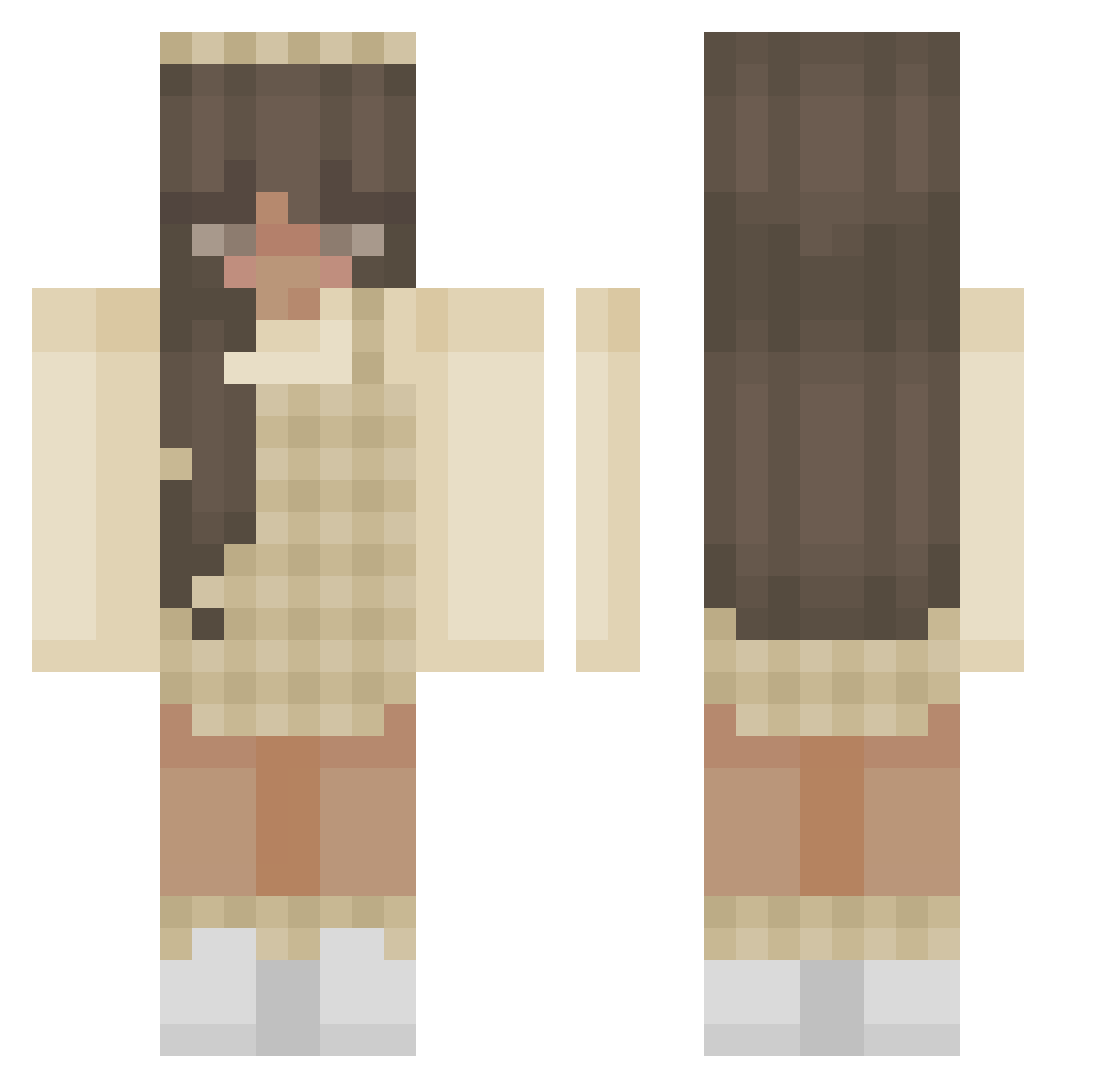
Current Minecraft skin of the player sawyer855, loaded from the official Mojang API. Rotate the 3D model with your mouse or finger, then download the skin as a PNG file and use it in Minecraft: Bedrock Edition or Java Edition for free. When sawyer855 changes their skin, this page updates automatically and the old skin stays in the history below.
Other players with this skin (316)
sawyer855 was the 113th player we have seen with this skin, first spotted on 23.08.2026. The same skin was seen on these players. Open a nickname to see their current skin and skin history.
 Hanna212 lori_chloe Gabbslife aprilren kxte99 Dorin_Ettehad MARTUXA m2t2sjd2 purplevibes26 lilguigui ZosiaZiom thunderr natalia13 the_sunflowerz_ pinkcarmello HopeFullie ClarisseJoy MayyaPanda Vxriety_ swagsophie XXuei serialina AstaB
 Ara8987 smalldame JJCCMJW ENDEREXPLORER4 amsctt Jazmine_17 gyroou Amabelle13 Lunaatje honeibeez Lali_Fee Melpepette Deraemei Marinateal22 pikiryu BumbleBubby WildWestShop bumbunems im_naomi briellemari wisteraeia imtiffff smellaalexis dolxe yuaois TiiTu5ka renachh paredso coffeee132 zmel_kn Cell0w salmon_girl MimiKins12 aliaisttoll sooverry Allina309 beluga2722
More Aesthetic Minecraft skins
How to install the sawyer855 skin
- Press the Download button above to save the skin as a PNG file.
- Minecraft: Bedrock Edition (PE): open the Dressing Room from the main menu (or tap your character → Edit Character), go to Classic Skins → Owned, press the + (new skin) button, choose the downloaded PNG and pick the Classic (Steve) model. Works on PC and mobile; consoles cannot import custom skins.
- Minecraft: Java Edition: open the Minecraft Launcher, go to the Skins tab, click New Skin, load the PNG, pick the Classic (Steve) model and press Save & Use. You can also upload it at minecraft.net → Profile → Change Skin.
The skin does not show up after import - what should I do?
Restart Minecraft and open the Dressing Room again - imported skins sometimes appear only after a restart. Also make sure you selected the imported skin and picked the Classic (Steve) model.
Which model should I choose, Classic or Slim?
This skin is designed for the Classic (Steve) model. If you pick the wrong model, the arms of the skin will look stretched or squeezed.
Is the skin of sawyer855 free to download?
Yes. Press Download, save the PNG file and use it in Minecraft: Bedrock Edition or Java Edition - no payment or registration needed. The skin also works on multiplayer servers and Realms.
More skins
Looking for more? Go back to all Minecraft skins and check the top skins of the week, month and all time, or find any player's skin by nickname.