
sawfy - Minecraft Skins & Skin History
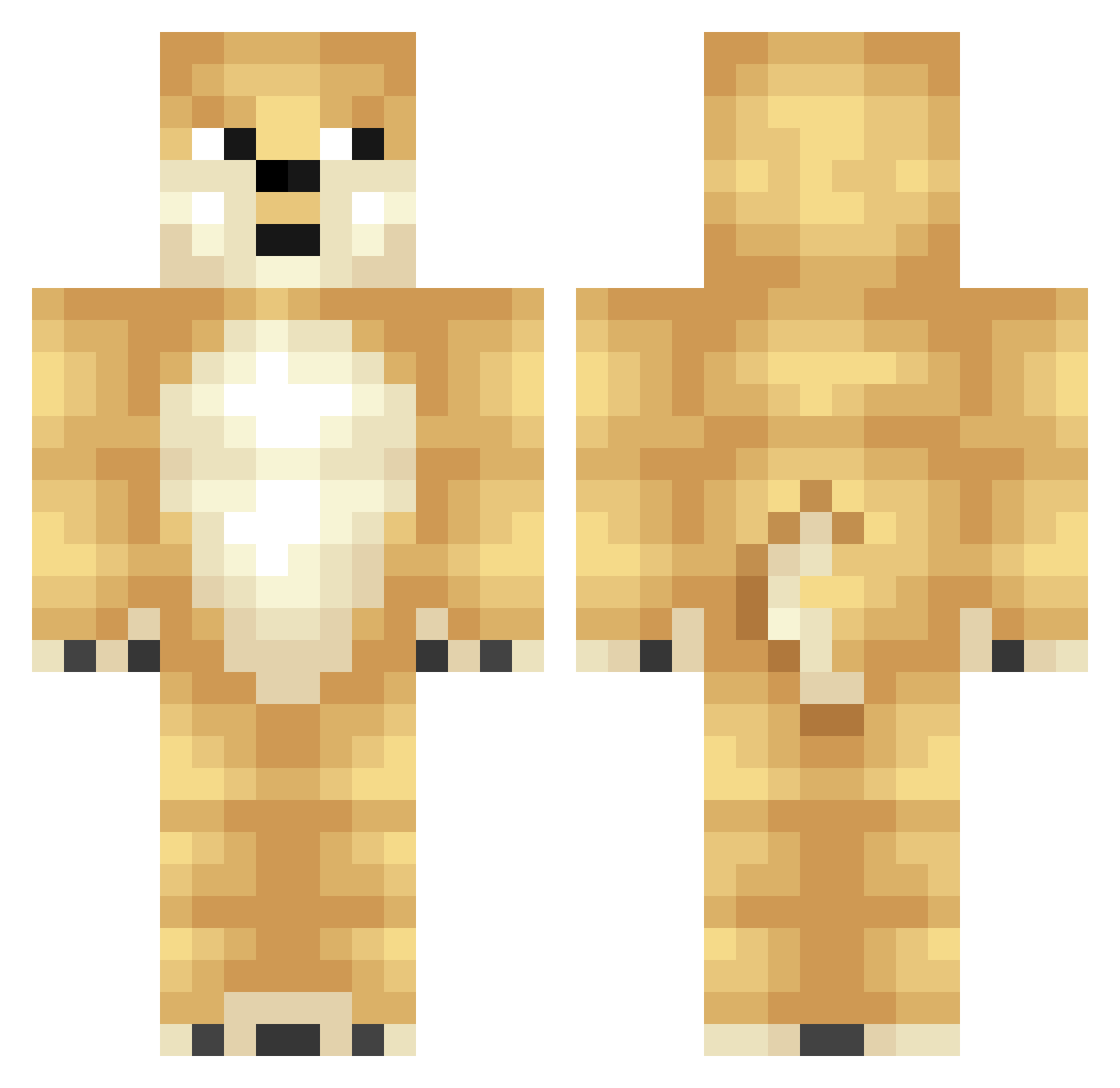
Current Minecraft skin of the player sawfy, loaded from the official Mojang API. Rotate the 3D model with your mouse or finger, then download the skin as a PNG file and use it in Minecraft: Bedrock Edition or Java Edition for free. When sawfy changes their skin, this page updates automatically and the old skin stays in the history below.
Other players with this skin (400)
sawfy was the 349th player we have seen with this skin, first spotted on 06.11.2026. The same skin was seen on these players. Open a nickname to see their current skin and skin history.
 fork667 Little_Cutie233 Shiba_Inu4723 LIama23 MgamerN Doge_7438 pig737 310dayo 21stChromosome DogLord07 Ucan04 Tdog03 Memoire_ Gavinoct Yukiwc annabaobei Haru_awa Good_Glrlx Xuyyy dogef byeongjin_ yyape tronic3411 saladz4lyfe Chunwoo111 Orange_cat1111 EatThisFreak Geracraft2 jiho0309 Teng2024 InvisibleGhost94 KaptainMeow Teerakanza GwnDarious OKH23 SonnySavage Air0613 M1LL3R TheDogeyDude noin9 Shwuee SirPepp Doge_C8763 sunyork probroswift Tomkeys Gogenks Lz_RaHa Ethan35768 SoupLicker1 Lao_Bing minsung135 Dogelover5381 bantinhvolon Legend_of_Spirit YouKnowMeBBB Egor0928931 sangchu02 iowoip Ch4unceyy
More Shiba Inu Minecraft skins
How to install the sawfy skin
- Press the Download button above to save the skin as a PNG file.
- Minecraft: Bedrock Edition (PE): open the Dressing Room from the main menu (or tap your character → Edit Character), go to Classic Skins → Owned, press the + (new skin) button, choose the downloaded PNG and pick the Classic (Steve) model. Works on PC and mobile; consoles cannot import custom skins.
- Minecraft: Java Edition: open the Minecraft Launcher, go to the Skins tab, click New Skin, load the PNG, pick the Classic (Steve) model and press Save & Use. You can also upload it at minecraft.net → Profile → Change Skin.
The skin does not show up after import - what should I do?
Restart Minecraft and open the Dressing Room again - imported skins sometimes appear only after a restart. Also make sure you selected the imported skin and picked the Classic (Steve) model.
Which model should I choose, Classic or Slim?
This skin is designed for the Classic (Steve) model. If you pick the wrong model, the arms of the skin will look stretched or squeezed.
Is the skin of sawfy free to download?
Yes. Press Download, save the PNG file and use it in Minecraft: Bedrock Edition or Java Edition - no payment or registration needed. The skin also works on multiplayer servers and Realms.
More skins
Looking for more? Go back to all Minecraft skins and check the top skins of the week, month and all time, or find any player's skin by nickname.