
sateenkaarilapsi - Minecraft Skins & Skin History
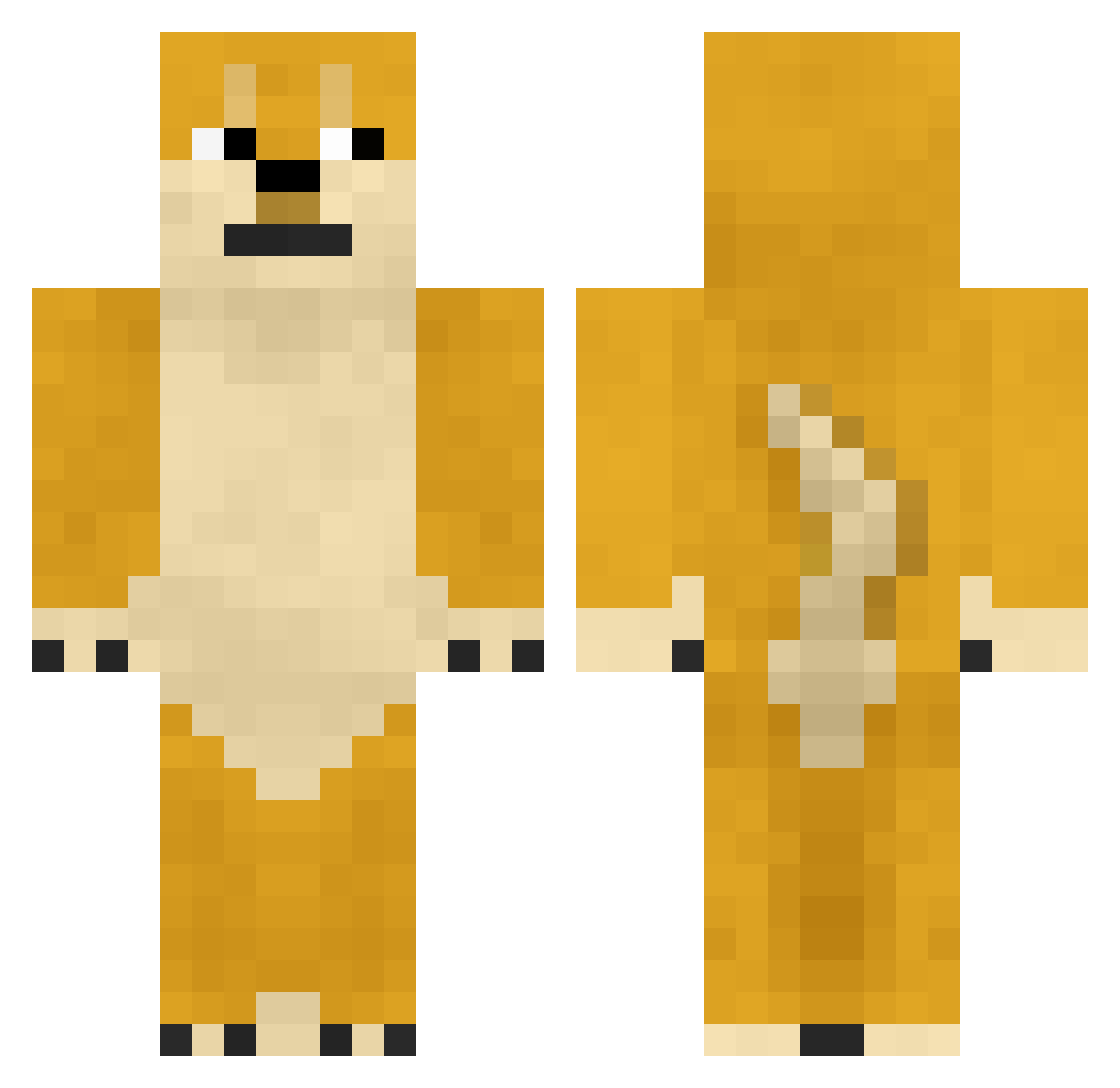
Current Minecraft skin of the player sateenkaarilapsi, loaded from the official Mojang API. Rotate the 3D model with your mouse or finger, then download the skin as a PNG file and use it in Minecraft: Bedrock Edition or Java Edition for free. When sateenkaarilapsi changes their skin, this page updates automatically and the old skin stays in the history below.
Other players with this skin (745)
sateenkaarilapsi was the 78th player we have seen with this skin, first spotted on 05.08.2026. The same skin was seen on these players. Open a nickname to see their current skin and skin history.
 runningnikees jethroooo TheGunner2000 FaZelickdiper wuxian39 CT_1274 QQQZombieQQQ fei___fei Stinklap302 kimdong_ja yaoxidazuo lF7GG crab_seven Doolee233 GMKing2190 xiaoheigege wifi510 YU_dian xingherumeng Foamyzzh SingleMdog7 b0n1 LeNdSkIy __reki meng_gg Simminub nunsamu CrispyDeathwish Anonymous_Slayer 8ballr azAZ416 Jotarodes SYOJO_TYU pidgin_ Gaszon PoorChild666 ss961317 Ychen666 VirtuosoHong iliang TryTonyKK imXiaoDong stillasleeplol Spider_steps scp3999 hanz_aleine Scott8964 Sensaciones Dm9uiClphin Asuegere ebao_666 Cr4zyAce 0xVed washi0506 CSQLOVEYOU BittySire King92012 wngcm SNMyyds kenkungza
More Shiba Inu Minecraft skins
How to install the sateenkaarilapsi skin
- Press the Download button above to save the skin as a PNG file.
- Minecraft: Bedrock Edition (PE): open the Dressing Room from the main menu (or tap your character → Edit Character), go to Classic Skins → Owned, press the + (new skin) button, choose the downloaded PNG and pick the Classic (Steve) model. Works on PC and mobile; consoles cannot import custom skins.
- Minecraft: Java Edition: open the Minecraft Launcher, go to the Skins tab, click New Skin, load the PNG, pick the Classic (Steve) model and press Save & Use. You can also upload it at minecraft.net → Profile → Change Skin.
The skin does not show up after import - what should I do?
Restart Minecraft and open the Dressing Room again - imported skins sometimes appear only after a restart. Also make sure you selected the imported skin and picked the Classic (Steve) model.
Which model should I choose, Classic or Slim?
This skin is designed for the Classic (Steve) model. If you pick the wrong model, the arms of the skin will look stretched or squeezed.
Is the skin of sateenkaarilapsi free to download?
Yes. Press Download, save the PNG file and use it in Minecraft: Bedrock Edition or Java Edition - no payment or registration needed. The skin also works on multiplayer servers and Realms.
More skins
Looking for more? Go back to all Minecraft skins and check the top skins of the week, month and all time, or find any player's skin by nickname.