
sargebarge - Minecraft Skins & Skin History
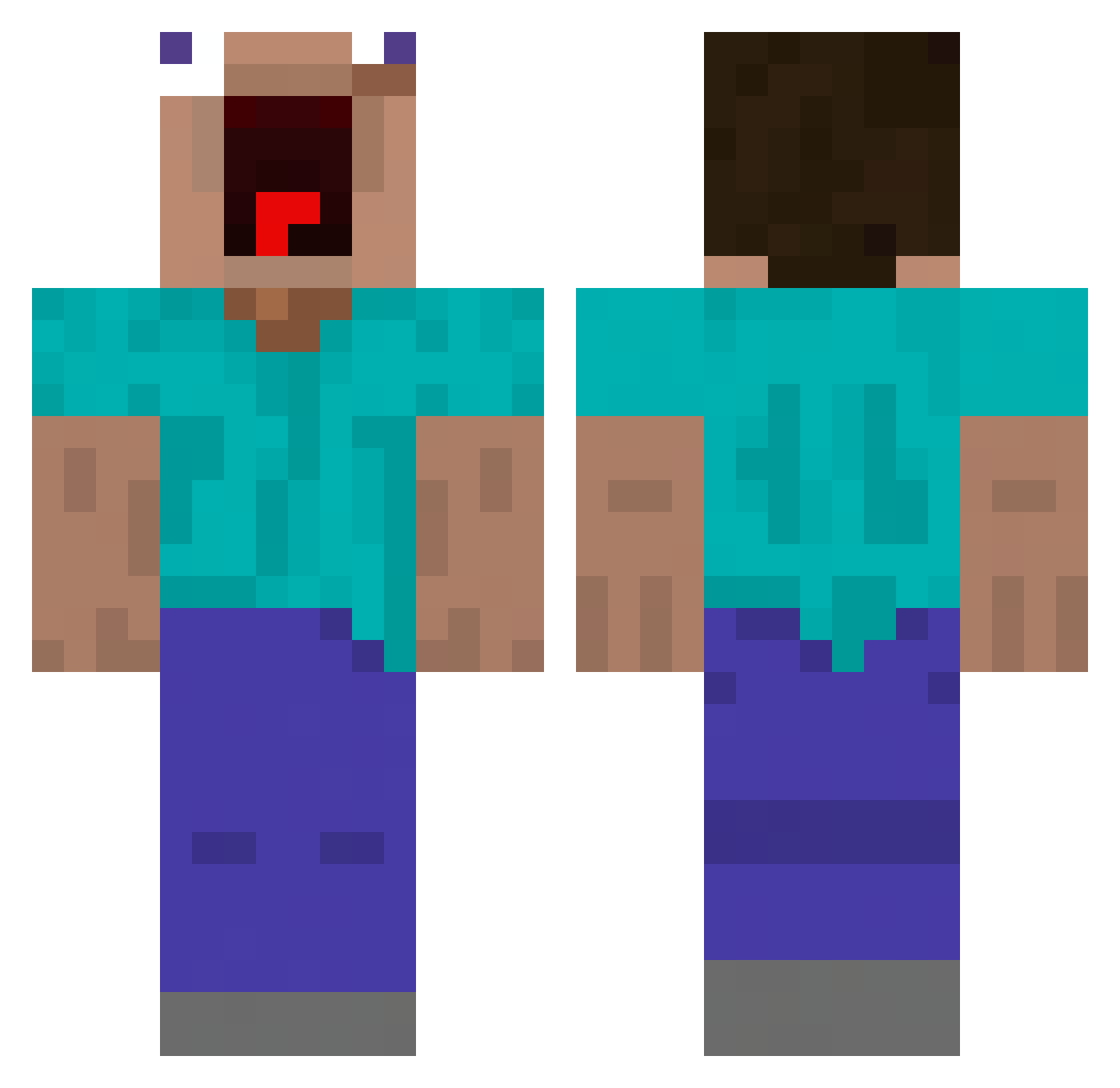
Current Minecraft skin of the player sargebarge, loaded from the official Mojang API. Rotate the 3D model with your mouse or finger, then download the skin as a PNG file and use it in Minecraft: Bedrock Edition or Java Edition for free. When sargebarge changes their skin, this page updates automatically and the old skin stays in the history below.
Other players with this skin (554)
sargebarge was the 525th player we have seen with this skin, first spotted on 14.11.2026. The same skin was seen on these players. Open a nickname to see their current skin and skin history.
 cc990427 jungkuki b1ng7 Balaap bene2921 imperfectlyme555 BangJunhyuck0322 wayyblack viperzr Sam8979_TW Neoxtazia Dafale kwakming KornspitzHD praiseYHWH el_saumon1 SnorlaxisGod Ibra2017 XxXDarkNoVAXxX TheNamesHawk 5n1ck3r5_ Tobicao efowifj Night_ghost348 haeon0723 TaggerRice6 MaheshY The_M0mol MuezzaCat d1gooner1 Godinsss DuzyKloc222 TH3_H3R3T1C bvstivn69 Official_David_ je_suis_Glorious Moon_YaMa Aliannnn 0vlo BumBomPlayZ nonNea Coldy_Beary goodto LoeweDanis LeBron1921 DaleHungHung 0owouo kjtoni1 olerounder_yeet ale47x Hardusiek KangHaerin1357 Foufouillus 1811ms Bittsw XiaoYu0307 M1ngeHead420 Ax3l65 Figearus abelitux
More Funny Minecraft skins
How to install the sargebarge skin
- Press the Download button above to save the skin as a PNG file.
- Minecraft: Bedrock Edition (PE): open the Dressing Room from the main menu (or tap your character → Edit Character), go to Classic Skins → Owned, press the + (new skin) button, choose the downloaded PNG and pick the Classic (Steve) model. Works on PC and mobile; consoles cannot import custom skins.
- Minecraft: Java Edition: open the Minecraft Launcher, go to the Skins tab, click New Skin, load the PNG, pick the Classic (Steve) model and press Save & Use. You can also upload it at minecraft.net → Profile → Change Skin.
The skin does not show up after import - what should I do?
Restart Minecraft and open the Dressing Room again - imported skins sometimes appear only after a restart. Also make sure you selected the imported skin and picked the Classic (Steve) model.
Which model should I choose, Classic or Slim?
This skin is designed for the Classic (Steve) model. If you pick the wrong model, the arms of the skin will look stretched or squeezed.
Is the skin of sargebarge free to download?
Yes. Press Download, save the PNG file and use it in Minecraft: Bedrock Edition or Java Edition - no payment or registration needed. The skin also works on multiplayer servers and Realms.
More skins
Looking for more? Go back to all Minecraft skins and check the top skins of the week, month and all time, or find any player's skin by nickname.