
santyfer8 - Minecraft Skins & Skin History
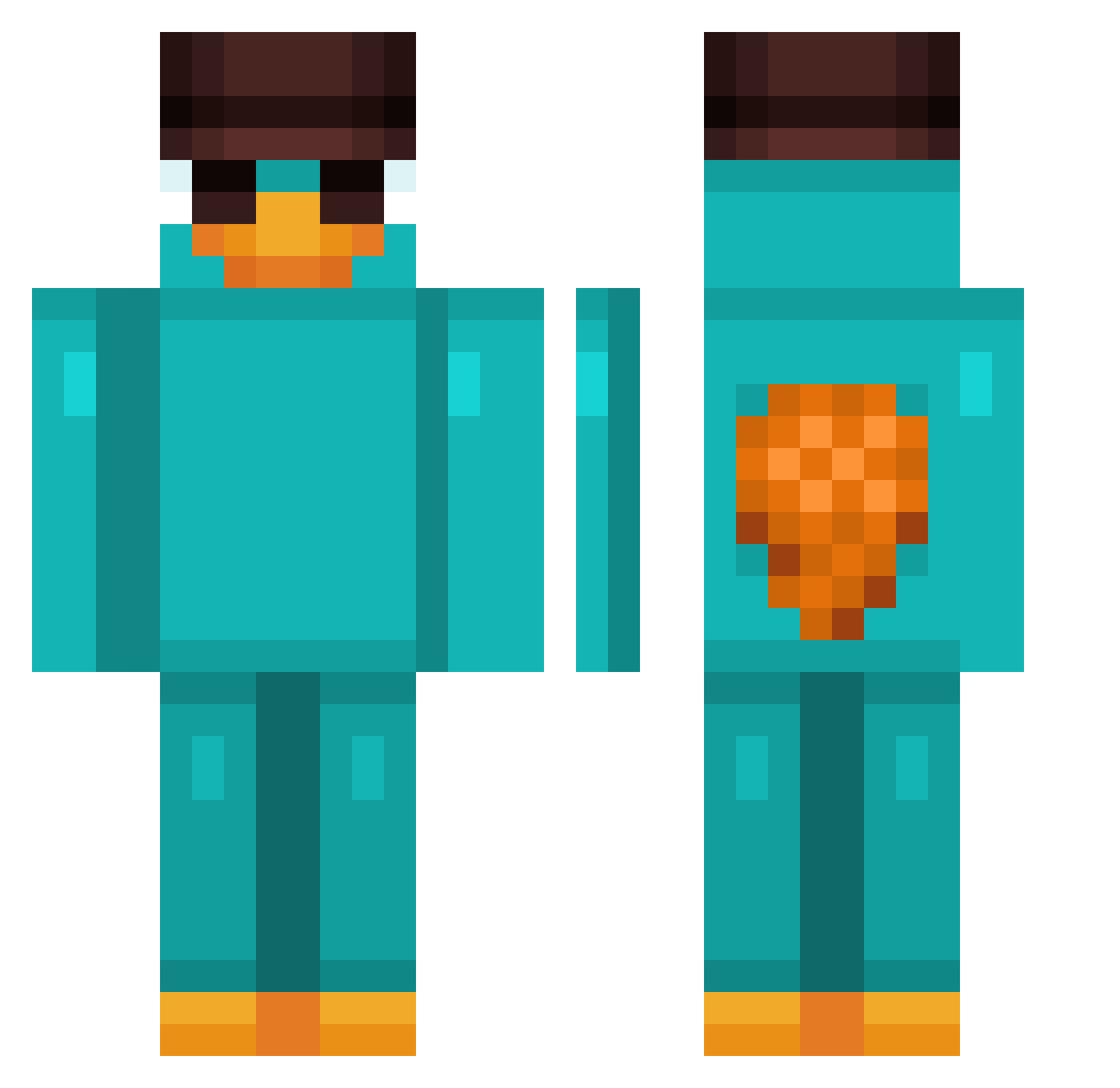
Current Minecraft skin of the player santyfer8, loaded from the official Mojang API. Rotate the 3D model with your mouse or finger, then download the skin as a PNG file and use it in Minecraft: Bedrock Edition or Java Edition for free. When santyfer8 changes their skin, this page updates automatically and the old skin stays in the history below.
Other players with this skin (812)
santyfer8 was the 365th player we have seen with this skin, first spotted on 06.09.2026. The same skin was seen on these players. Open a nickname to see their current skin and skin history.
 Cichyy7 Windy808 K4HE pelchin_02 jooshuaa adrian1337tv 00aas copacet1c Suptexforreal Pupilos BENUSSA Azzbob jotsdelas JG_2013 KyReAlVaRiTo Crannman1 Apisch XOTILLIOD Riskofdeath DZIOBAK55 JarodC2001 jdawgg3 Skyartify JCZAGBG7GZNSSL59 MIZINGA SShadowFox VirusGoldy timabiiii WashMash Caiton_ minseukiee Drusi0 Thepos1223 Fanyenn Tsarls ketchupEmostarda CautiousWord792 cyber_barrage RAVENRAIDER1360 SOSZeth978 Kroffisko LJ8910 Zzisaac mayte2210 Malix_yt Danio444 SauceLikesTea MaxiSVB7 Lexia0 Kolbenfresser187 Yzzyfps1_ WhyDomi Prisma74 dWwbwWb Raton018 zeroart07 Esung2 Yunmav ZerstoererXD Vollgaz
More Platypus Minecraft skins
How to install the santyfer8 skin
- Press the Download button above to save the skin as a PNG file.
- Minecraft: Bedrock Edition (PE): open the Dressing Room from the main menu (or tap your character → Edit Character), go to Classic Skins → Owned, press the + (new skin) button, choose the downloaded PNG and pick the Classic (Steve) model. Works on PC and mobile; consoles cannot import custom skins.
- Minecraft: Java Edition: open the Minecraft Launcher, go to the Skins tab, click New Skin, load the PNG, pick the Classic (Steve) model and press Save & Use. You can also upload it at minecraft.net → Profile → Change Skin.
The skin does not show up after import - what should I do?
Restart Minecraft and open the Dressing Room again - imported skins sometimes appear only after a restart. Also make sure you selected the imported skin and picked the Classic (Steve) model.
Which model should I choose, Classic or Slim?
This skin is designed for the Classic (Steve) model. If you pick the wrong model, the arms of the skin will look stretched or squeezed.
Is the skin of santyfer8 free to download?
Yes. Press Download, save the PNG file and use it in Minecraft: Bedrock Edition or Java Edition - no payment or registration needed. The skin also works on multiplayer servers and Realms.
More skins
Looking for more? Go back to all Minecraft skins and check the top skins of the week, month and all time, or find any player's skin by nickname.