
samel1 - Minecraft Skins & Skin History
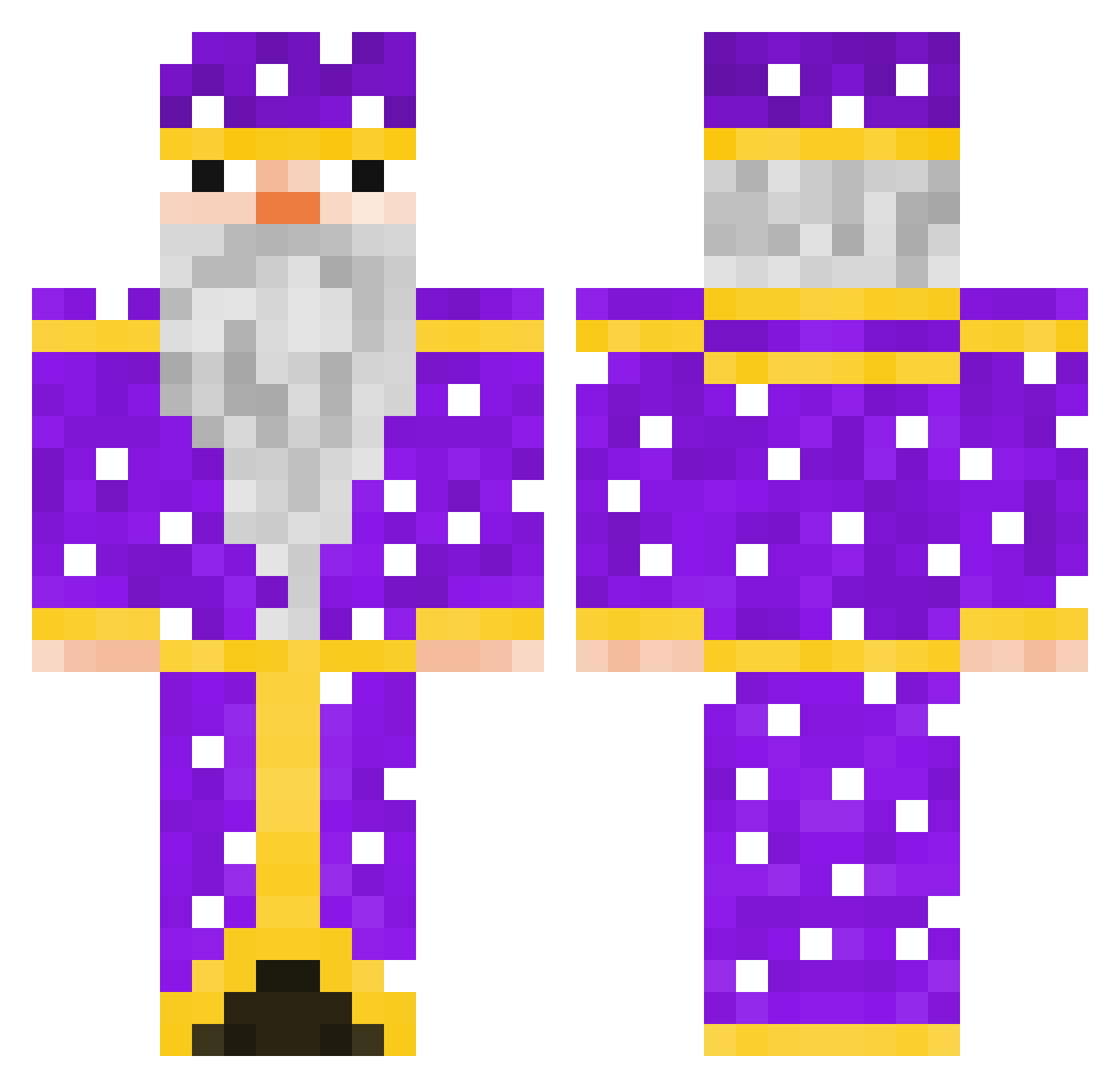
Current Minecraft skin of the player samel1, loaded from the official Mojang API. Rotate the 3D model with your mouse or finger, then download the skin as a PNG file and use it in Minecraft: Bedrock Edition or Java Edition for free. When samel1 changes their skin, this page updates automatically and the old skin stays in the history below.
Other players with this skin (102)
samel1 was the 46th player we have seen with this skin, first spotted on 10.09.2026. The same skin was seen on these players. Open a nickname to see their current skin and skin history.
 NeMeFukat Henessy_ Prastige DincoZort LorenzoATR Raykkr Almightypo esozumaki Link77677
 SteroidLover420 whisper1209 Paspelon Fathy7 miyoak _KAKATAI_ Zibaas lll0812 sidashii Sonnike LilMoike er_demon dsckar pandofi69 Pr4tty MrNutCracker113 Kingkai110420 lleozera memers12443414 ChabKot Iamscropian11o9 andr_gg_lite phelicksz derfettegustav4 van_brah minecraft18822 Czapsonnn InfantKhan czarnyPaweleq xxxadam Mrkokosek1 yAriiii3 onlyvpotoke peachy4880 LizaProstitutka SquirterULTIMATE Gondaee deezhizyu SV0E Old_Pony gurkhink SuperCatscr pickles99102 Auzect Eksperynt Anziiiiii MrDeLasDonas aquannic iwweLovesFeet superpapago Kaboom_97
More Elderly Minecraft skins
How to install the samel1 skin
- Press the Download button above to save the skin as a PNG file.
- Minecraft: Bedrock Edition (PE): open the Dressing Room from the main menu (or tap your character → Edit Character), go to Classic Skins → Owned, press the + (new skin) button, choose the downloaded PNG and pick the Classic (Steve) model. Works on PC and mobile; consoles cannot import custom skins.
- Minecraft: Java Edition: open the Minecraft Launcher, go to the Skins tab, click New Skin, load the PNG, pick the Classic (Steve) model and press Save & Use. You can also upload it at minecraft.net → Profile → Change Skin.
The skin does not show up after import - what should I do?
Restart Minecraft and open the Dressing Room again - imported skins sometimes appear only after a restart. Also make sure you selected the imported skin and picked the Classic (Steve) model.
Which model should I choose, Classic or Slim?
This skin is designed for the Classic (Steve) model. If you pick the wrong model, the arms of the skin will look stretched or squeezed.
Is the skin of samel1 free to download?
Yes. Press Download, save the PNG file and use it in Minecraft: Bedrock Edition or Java Edition - no payment or registration needed. The skin also works on multiplayer servers and Realms.
More skins
Looking for more? Go back to all Minecraft skins and check the top skins of the week, month and all time, or find any player's skin by nickname.