
s2xhaja - Minecraft Skins & Skin History
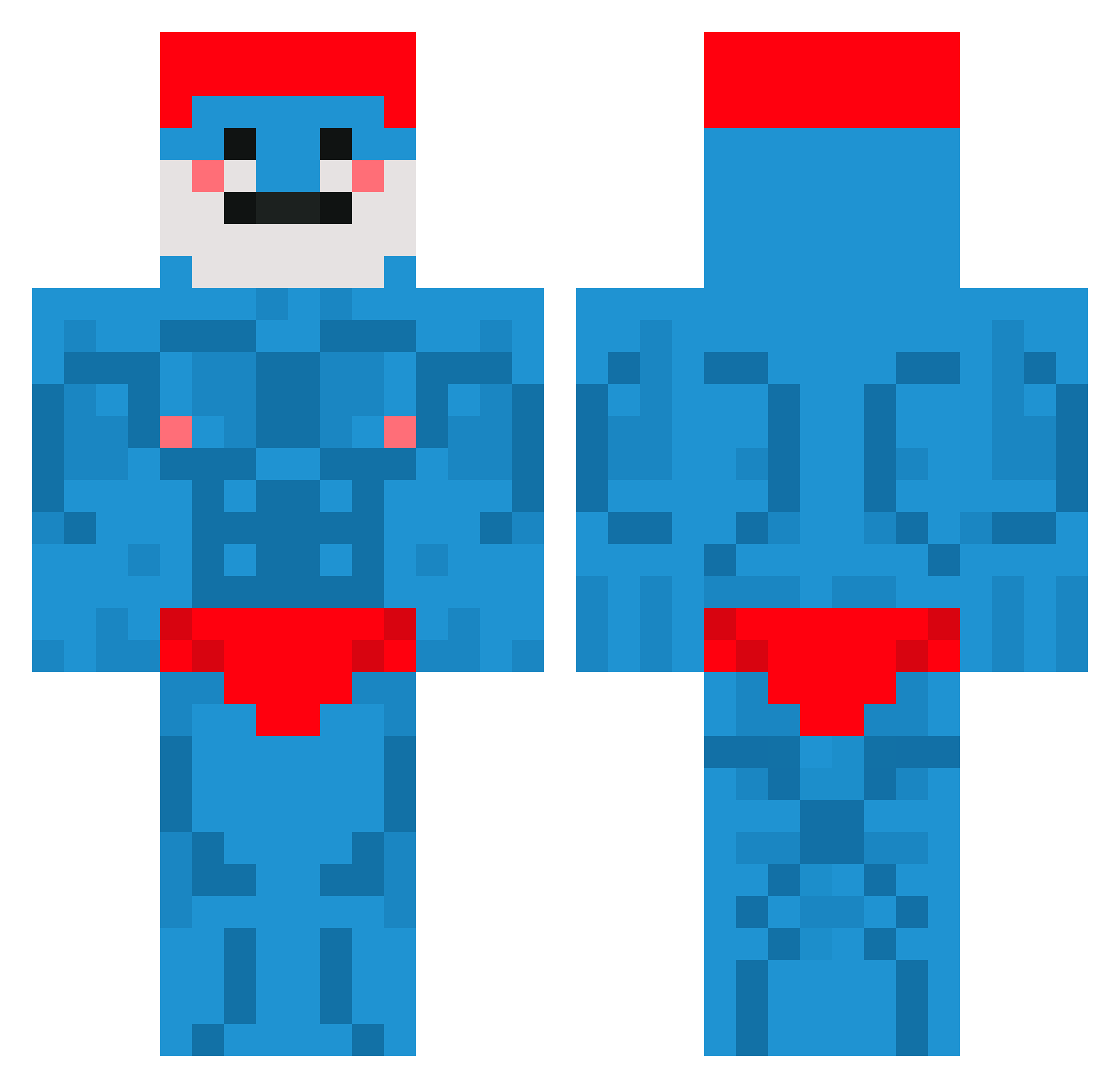
Current Minecraft skin of the player s2xhaja, loaded from the official Mojang API. Rotate the 3D model with your mouse or finger, then download the skin as a PNG file and use it in Minecraft: Bedrock Edition or Java Edition for free. When s2xhaja changes their skin, this page updates automatically and the old skin stays in the history below.
Other players with this skin (660)
s2xhaja was the 557th player we have seen with this skin, first spotted on 18.10.2026. The same skin was seen on these players. Open a nickname to see their current skin and skin history.
 CAMIX948 SmellyGnoblin Ph1ll1pp IchLiebeBierr KaKalann piola89 RGamerX hachooooo Hydro_Jesus Deathlezz bedrockbott Tosterretsot XTGutch Tomkon16 Nickyboi33 KingKactus747 sme11ymouse takiriko babooschkaIsGood NelsonDW crdk BenTheBot105 imdone6 iDragnell Schwarzeneggerrr BigDDanny21 mtytgr Maraeze Medulla_Cedri Ladinis_10 Dat_Futt_Bucker BvttFace92 tabieros TheRealJoweL _luckipoo macca_pacca9 Ludvigmaxwell293 Mleczaki taradd1 DavitChan SSKampfstafelNor AllahTierPvper garthy27 hieuBJ PapaSmurfi MannyMunchkin elmascapito66 _Astro01_ gaylord425 DlerLcW number1uzifan MoleGod_ Neylixs GRIZZLY343 Naitsirks xX_Cheesehead_Xx DeathMiner4852 DuckyKirea LandonMincrafter AkularLP
More Bodybuilder Minecraft skins
See all 1173 Bodybuilder skins
How to install the s2xhaja skin
- Press the Download button above to save the skin as a PNG file.
- Minecraft: Bedrock Edition (PE): open the Dressing Room from the main menu (or tap your character → Edit Character), go to Classic Skins → Owned, press the + (new skin) button, choose the downloaded PNG and pick the Classic (Steve) model. Works on PC and mobile; consoles cannot import custom skins.
- Minecraft: Java Edition: open the Minecraft Launcher, go to the Skins tab, click New Skin, load the PNG, pick the Classic (Steve) model and press Save & Use. You can also upload it at minecraft.net → Profile → Change Skin.
The skin does not show up after import - what should I do?
Restart Minecraft and open the Dressing Room again - imported skins sometimes appear only after a restart. Also make sure you selected the imported skin and picked the Classic (Steve) model.
Which model should I choose, Classic or Slim?
This skin is designed for the Classic (Steve) model. If you pick the wrong model, the arms of the skin will look stretched or squeezed.
Is the skin of s2xhaja free to download?
Yes. Press Download, save the PNG file and use it in Minecraft: Bedrock Edition or Java Edition - no payment or registration needed. The skin also works on multiplayer servers and Realms.
More skins
Looking for more? Go back to all Minecraft skins and check the top skins of the week, month and all time, or find any player's skin by nickname.