
ryno_onminecraft - Minecraft Skins & Skin History
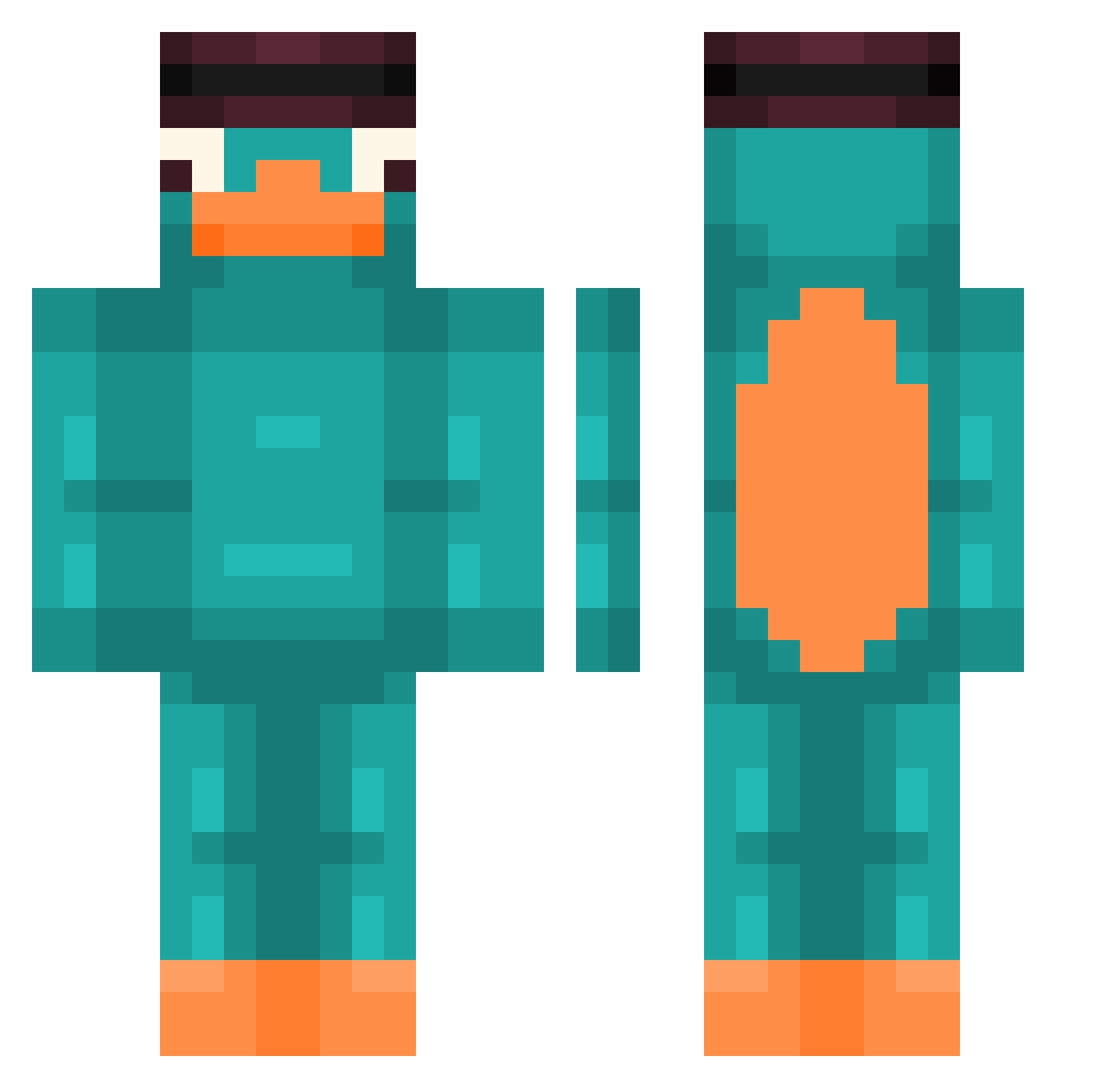
Current Minecraft skin of the player ryno_onminecraft, loaded from the official Mojang API. Rotate the 3D model with your mouse or finger, then download the skin as a PNG file and use it in Minecraft: Bedrock Edition or Java Edition for free. When ryno_onminecraft changes their skin, this page updates automatically and the old skin stays in the history below.
Other players with this skin (89)
ryno_onminecraft was the 63rd player we have seen with this skin, first spotted on 02.10.2026. The same skin was seen on these players. Open a nickname to see their current skin and skin history.
 enyox2 Itztaha404 eduperon S4ay LXN61 np_Dirso ZeusuKeserim SassyGoat617003 Merchok 67Benus Jamal_Coool O_Soon Creeperslayer562 CasualGamer76 W3Dan01 SmallDaddyMike NeonKeeion Tonikplyz_18 BananaSucker25 ggum3 The_Nether__ Requena_01 Ethen25 meteoyunda deadmx11 AsianAiden101 Renn_22 1_Woolf_1 Joni170713 _Niedo8czekanie_ itisseowoo R00GUE SbE3e3 exhzi joacooo3o Doresto Burgerbald Klumpit chargemenesis Dasoad dab2137 ClassicDip junghyun5908 OGsusu_1029 The_Michael1 VoardX yansitogamer DrakkarYufus Hedgehog2511 Aykofoo Taver__ Techno10Ten LokiXv2 Su1tss LAWrlq7 Eplisionempia byTobify zazkoo_ Explisioni VisKL
More Platypus Minecraft skins
How to install the ryno_onminecraft skin
- Press the Download button above to save the skin as a PNG file.
- Minecraft: Bedrock Edition (PE): open the Dressing Room from the main menu (or tap your character → Edit Character), go to Classic Skins → Owned, press the + (new skin) button, choose the downloaded PNG and pick the Classic (Steve) model. Works on PC and mobile; consoles cannot import custom skins.
- Minecraft: Java Edition: open the Minecraft Launcher, go to the Skins tab, click New Skin, load the PNG, pick the Classic (Steve) model and press Save & Use. You can also upload it at minecraft.net → Profile → Change Skin.
The skin does not show up after import - what should I do?
Restart Minecraft and open the Dressing Room again - imported skins sometimes appear only after a restart. Also make sure you selected the imported skin and picked the Classic (Steve) model.
Which model should I choose, Classic or Slim?
This skin is designed for the Classic (Steve) model. If you pick the wrong model, the arms of the skin will look stretched or squeezed.
Is the skin of ryno_onminecraft free to download?
Yes. Press Download, save the PNG file and use it in Minecraft: Bedrock Edition or Java Edition - no payment or registration needed. The skin also works on multiplayer servers and Realms.
More skins
Looking for more? Go back to all Minecraft skins and check the top skins of the week, month and all time, or find any player's skin by nickname.