
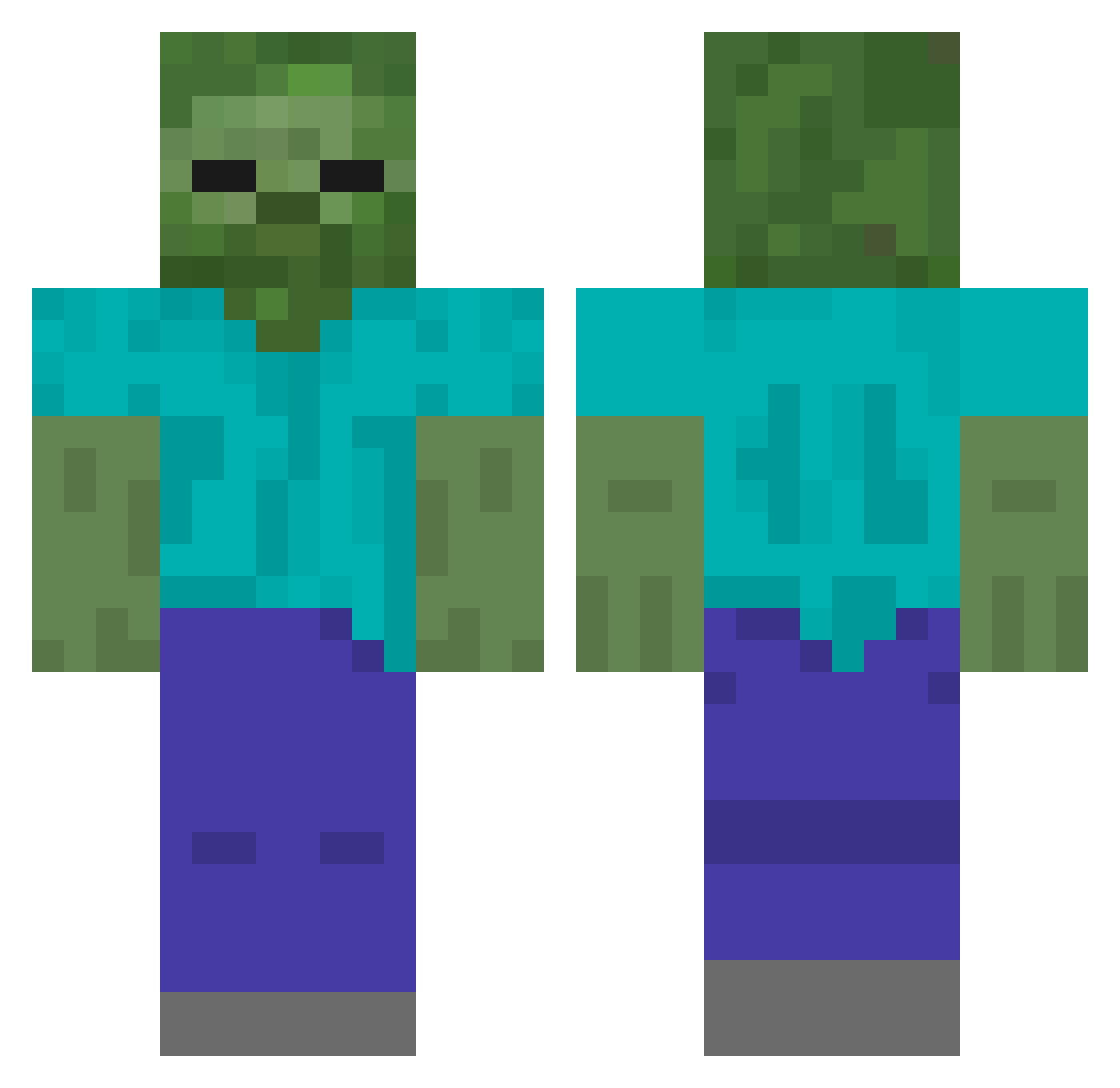
Current Minecraft skin of the player ruimg, loaded from the official Mojang API. Rotate the 3D model with your mouse or finger, then download the skin as a PNG file and use it in Minecraft: Bedrock Edition or Java Edition for free. When ruimg changes their skin, this page updates automatically and the old skin stays in the history below.
Other players with this skin (401)
ruimg was the 343rd player we have seen with this skin, first spotted on 05.10.2026. The same skin was seen on these players. Open a nickname to see their current skin and skin history.
 kkai666666 BlackAAASmile Qiao_BH HZLh921 Anbtl Fan_xy ppppp12356 Minecraft11269 CrowdStrike_ Xiao_Oi YuZhongYin Pollo8888 blankiron Pumpkin_cookies HlV348 Alanonline lovexier HEYB813 spunhappy tingok Player_1203 leivoskingi Path184 HuSn242 aagagga HtjR340 weiaaaaa K1evL CHEEMS1111 xuelang123 yangzau 12hh12 weijunyu AMBITIONNN dadtech 68695 HUO42 Ama_FuBVRS_ranth Hu1Tao Ricardo541 Huluobobaidalan _BingGun_ bialystocks HFvv911 G69G_ Forest_n HWHh30 Hece977 Hbjz519 MaskAAA HKoY262 Henp20 keyblues cnmcnm156 shengfan520 qixibaga HAECHI123 oneoneminh HGeC438 PIPI_TANG
More Undead Minecraft skins
How to install the ruimg skin
- Press the Download button above to save the skin as a PNG file.
- Minecraft: Bedrock Edition (PE): open the Dressing Room from the main menu (or tap your character → Edit Character), go to Classic Skins → Owned, press the + (new skin) button, choose the downloaded PNG and pick the Classic (Steve) model. Works on PC and mobile; consoles cannot import custom skins.
- Minecraft: Java Edition: open the Minecraft Launcher, go to the Skins tab, click New Skin, load the PNG, pick the Classic (Steve) model and press Save & Use. You can also upload it at minecraft.net → Profile → Change Skin.
The skin does not show up after import - what should I do?
Restart Minecraft and open the Dressing Room again - imported skins sometimes appear only after a restart. Also make sure you selected the imported skin and picked the Classic (Steve) model.
Which model should I choose, Classic or Slim?
This skin is designed for the Classic (Steve) model. If you pick the wrong model, the arms of the skin will look stretched or squeezed.
Is the skin of ruimg free to download?
Yes. Press Download, save the PNG file and use it in Minecraft: Bedrock Edition or Java Edition - no payment or registration needed. The skin also works on multiplayer servers and Realms.
More skins
Looking for more? Go back to all Minecraft skins and check the top skins of the week, month and all time, or find any player's skin by nickname.