
rozsa__istvan - Minecraft Skins & Skin History
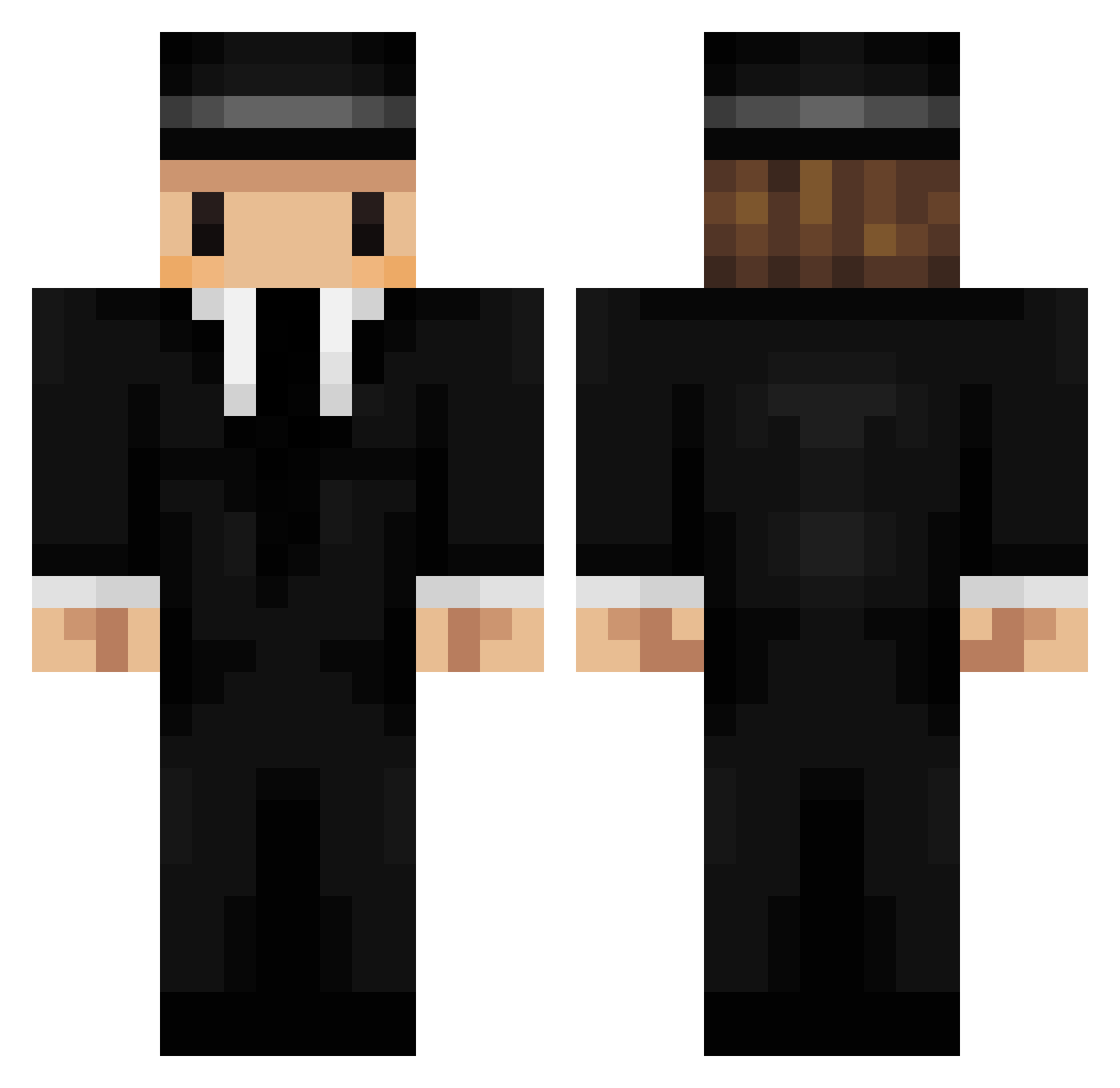
Current Minecraft skin of the player rozsa__istvan, loaded from the official Mojang API. Rotate the 3D model with your mouse or finger, then download the skin as a PNG file and use it in Minecraft: Bedrock Edition or Java Edition for free. When rozsa__istvan changes their skin, this page updates automatically and the old skin stays in the history below.
Other players with this skin (296)
rozsa__istvan was the 261st player we have seen with this skin, first spotted on 07.11.2026. The same skin was seen on these players. Open a nickname to see their current skin and skin history.
 Sarouille98 Truteez_ DxzrySuS Jacktheguy Tom_son julescrepi Tamrill_33 Luuuuuuucas MrOctopus312 cogencan MILKTHECOW123 Zib3ria floxiby cCross1015 0davide0 Diezuh Brandulf DutchSS RufusBlueRocket Parsimonioso tesla_ndeah LemonYaoz sungsw5360 Mura_kumo Axepoireau Mr_Chef_08 Hairy_McLovin Guasonete shigesho Grannus Mr_Eomer Oskariux Folyz YoureWACC Hespt propagandq Coby_94 ARY_yt mushy_zx IL1LI1L1IL1IL NitricAcid03 LtnGooz 5Mdragonfruit RhinoElite JannisNM Spongepopo STEVETOHUJ theromansky L0r1sS Offensichtlich padsaje PIRELLII Isaqueft godwish Mede00 Mobbi_ Bo__Jun AssassaVince RonPaco5 McShadow1000
More Mafia Minecraft skins
How to install the rozsa__istvan skin
- Press the Download button above to save the skin as a PNG file.
- Minecraft: Bedrock Edition (PE): open the Dressing Room from the main menu (or tap your character → Edit Character), go to Classic Skins → Owned, press the + (new skin) button, choose the downloaded PNG and pick the Classic (Steve) model. Works on PC and mobile; consoles cannot import custom skins.
- Minecraft: Java Edition: open the Minecraft Launcher, go to the Skins tab, click New Skin, load the PNG, pick the Classic (Steve) model and press Save & Use. You can also upload it at minecraft.net → Profile → Change Skin.
The skin does not show up after import - what should I do?
Restart Minecraft and open the Dressing Room again - imported skins sometimes appear only after a restart. Also make sure you selected the imported skin and picked the Classic (Steve) model.
Which model should I choose, Classic or Slim?
This skin is designed for the Classic (Steve) model. If you pick the wrong model, the arms of the skin will look stretched or squeezed.
Is the skin of rozsa__istvan free to download?
Yes. Press Download, save the PNG file and use it in Minecraft: Bedrock Edition or Java Edition - no payment or registration needed. The skin also works on multiplayer servers and Realms.
More skins
Looking for more? Go back to all Minecraft skins and check the top skins of the week, month and all time, or find any player's skin by nickname.