
roajm - Minecraft Skins & Skin History
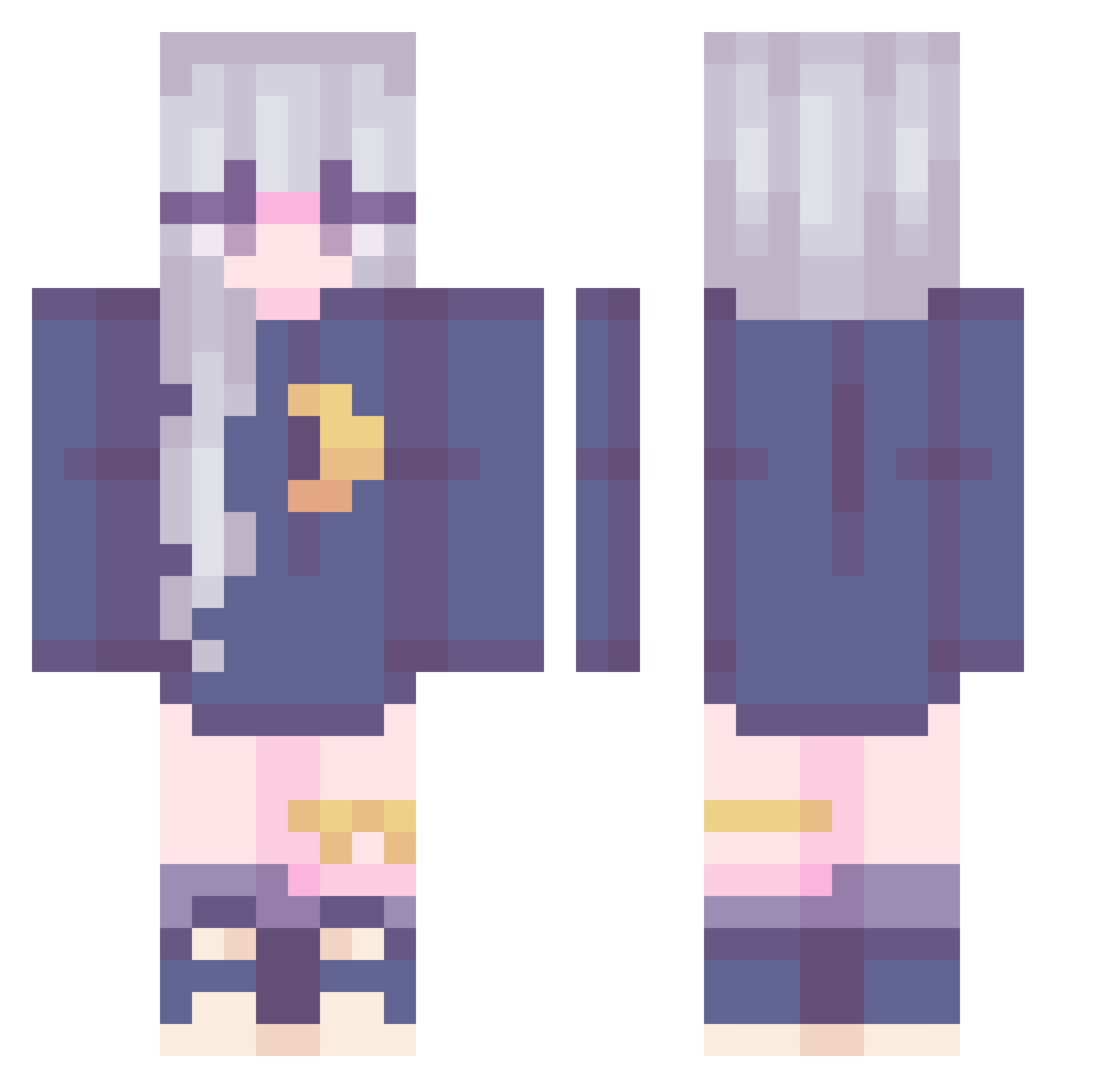
Current Minecraft skin of the player roajm, loaded from the official Mojang API. Rotate the 3D model with your mouse or finger, then download the skin as a PNG file and use it in Minecraft: Bedrock Edition or Java Edition for free. When roajm changes their skin, this page updates automatically and the old skin stays in the history below.
Other players with this skin (287)
roajm was the 268th player we have seen with this skin, first spotted on 11.11.2026. The same skin was seen on these players. Open a nickname to see their current skin and skin history.
 Solitary_Quill starry_skiies asterik240sx a1mushi ninaauwu StarburstNinjax jwtsuu Suchimi Nora621 NAYAGI_ 8kat Yuki_li Moonlight6248 Magikalotus LylliaVT exmi puppygwrl Mintcat515 XKaylaX123 WolfMaster707 xsio01 Loayi prettylittlejuju Peach2011 Ria_aiR lilbabybiscuit FreeFreeLook lingdong1329 grungefairy LilFoxBerry0912 Dean0731 dlsd Sophia_Mae_Ray AmiiLunaa Nipaoni arei777 kim_p_s iMainLeaf El2ice89 San_Chi_ WuHua_Apple zyion956 Sakura_Asuna kammerjunks Vivimigli chenfaye Talinee BananaG0at LovelyXion oFujoi Saintcyan young9999254 OSAchan Kilnnn HappyClover123 Luca_dayo kobenii9085 bellaguge Erzaavp guracororo
More Moon Minecraft skins
How to install the roajm skin
- Press the Download button above to save the skin as a PNG file.
- Minecraft: Bedrock Edition (PE): open the Dressing Room from the main menu (or tap your character → Edit Character), go to Classic Skins → Owned, press the + (new skin) button, choose the downloaded PNG and pick the Classic (Steve) model. Works on PC and mobile; consoles cannot import custom skins.
- Minecraft: Java Edition: open the Minecraft Launcher, go to the Skins tab, click New Skin, load the PNG, pick the Classic (Steve) model and press Save & Use. You can also upload it at minecraft.net → Profile → Change Skin.
The skin does not show up after import - what should I do?
Restart Minecraft and open the Dressing Room again - imported skins sometimes appear only after a restart. Also make sure you selected the imported skin and picked the Classic (Steve) model.
Which model should I choose, Classic or Slim?
This skin is designed for the Classic (Steve) model. If you pick the wrong model, the arms of the skin will look stretched or squeezed.
Is the skin of roajm free to download?
Yes. Press Download, save the PNG file and use it in Minecraft: Bedrock Edition or Java Edition - no payment or registration needed. The skin also works on multiplayer servers and Realms.
More skins
Looking for more? Go back to all Minecraft skins and check the top skins of the week, month and all time, or find any player's skin by nickname.