
rngxh - Minecraft Skins & Skin History
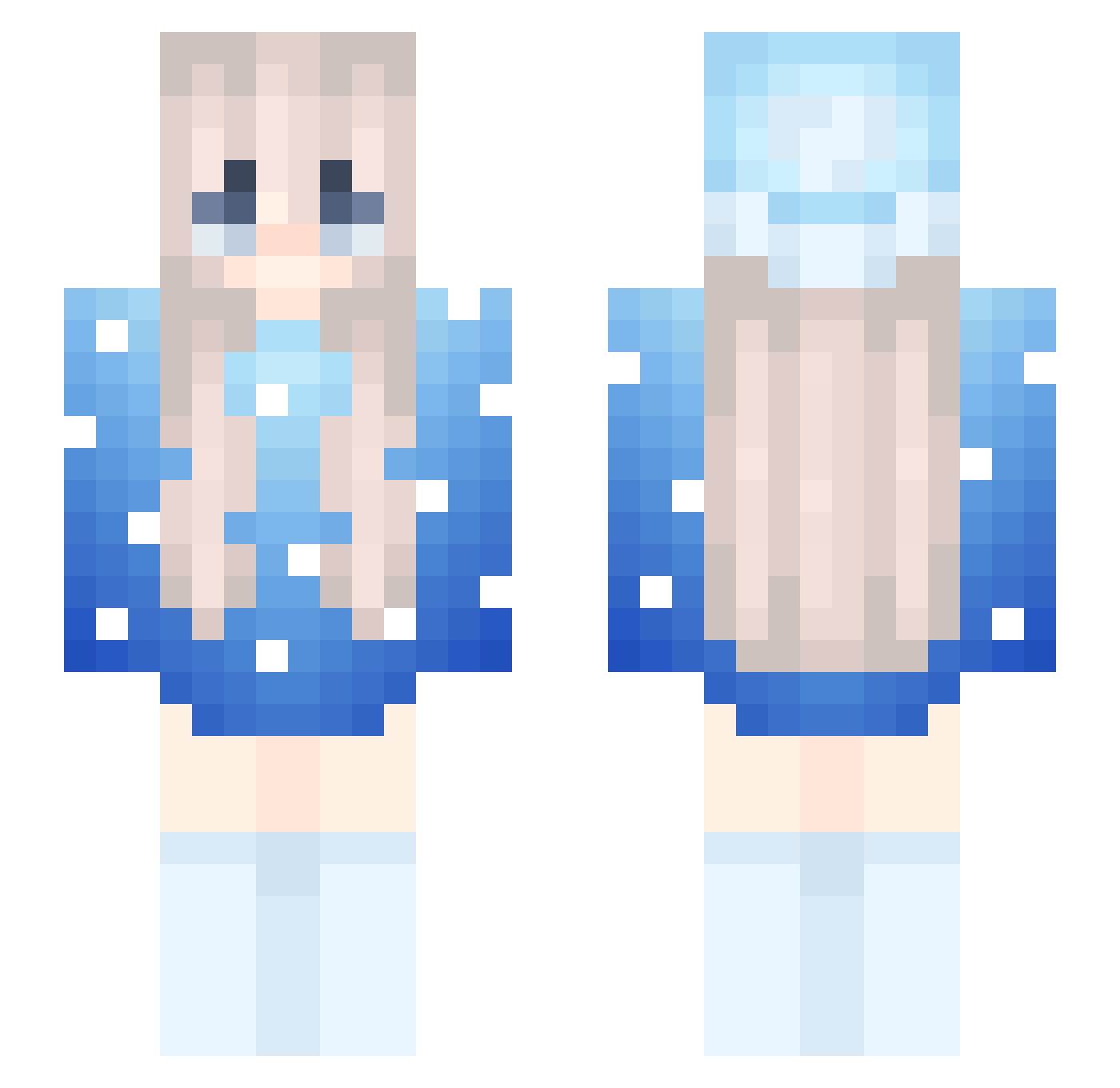
Current Minecraft skin of the player rngxh, loaded from the official Mojang API. Rotate the 3D model with your mouse or finger, then download the skin as a PNG file and use it in Minecraft: Bedrock Edition or Java Edition for free. When rngxh changes their skin, this page updates automatically and the old skin stays in the history below.
Other players with this skin (218)
rngxh was the 153rd player we have seen with this skin, first spotted on 30.09.2026. The same skin was seen on these players. Open a nickname to see their current skin and skin history.
 Zuk1www FrostyRizzer Marlow_ pleasant_Over Evantiiiiii7 mekijuu SaysNever hzwlson Afishy6 Light0001 monroe12 lTM15th1 zulhilmi69 Bishop10000 Chiarako Dalek1998 Sann19 _WantedTurds_ BVHCG Annihilation_nih shbzz PONT5615 5snus SuuTanChan Killwithfunny ichronic EstelarLobo zyNxK_ Marlowwwwww AalyiahA Pulido098 bastighgderbaba2 WolfFistPump dandaw09 artemisfowl1151_ x1wz demonwolfgirl07 CoolDude19201593 SHALK6R 13ct Shininq99 fdix Dahedgehog4 Konstobi2013 Auth3nticz DiamondSMP 6ukd PlayToLoseBud octopus99 Tripwire461 C4Void leafyretroza Primenx00 xaxoplays Btoot1 lotos12_ TheSnaze Cheffxshots Drdnuttt chickenkang
More Snow Minecraft skins
How to install the rngxh skin
- Press the Download button above to save the skin as a PNG file.
- Minecraft: Bedrock Edition (PE): open the Dressing Room from the main menu (or tap your character → Edit Character), go to Classic Skins → Owned, press the + (new skin) button, choose the downloaded PNG and pick the Slim (Alex) model. Works on PC and mobile; consoles cannot import custom skins.
- Minecraft: Java Edition: open the Minecraft Launcher, go to the Skins tab, click New Skin, load the PNG, pick the Slim (Alex) model and press Save & Use. You can also upload it at minecraft.net → Profile → Change Skin.
The skin does not show up after import - what should I do?
Restart Minecraft and open the Dressing Room again - imported skins sometimes appear only after a restart. Also make sure you selected the imported skin and picked the Slim (Alex) model.
Which model should I choose, Classic or Slim?
This skin is designed for the Slim (Alex) model. If you pick the wrong model, the arms of the skin will look stretched or squeezed.
Is the skin of rngxh free to download?
Yes. Press Download, save the PNG file and use it in Minecraft: Bedrock Edition or Java Edition - no payment or registration needed. The skin also works on multiplayer servers and Realms.
More skins
Looking for more? Go back to all Minecraft skins and check the top skins of the week, month and all time, or find any player's skin by nickname.