
rkdgustj - Minecraft Skins & Skin History
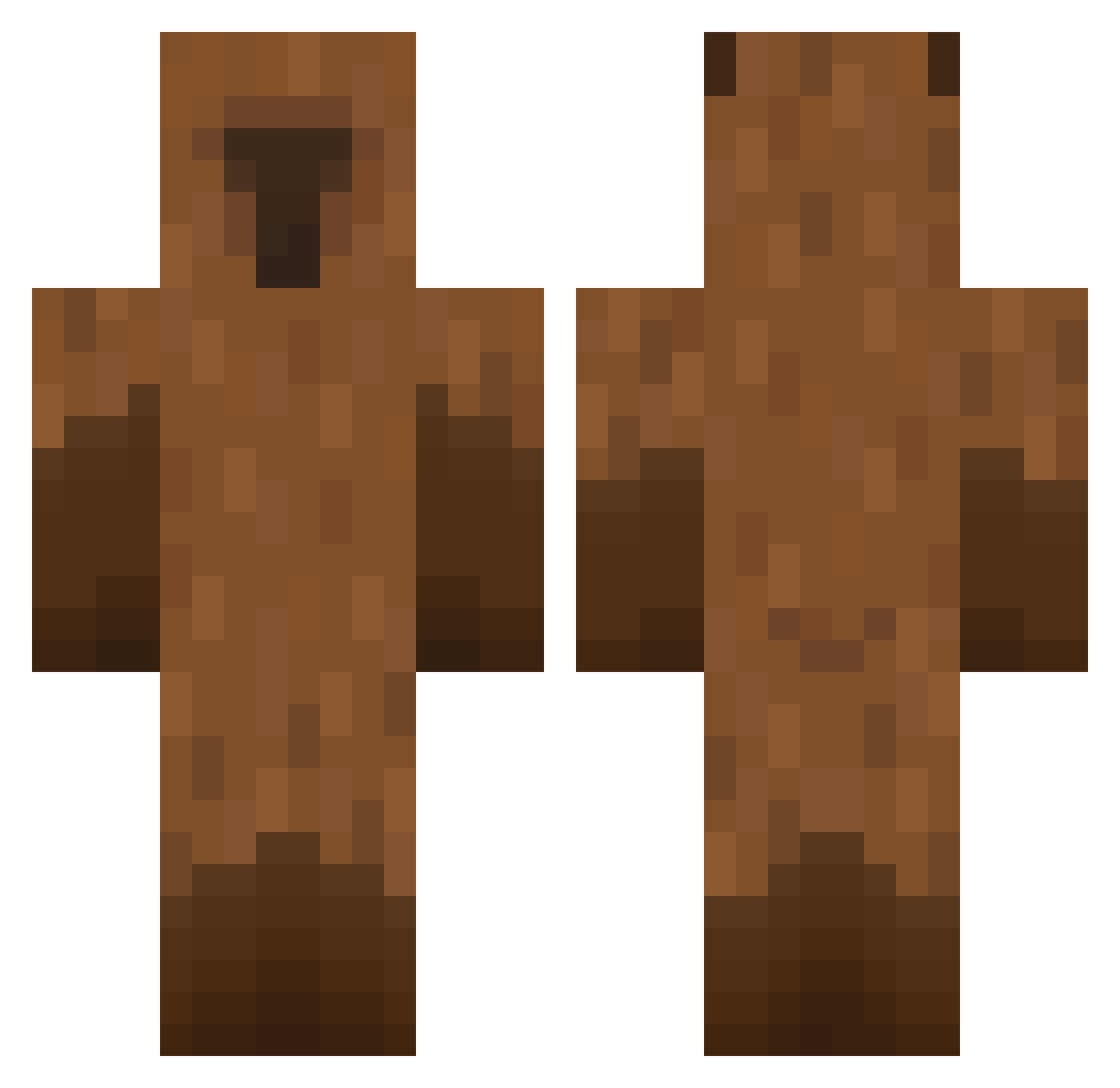
Current Minecraft skin of the player rkdgustj, loaded from the official Mojang API. Rotate the 3D model with your mouse or finger, then download the skin as a PNG file and use it in Minecraft: Bedrock Edition or Java Edition for free. When rkdgustj changes their skin, this page updates automatically and the old skin stays in the history below.
Other players with this skin (475)
rkdgustj was the 176th player we have seen with this skin, first spotted on 31.08.2026. The same skin was seen on these players. Open a nickname to see their current skin and skin history.
 EcoSyS4u gezzikur xChubsx Gary921201 suslik275 BentheByrne hayoon_0112 dzhiga13 CCCCan livio_0
 kangminee1 Ockaii Ilikeparakeets AlphaMyth isaiahjames17 sweetpotato0_0 Abacate_xX NuggetLover99 1nkys Mondkalb ryannoscs LordMagnamar Eduard9301 meer6 MaddieSecHusband Sigar210 4stroo k_9e2 Decode357 menchuis Jeffyboy72_YT haeso2000
 17BBongSu RagondinBoy2 clapivarar hanni_F ilris sneaky0906 Bluecrusherr Jecss Sylcix ramazzzotti Alphathoz Lumeeh fairyyblossom Henry_12 blacknns GoshGuilty Rom3lox Jack025318 DavidM_M15 lllMaytelll WTikuW CapriRody kapsia Edthundergod teekeh dcsj BERI_MC tokyo_killer777
More Capybara Minecraft skins
How to install the rkdgustj skin
- Press the Download button above to save the skin as a PNG file.
- Minecraft: Bedrock Edition (PE): open the Dressing Room from the main menu (or tap your character → Edit Character), go to Classic Skins → Owned, press the + (new skin) button, choose the downloaded PNG and pick the Classic (Steve) model. Works on PC and mobile; consoles cannot import custom skins.
- Minecraft: Java Edition: open the Minecraft Launcher, go to the Skins tab, click New Skin, load the PNG, pick the Classic (Steve) model and press Save & Use. You can also upload it at minecraft.net → Profile → Change Skin.
The skin does not show up after import - what should I do?
Restart Minecraft and open the Dressing Room again - imported skins sometimes appear only after a restart. Also make sure you selected the imported skin and picked the Classic (Steve) model.
Which model should I choose, Classic or Slim?
This skin is designed for the Classic (Steve) model. If you pick the wrong model, the arms of the skin will look stretched or squeezed.
Is the skin of rkdgustj free to download?
Yes. Press Download, save the PNG file and use it in Minecraft: Bedrock Edition or Java Edition - no payment or registration needed. The skin also works on multiplayer servers and Realms.
More skins
Looking for more? Go back to all Minecraft skins and check the top skins of the week, month and all time, or find any player's skin by nickname.