
rinhoman - Minecraft Skins & Skin History
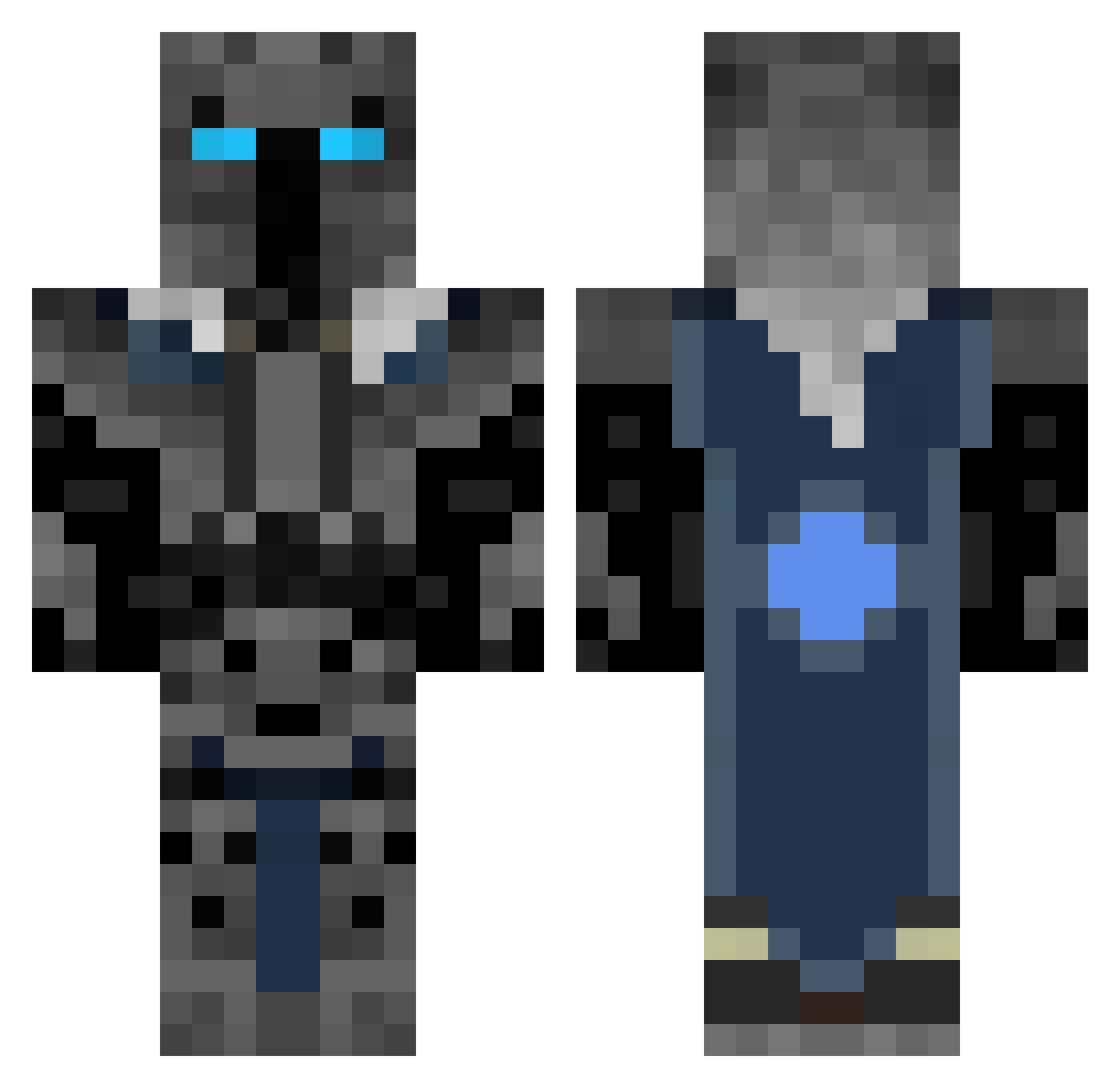
Current Minecraft skin of the player rinhoman, loaded from the official Mojang API. Rotate the 3D model with your mouse or finger, then download the skin as a PNG file and use it in Minecraft: Bedrock Edition or Java Edition for free. When rinhoman changes their skin, this page updates automatically and the old skin stays in the history below.
Other players with this skin (446)
rinhoman was the 394th player we have seen with this skin, first spotted on 26.10.2026. The same skin was seen on these players. Open a nickname to see their current skin and skin history.
 Arcadia1 15ober enchantedgame TrendikCase american_bacon21 JosephO07 CoolDude026 killerface3321 Enderman1224 jaspiro billybobjones93 predator2_97 cofig Schnitzel_123 Rayleigh0911 DrDestruction3 yayomang sadowex777 eliminatorkiller Kristie Beraiurak superarmy5 wking25 Darth13 TNM_Supreme TaylorNacho FrostThrone DavidKing1895 GameLucky21 miketalens123 999casterz Pharaday EvanB77 awksed Armylowther jdizzzy RobbieBug Pansi95 Jesus15 monkeytherat CreativeTNT89 ShootUpASchool MM1228 legomanjackson Enin999 blazeguy234 ace132446 WiseIdentity cReicRei yrahcaz111 tiaan05 Emoluck gelbbauchunke The_ghost_man218 Jarvis2406 iballisticoliver jassem551 EthanEthan2006 finfer2012 lordhiromatsu980
More Knight Minecraft skins
How to install the rinhoman skin
- Press the Download button above to save the skin as a PNG file.
- Minecraft: Bedrock Edition (PE): open the Dressing Room from the main menu (or tap your character → Edit Character), go to Classic Skins → Owned, press the + (new skin) button, choose the downloaded PNG and pick the Classic (Steve) model. Works on PC and mobile; consoles cannot import custom skins.
- Minecraft: Java Edition: open the Minecraft Launcher, go to the Skins tab, click New Skin, load the PNG, pick the Classic (Steve) model and press Save & Use. You can also upload it at minecraft.net → Profile → Change Skin.
The skin does not show up after import - what should I do?
Restart Minecraft and open the Dressing Room again - imported skins sometimes appear only after a restart. Also make sure you selected the imported skin and picked the Classic (Steve) model.
Which model should I choose, Classic or Slim?
This skin is designed for the Classic (Steve) model. If you pick the wrong model, the arms of the skin will look stretched or squeezed.
Is the skin of rinhoman free to download?
Yes. Press Download, save the PNG file and use it in Minecraft: Bedrock Edition or Java Edition - no payment or registration needed. The skin also works on multiplayer servers and Realms.
More skins
Looking for more? Go back to all Minecraft skins and check the top skins of the week, month and all time, or find any player's skin by nickname.