
rikkevuk - Minecraft Skins & Skin History
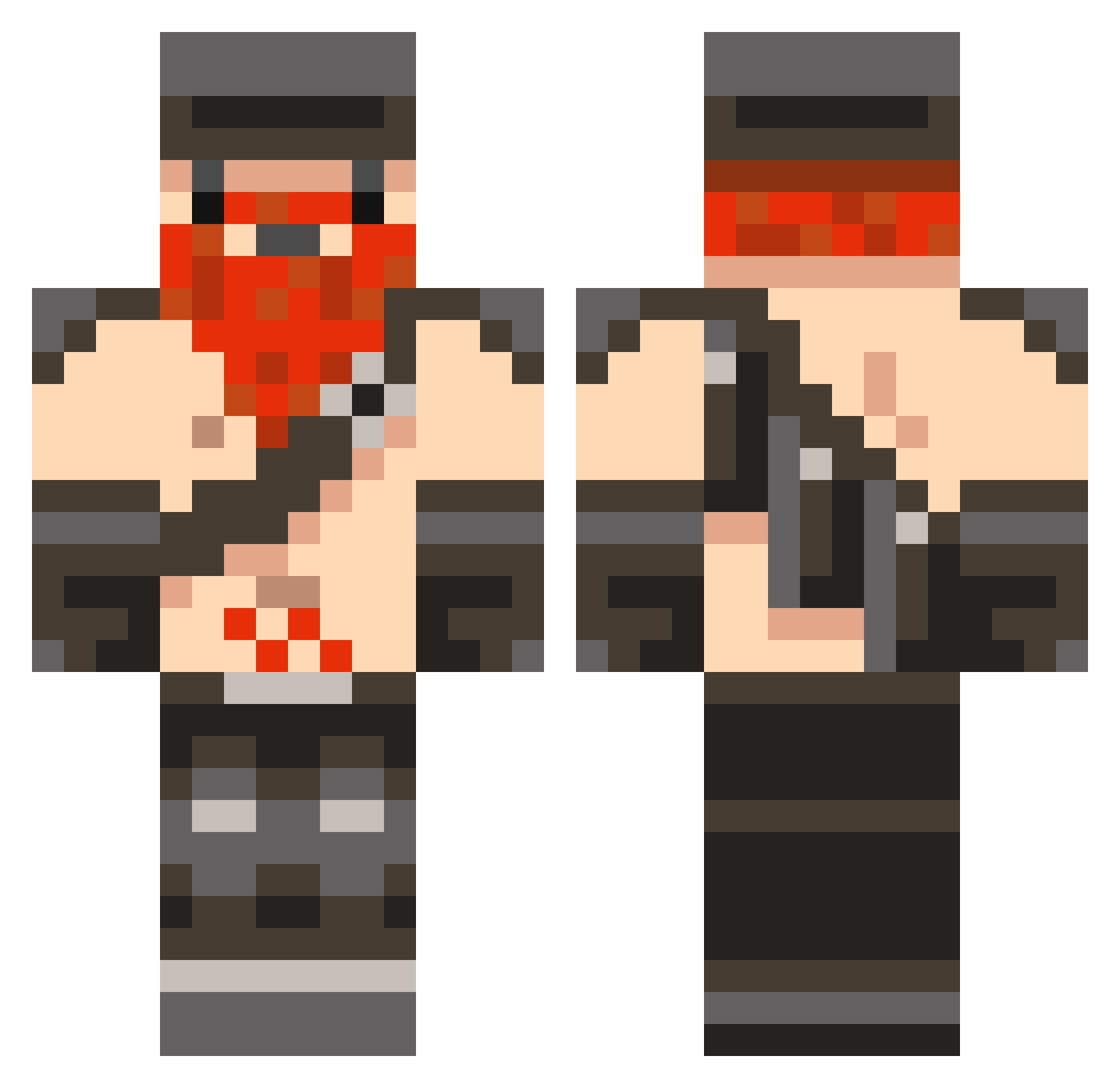
Current Minecraft skin of the player rikkevuk, loaded from the official Mojang API. Rotate the 3D model with your mouse or finger, then download the skin as a PNG file and use it in Minecraft: Bedrock Edition or Java Edition for free. When rikkevuk changes their skin, this page updates automatically and the old skin stays in the history below.
Other players with this skin (1042)
rikkevuk was the 1014th player we have seen with this skin, first spotted on 16.11.2026. The same skin was seen on these players. Open a nickname to see their current skin and skin history.
 bradles36 VDreadful imnatethegreat gamewarer1 mattbrock2012 jakethered mathew1345 XxTurdFergusonxX edenmic franzmann93 milly136 whirlwind05 joelgray20 rhysldavies Alabama2830 Secret_Assasin78 wrightauk coolguyz3 Mikey87 Fastest_Pokemon domispea seanwha JohnPalmer24 nofearjosh ilovepixelart Super_Dwarfs sportif12345 LC4321 Lillevik195 Prasch Minecraftman7414 Scottishdwarf zackcollins joelmole1999 bkeable tre54303 zane1dx Scratchthroat FrostyNord 5er evilgeniushehehe KuroJuz soliidan TheAltamash bthomas2440 Last_ManStanding paciaos123 Paddywagon50 Darnfast DLack0 eethkoth112 Warrior143 chase907 Honeyduw zackadelic Andy_17 joecockley19 josef_johnson jackinizer baranar12
More Dwarf Minecraft skins
How to install the rikkevuk skin
- Press the Download button above to save the skin as a PNG file.
- Minecraft: Bedrock Edition (PE): open the Dressing Room from the main menu (or tap your character → Edit Character), go to Classic Skins → Owned, press the + (new skin) button, choose the downloaded PNG and pick the Classic (Steve) model. Works on PC and mobile; consoles cannot import custom skins.
- Minecraft: Java Edition: open the Minecraft Launcher, go to the Skins tab, click New Skin, load the PNG, pick the Classic (Steve) model and press Save & Use. You can also upload it at minecraft.net → Profile → Change Skin.
The skin does not show up after import - what should I do?
Restart Minecraft and open the Dressing Room again - imported skins sometimes appear only after a restart. Also make sure you selected the imported skin and picked the Classic (Steve) model.
Which model should I choose, Classic or Slim?
This skin is designed for the Classic (Steve) model. If you pick the wrong model, the arms of the skin will look stretched or squeezed.
Is the skin of rikkevuk free to download?
Yes. Press Download, save the PNG file and use it in Minecraft: Bedrock Edition or Java Edition - no payment or registration needed. The skin also works on multiplayer servers and Realms.
More skins
Looking for more? Go back to all Minecraft skins and check the top skins of the week, month and all time, or find any player's skin by nickname.