
rifty0_0 - Minecraft Skins & Skin History
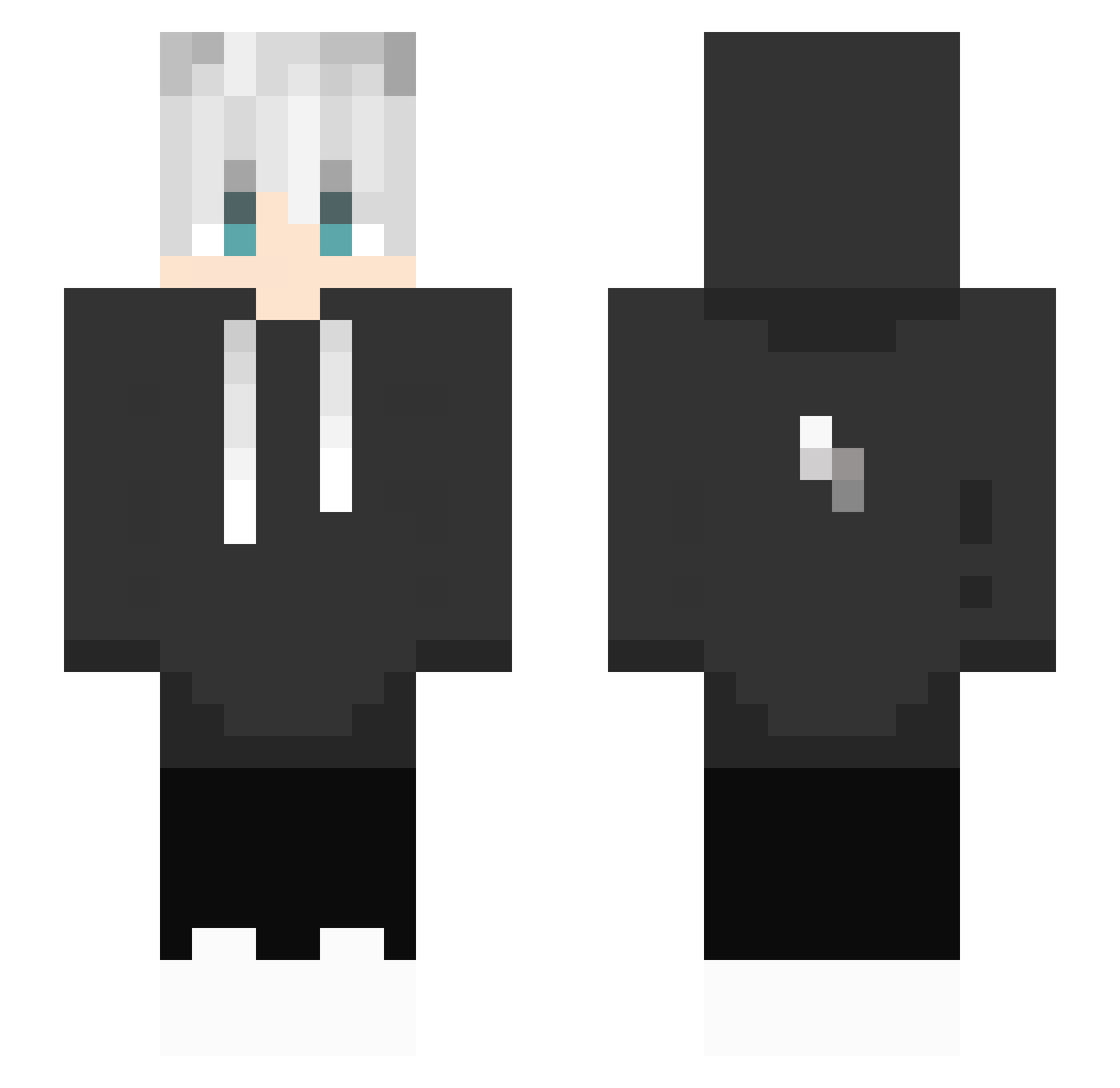
Current Minecraft skin of the player rifty0_0, loaded from the official Mojang API. Rotate the 3D model with your mouse or finger, then download the skin as a PNG file and use it in Minecraft: Bedrock Edition or Java Edition for free. When rifty0_0 changes their skin, this page updates automatically and the old skin stays in the history below.
Other players with this skin (434)
rifty0_0 was the 118th player we have seen with this skin, first spotted on 27.08.2026. The same skin was seen on these players. Open a nickname to see their current skin and skin history.
 Apeopleman OUTLAW8611 Hades202
 KilopinByns3685 GAMER_YE4KUB chaos_0719 4Yukio TheNox0 TheLast1Alive Xiaoming24 Czinos MrsHuang123 Nailiu1217 eufrz__ Slicksi Ryckarts OnlyAsura ZxZoZxZ_Mouse mandong_ISTP yasser2000 GreatJun97 Re1zon higordoo menmiti79 yomogi135 TheodoreLo gameghost99999 Mat4t GousiHijoDeHelad ChineseFood18 RoyPlays28 nuhC NurR21 SketchyAgate355 cnm122 Zyniu77 Blackherakles RedlessKing xiaobai_ill NakoPako MustafaKralYT mailman1121 A_RA_SHI TrDanii TeoCy Lad1289 Garlic_Bread135 cgyang Aquesso TY_wdgj ILIAGANG Takoplayz AVGGrx efes353509 janiic Kirimura Gus045 DimasikKarabasik ElGeRa2 KyleKent
More Lightning Bolt Minecraft skins
See all 927 Lightning Bolt skins
How to install the rifty0_0 skin
- Press the Download button above to save the skin as a PNG file.
- Minecraft: Bedrock Edition (PE): open the Dressing Room from the main menu (or tap your character → Edit Character), go to Classic Skins → Owned, press the + (new skin) button, choose the downloaded PNG and pick the Slim (Alex) model. Works on PC and mobile; consoles cannot import custom skins.
- Minecraft: Java Edition: open the Minecraft Launcher, go to the Skins tab, click New Skin, load the PNG, pick the Slim (Alex) model and press Save & Use. You can also upload it at minecraft.net → Profile → Change Skin.
The skin does not show up after import - what should I do?
Restart Minecraft and open the Dressing Room again - imported skins sometimes appear only after a restart. Also make sure you selected the imported skin and picked the Slim (Alex) model.
Which model should I choose, Classic or Slim?
This skin is designed for the Slim (Alex) model. If you pick the wrong model, the arms of the skin will look stretched or squeezed.
Is the skin of rifty0_0 free to download?
Yes. Press Download, save the PNG file and use it in Minecraft: Bedrock Edition or Java Edition - no payment or registration needed. The skin also works on multiplayer servers and Realms.
More skins
Looking for more? Go back to all Minecraft skins and check the top skins of the week, month and all time, or find any player's skin by nickname.