
rffeea - Minecraft Skins & Skin History
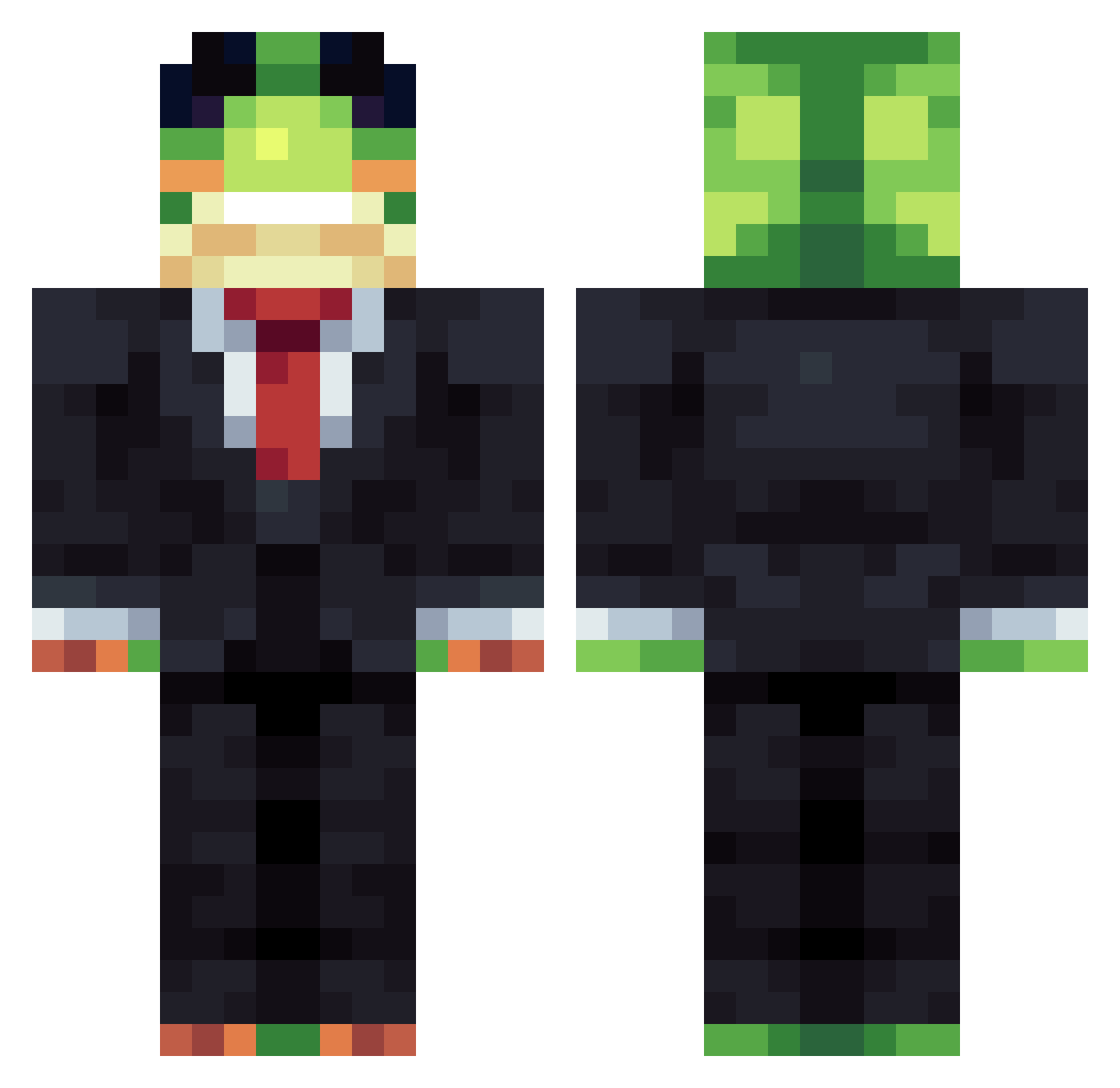
Current Minecraft skin of the player rffeea, loaded from the official Mojang API. Rotate the 3D model with your mouse or finger, then download the skin as a PNG file and use it in Minecraft: Bedrock Edition or Java Edition for free. When rffeea changes their skin, this page updates automatically and the old skin stays in the history below.
Other players with this skin (1232)
rffeea was the 801st player we have seen with this skin, first spotted on 27.09.2026. The same skin was seen on these players. Open a nickname to see their current skin and skin history.
 Reggiej17 jaybah08 Knastonaut wuhua_ Lilmeatball2010 xd_vasmoy YellowRangerPDOP TriFabi Ousvous Oscaroliver13 PopJester594318 edin02 angonyw BeanSmooth1e trydexxx yuniverse09 jamboy99 PETROXMC OOO88 Knock_by_F1 Jorgerr14 TuxedoGorrila Basti1409 WQSEDFRGTHYUI0 Bernardo2010BR fvzzybutt DanRiver_ Girandolone FearfulAlloy154 P4RIX DaviMoulin 1Spinosaurus1 CobbleFarmAbuse SRkolaps ZeroPeople moelin_ Dark_Circles padre_jayden traposkard WillyGee_ anton1_the_great 69women69 ghtrnfg gormit1234 rkl_123 Tundra713 lordTorchic Onlyjona MidSatyr6520795 CreatorVD Eliasgaming135 Its_lazin pabelo2115 SYR3K2545 bajunama auzekogg1 DadJoke27 jarjarr_ LeviBMG danzazaza
More Frog Minecraft skins
How to install the rffeea skin
- Press the Download button above to save the skin as a PNG file.
- Minecraft: Bedrock Edition (PE): open the Dressing Room from the main menu (or tap your character → Edit Character), go to Classic Skins → Owned, press the + (new skin) button, choose the downloaded PNG and pick the Classic (Steve) model. Works on PC and mobile; consoles cannot import custom skins.
- Minecraft: Java Edition: open the Minecraft Launcher, go to the Skins tab, click New Skin, load the PNG, pick the Classic (Steve) model and press Save & Use. You can also upload it at minecraft.net → Profile → Change Skin.
The skin does not show up after import - what should I do?
Restart Minecraft and open the Dressing Room again - imported skins sometimes appear only after a restart. Also make sure you selected the imported skin and picked the Classic (Steve) model.
Which model should I choose, Classic or Slim?
This skin is designed for the Classic (Steve) model. If you pick the wrong model, the arms of the skin will look stretched or squeezed.
Is the skin of rffeea free to download?
Yes. Press Download, save the PNG file and use it in Minecraft: Bedrock Edition or Java Edition - no payment or registration needed. The skin also works on multiplayer servers and Realms.
More skins
Looking for more? Go back to all Minecraft skins and check the top skins of the week, month and all time, or find any player's skin by nickname.