
reqsik1105 - Minecraft Skins & Skin History
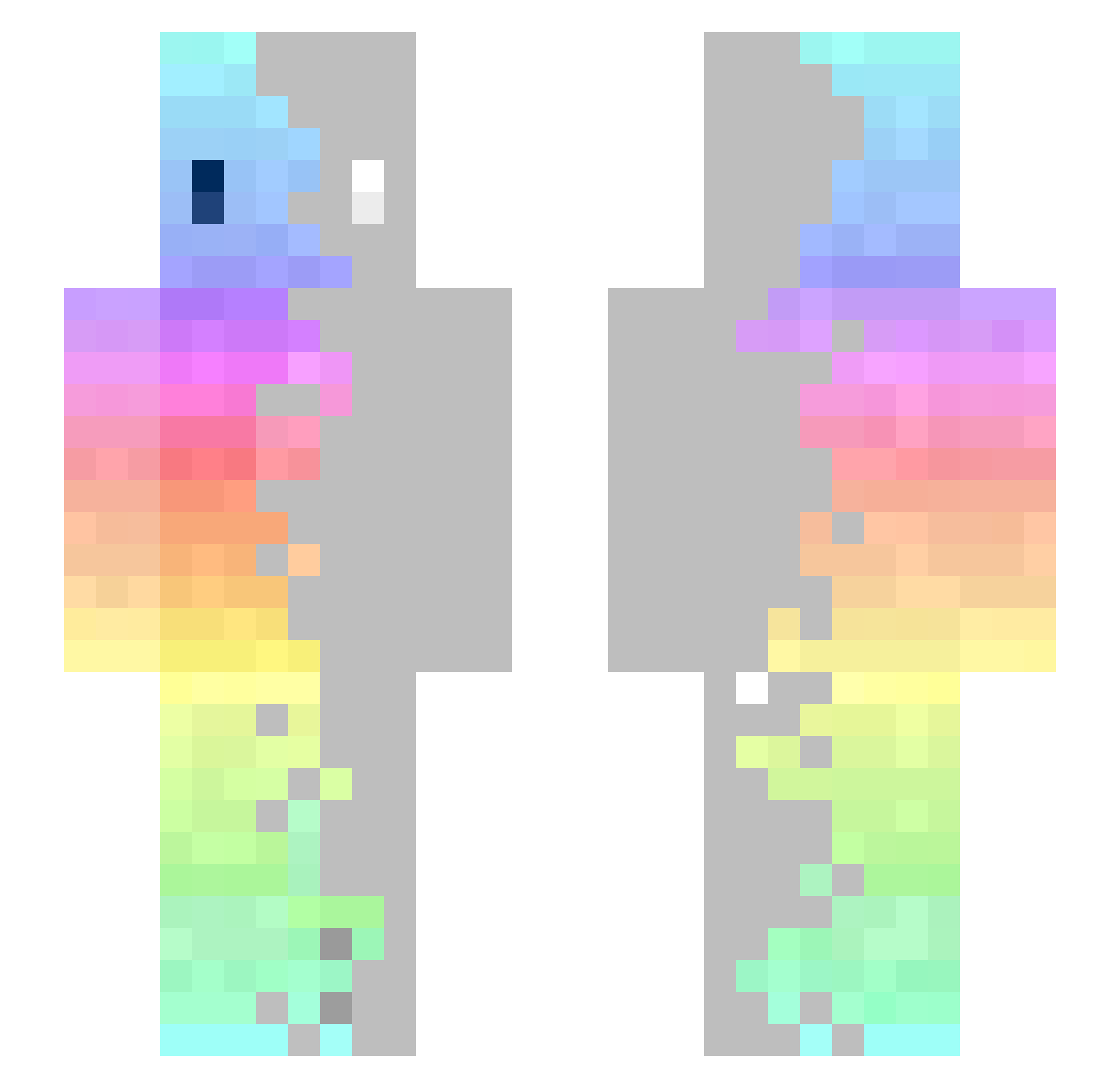
Current Minecraft skin of the player reqsik1105, loaded from the official Mojang API. Rotate the 3D model with your mouse or finger, then download the skin as a PNG file and use it in Minecraft: Bedrock Edition or Java Edition for free. When reqsik1105 changes their skin, this page updates automatically and the old skin stays in the history below.
Other players with this skin (366)
reqsik1105 was the 79th player we have seen with this skin, first spotted on 19.08.2026. The same skin was seen on these players. Open a nickname to see their current skin and skin history.
 LaiNzZor MatthewChih cloudycat50 66_Nexsiz_99 kokorokei a3_1415926 Lenaindejard1 NeuTaL quinny_flute _Nyam Elliot_Parks Axis94 Pasan1us Marcfrank Itss_Marco ElDominguez iTzFreaky17 Heenew MistyGryphon NianQAQ Maksgraphique jing4378 AngelBone KrispyMochi Aorichi_mine louloubat MatiasDs ZUDNAZ Kaherga HeyIamNoobToo meongmae TIO_AFRO Pack326 YummySteakz Anestom LostBirdi FinnSigurd bottomgap_GG rainbowb1tch Teemang Ricky_pode08 Gaia022 MUCKCHO Drasteur DarknessP Dani__craft amobdk Fenix5v Fenjooo Aoki373 DinosaurSuper Tamaggo U00u0 Skalvetti lepetitaspi yaooooos HiphopKa Patocukk Jung2 Mortifiedstreak
How to install the reqsik1105 skin
- Press the Download button above to save the skin as a PNG file.
- Minecraft: Bedrock Edition (PE): open the Dressing Room from the main menu (or tap your character → Edit Character), go to Classic Skins → Owned, press the + (new skin) button, choose the downloaded PNG and pick the Slim (Alex) model. Works on PC and mobile; consoles cannot import custom skins.
- Minecraft: Java Edition: open the Minecraft Launcher, go to the Skins tab, click New Skin, load the PNG, pick the Slim (Alex) model and press Save & Use. You can also upload it at minecraft.net → Profile → Change Skin.
The skin does not show up after import - what should I do?
Restart Minecraft and open the Dressing Room again - imported skins sometimes appear only after a restart. Also make sure you selected the imported skin and picked the Slim (Alex) model.
Which model should I choose, Classic or Slim?
This skin is designed for the Slim (Alex) model. If you pick the wrong model, the arms of the skin will look stretched or squeezed.
Is the skin of reqsik1105 free to download?
Yes. Press Download, save the PNG file and use it in Minecraft: Bedrock Edition or Java Edition - no payment or registration needed. The skin also works on multiplayer servers and Realms.
More skins
Looking for more? Go back to all Minecraft skins and check the top skins of the week, month and all time, or find any player's skin by nickname.