
reivaX_tenaB - Minecraft Skins & Skin History
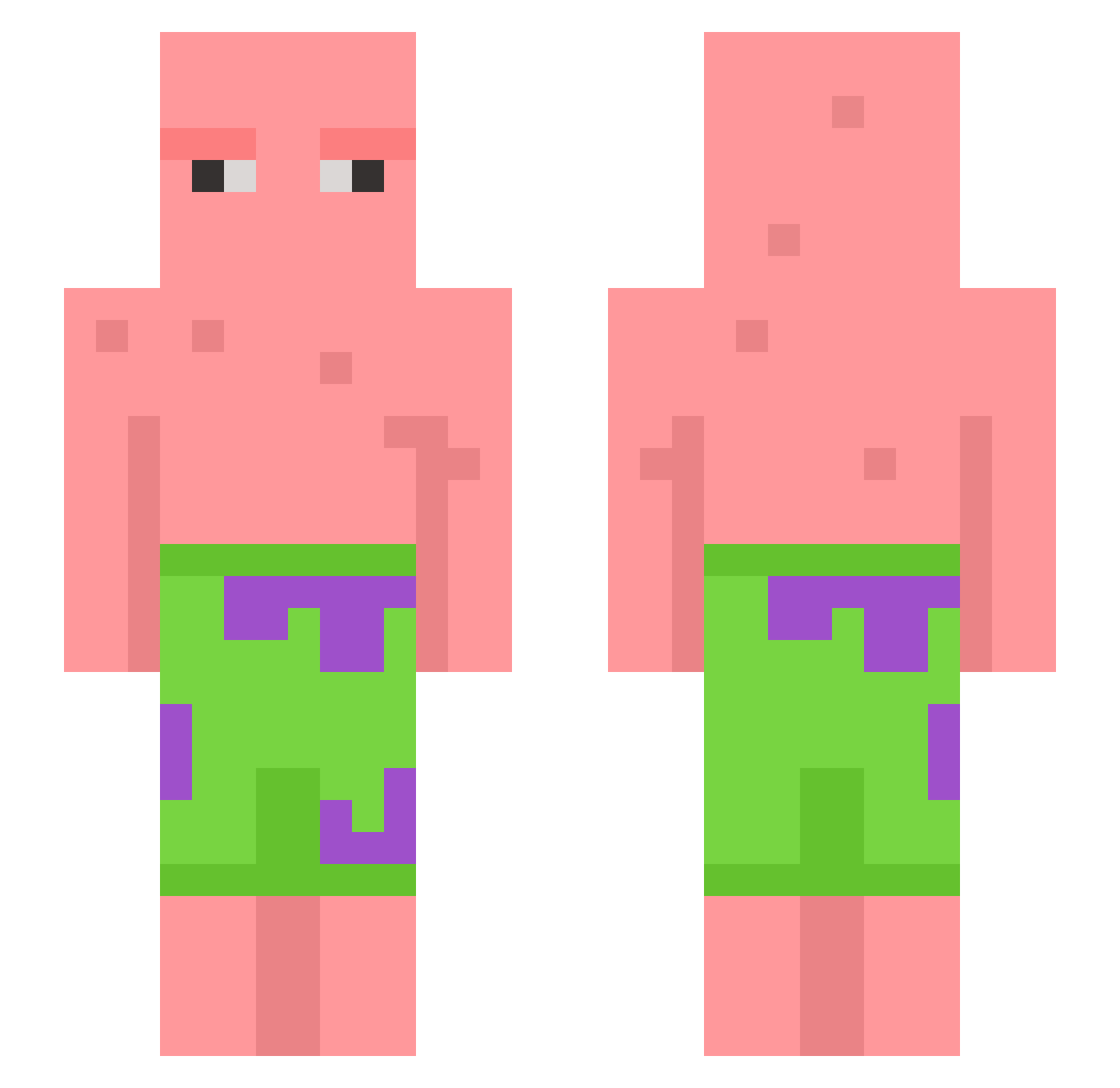
Current Minecraft skin of the player reivaX_tenaB, loaded from the official Mojang API. Rotate the 3D model with your mouse or finger, then download the skin as a PNG file and use it in Minecraft: Bedrock Edition or Java Edition for free. When reivaX_tenaB changes their skin, this page updates automatically and the old skin stays in the history below.
Other players with this skin (746)
reivaX_tenaB was the 689th player we have seen with this skin, first spotted on 13.11.2026. The same skin was seen on these players. Open a nickname to see their current skin and skin history.
 Dummyguy2 nee_co_uk MambaTrain Nick_lvbu Cardi_O mujump MrFantsyPants ptrickstar Skin_Floot RinAkariii FloobyDooo WetEggroll ThaKing19xx labeteu xS1bskana GottaSlay MrTunnel mateu loyaltytrue Warvan_The_Chad Ringworm2 Lovertinek Mozito Sizablelime bigbadbooksssss Chrawgod Brady121706 GermX9 TheOneWeirdKid blockCRAFT1313 ZJJ955 ExtantBeast 1zechal Niklas0407 Drndja VodkaVale Patrick_Square69 K1LLRK1D BruvItsMillie Leeden_Daniel neighborkyle elliotholl cyrusthemighty Trenbolone_Snax kitkat231296 DmMoon beatneo bear0803 lurchslenderman PoopSock04 xItsAmyyy Posterpiet CocosetteMax Mndwander gukin2 Bounty0611 NenniSUS THaught_Sauce Qwstybro TLM2007
More Patrick Star Minecraft skins
See all 712 Patrick Star skins
How to install the reivaX_tenaB skin
- Press the Download button above to save the skin as a PNG file.
- Minecraft: Bedrock Edition (PE): open the Dressing Room from the main menu (or tap your character → Edit Character), go to Classic Skins → Owned, press the + (new skin) button, choose the downloaded PNG and pick the Slim (Alex) model. Works on PC and mobile; consoles cannot import custom skins.
- Minecraft: Java Edition: open the Minecraft Launcher, go to the Skins tab, click New Skin, load the PNG, pick the Slim (Alex) model and press Save & Use. You can also upload it at minecraft.net → Profile → Change Skin.
The skin does not show up after import - what should I do?
Restart Minecraft and open the Dressing Room again - imported skins sometimes appear only after a restart. Also make sure you selected the imported skin and picked the Slim (Alex) model.
Which model should I choose, Classic or Slim?
This skin is designed for the Slim (Alex) model. If you pick the wrong model, the arms of the skin will look stretched or squeezed.
Is the skin of reivaX_tenaB free to download?
Yes. Press Download, save the PNG file and use it in Minecraft: Bedrock Edition or Java Edition - no payment or registration needed. The skin also works on multiplayer servers and Realms.
More skins
Looking for more? Go back to all Minecraft skins and check the top skins of the week, month and all time, or find any player's skin by nickname.