
redsox987 - Minecraft Skins & Skin History
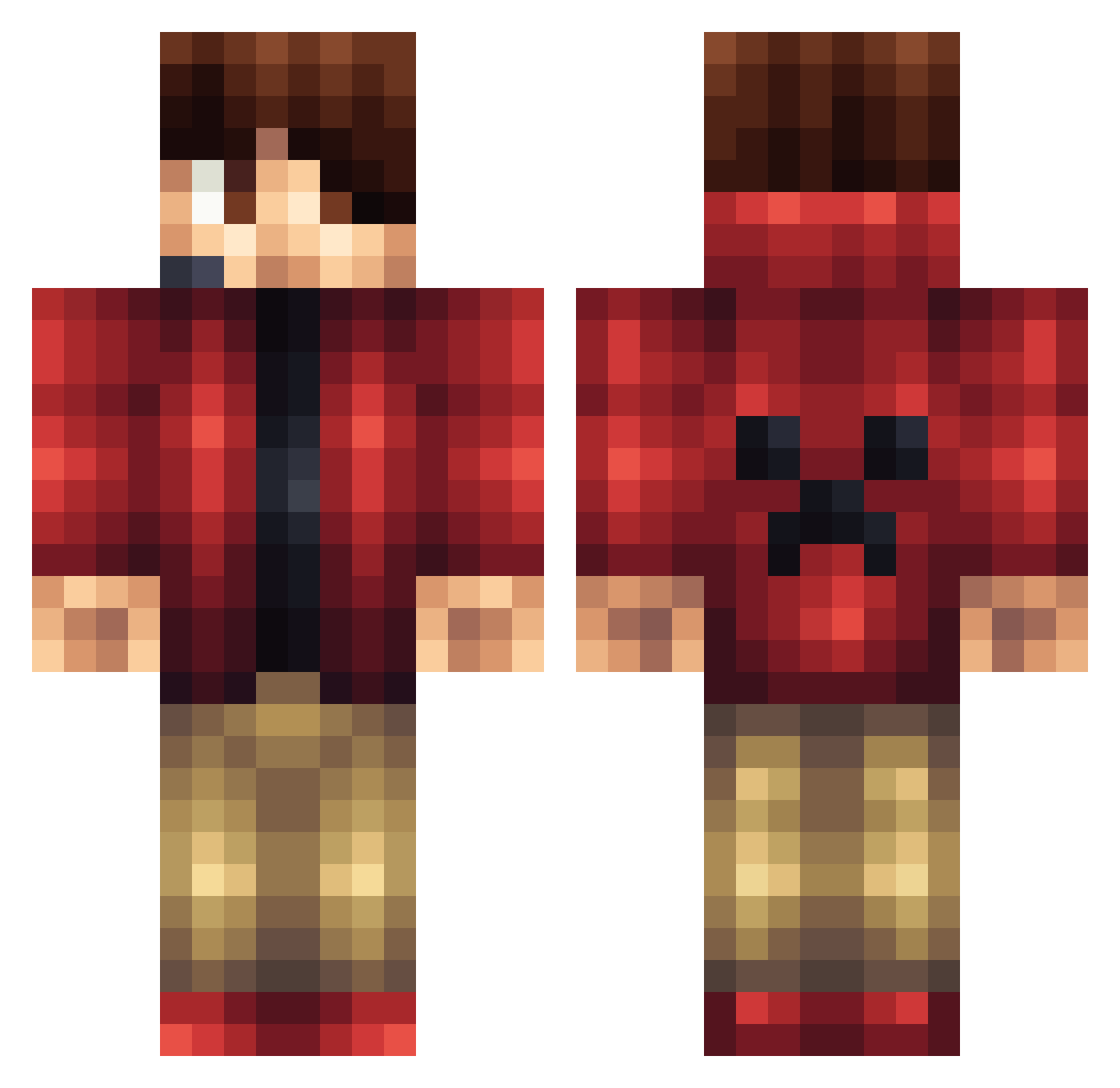
Current Minecraft skin of the player redsox987, loaded from the official Mojang API. Rotate the 3D model with your mouse or finger, then download the skin as a PNG file and use it in Minecraft: Bedrock Edition or Java Edition for free. When redsox987 changes their skin, this page updates automatically and the old skin stays in the history below.
Other players with this skin (1165)
redsox987 was the 844th player we have seen with this skin, first spotted on 09.10.2026. The same skin was seen on these players. Open a nickname to see their current skin and skin history.
 discreetbinger Ls_Swayz Byakuya17 FierceSparten JAMES_9800 talvany biggums888 chasetheace008 ERIKG54 ArcticTundra Buster244 maccat twistedkoala IN3RT1A95 Heldinger TheStalkerStar EvenScorpion TRA2346 green36114 edredie12345 Aenarion2000 Wolfpack_14 Sylent_Nyte xBurrito Killmon22 wyll21 shaune2000 corbino9 OmNom88888888 EmperorSnow lightsaber22 Antwerpen031 herobryan888 Thunderboss158 Demonbear108 derbra125 MilanArends kusapaca Teemu04 RAKP7 lavacreeper12 jackkjackk dev4stat0r5355 AneirinR MrTrizzzzy Valentyn255 WTFKytkin The_Smart_One2 zeeuwvlaanderen flameslayer456 Booomed Justasquirrel island0325 BlueRayKid Leo_W7 DeckyBear Akrotho Teckks OnlyAdiih lejonkungen4
More Headset Minecraft skins
How to install the redsox987 skin
- Press the Download button above to save the skin as a PNG file.
- Minecraft: Bedrock Edition (PE): open the Dressing Room from the main menu (or tap your character → Edit Character), go to Classic Skins → Owned, press the + (new skin) button, choose the downloaded PNG and pick the Classic (Steve) model. Works on PC and mobile; consoles cannot import custom skins.
- Minecraft: Java Edition: open the Minecraft Launcher, go to the Skins tab, click New Skin, load the PNG, pick the Classic (Steve) model and press Save & Use. You can also upload it at minecraft.net → Profile → Change Skin.
The skin does not show up after import - what should I do?
Restart Minecraft and open the Dressing Room again - imported skins sometimes appear only after a restart. Also make sure you selected the imported skin and picked the Classic (Steve) model.
Which model should I choose, Classic or Slim?
This skin is designed for the Classic (Steve) model. If you pick the wrong model, the arms of the skin will look stretched or squeezed.
Is the skin of redsox987 free to download?
Yes. Press Download, save the PNG file and use it in Minecraft: Bedrock Edition or Java Edition - no payment or registration needed. The skin also works on multiplayer servers and Realms.
More skins
Looking for more? Go back to all Minecraft skins and check the top skins of the week, month and all time, or find any player's skin by nickname.