
raprapghost - Minecraft Skins & Skin History
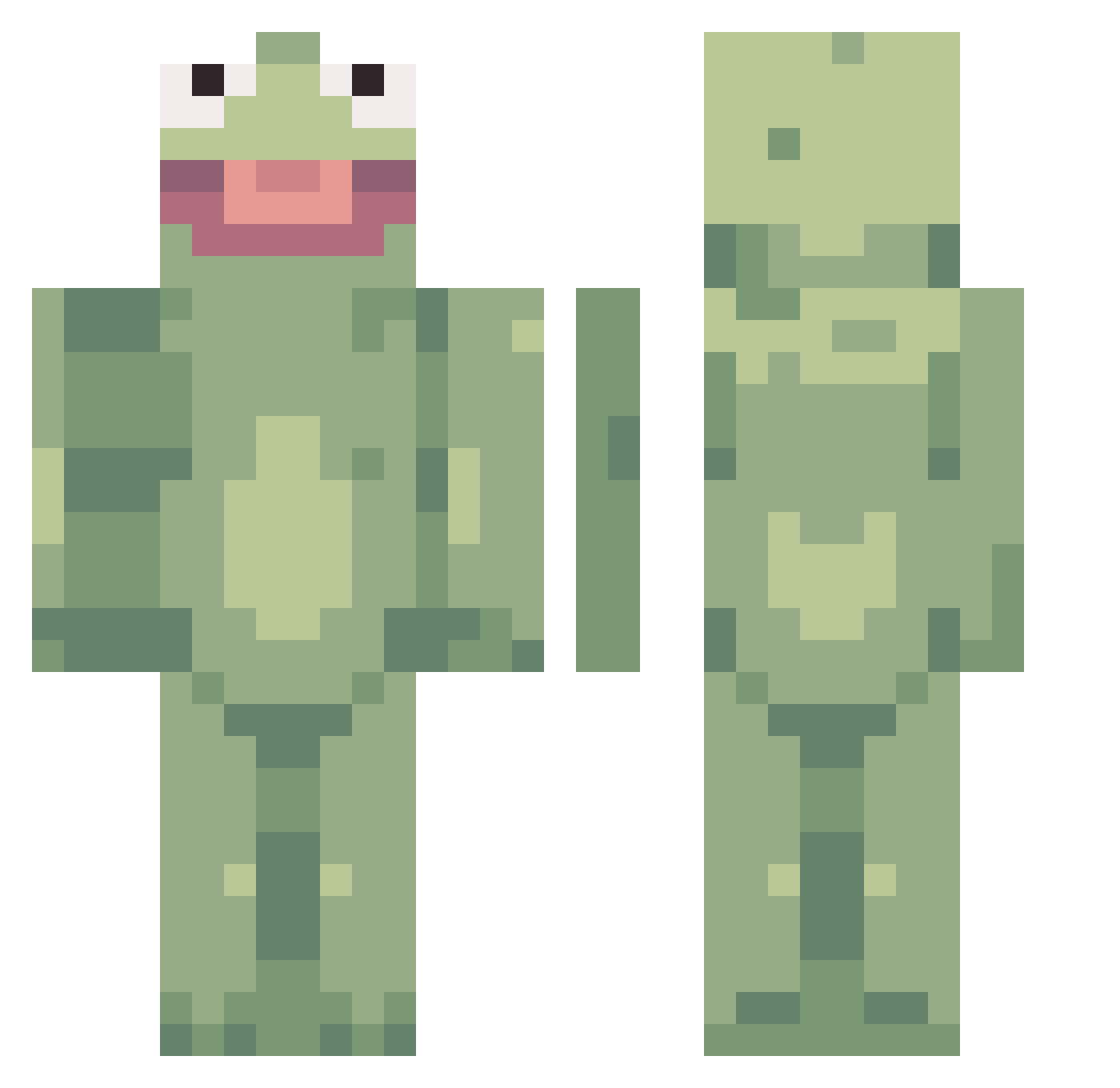
Current Minecraft skin of the player raprapghost, loaded from the official Mojang API. Rotate the 3D model with your mouse or finger, then download the skin as a PNG file and use it in Minecraft: Bedrock Edition or Java Edition for free. When raprapghost changes their skin, this page updates automatically and the old skin stays in the history below.
Other players with this skin (359)
raprapghost was the 250th player we have seen with this skin, first spotted on 05.10.2026. The same skin was seen on these players. Open a nickname to see their current skin and skin history.
 XfriskybiscuitX HOG_hunter Tokcle HelloQuokka TheXaime myname_jeph Freeduriekuh Macklefish Eatfresh3000 SeasideDaisy TimmmyDean Gopdeungyi balmung69 MrUbermensch vapelordleon shinazuga Kubiczeek SentientFry RileySavage Ansquela updawg27 hamobi large_demi_god MinecraftGamer21 ermely irmo7 4bradolf_Lincler Garrosh0_0 zuche maslovskav casper_tha_ghost FlowerStand phonexus Fristian Jaifyum danielmosquera nexisamonster jai0866 Lumirich Neewer BicycleSeconds SquarethHouse _Grusom diggerton Kaliremza Kazoobler fruitytoes Iansane5 shego9 Xx_dem0nic_xX Artsie Jacket4545 DatOnePepe DimaOvtcharov JesseTheEGIRL Pooplad33 Kayla520 MaggiNussi ZuccNasty xylophonewizard
More Kermit The Frog Minecraft skins
See all 395 Kermit The Frog skins
How to install the raprapghost skin
- Press the Download button above to save the skin as a PNG file.
- Minecraft: Bedrock Edition (PE): open the Dressing Room from the main menu (or tap your character → Edit Character), go to Classic Skins → Owned, press the + (new skin) button, choose the downloaded PNG and pick the Classic (Steve) model. Works on PC and mobile; consoles cannot import custom skins.
- Minecraft: Java Edition: open the Minecraft Launcher, go to the Skins tab, click New Skin, load the PNG, pick the Classic (Steve) model and press Save & Use. You can also upload it at minecraft.net → Profile → Change Skin.
The skin does not show up after import - what should I do?
Restart Minecraft and open the Dressing Room again - imported skins sometimes appear only after a restart. Also make sure you selected the imported skin and picked the Classic (Steve) model.
Which model should I choose, Classic or Slim?
This skin is designed for the Classic (Steve) model. If you pick the wrong model, the arms of the skin will look stretched or squeezed.
Is the skin of raprapghost free to download?
Yes. Press Download, save the PNG file and use it in Minecraft: Bedrock Edition or Java Edition - no payment or registration needed. The skin also works on multiplayer servers and Realms.
More skins
Looking for more? Go back to all Minecraft skins and check the top skins of the week, month and all time, or find any player's skin by nickname.