
ramennarc - Minecraft Skins & Skin History
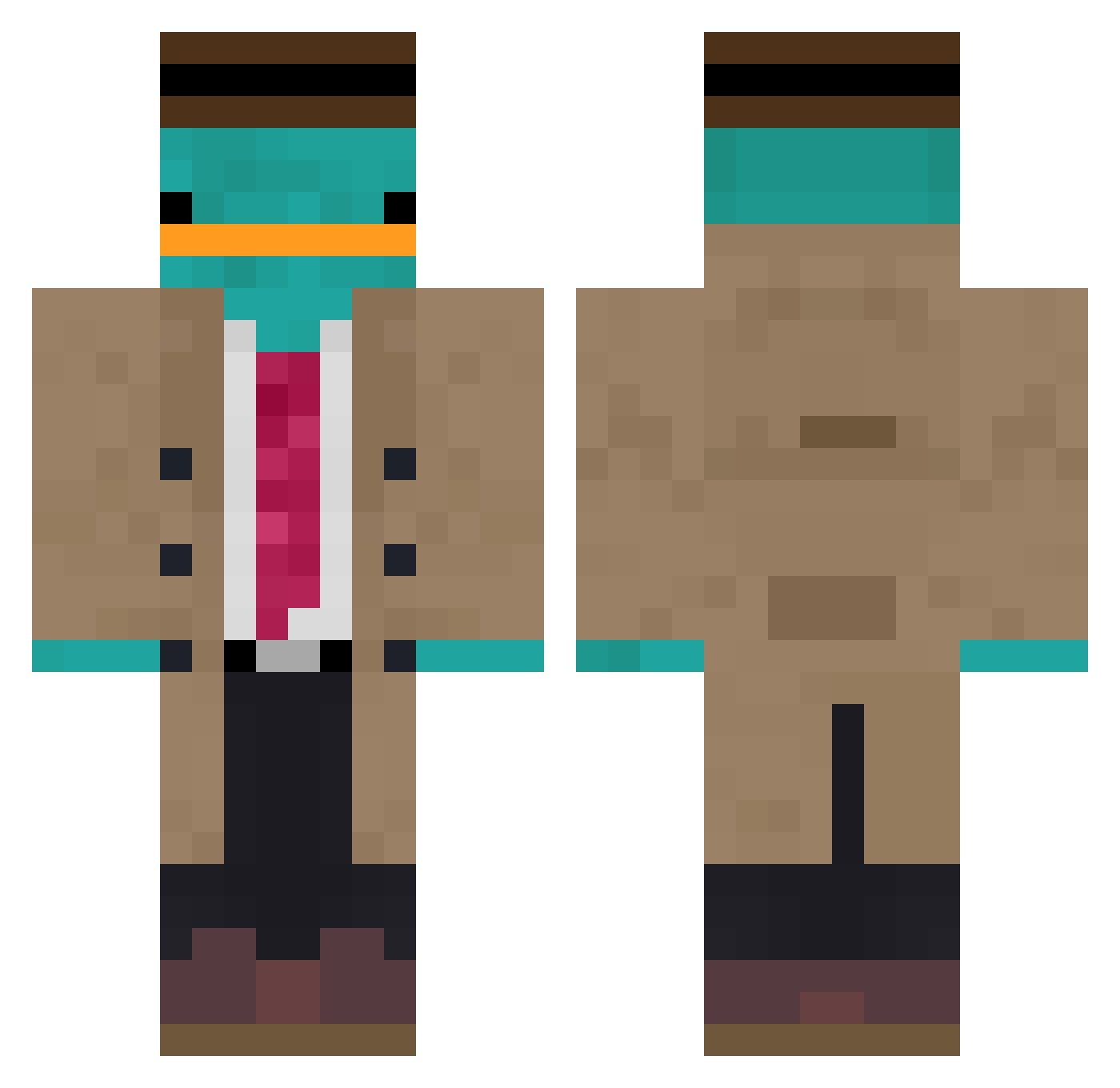
Current Minecraft skin of the player ramennarc, loaded from the official Mojang API. Rotate the 3D model with your mouse or finger, then download the skin as a PNG file and use it in Minecraft: Bedrock Edition or Java Edition for free. When ramennarc changes their skin, this page updates automatically and the old skin stays in the history below.
Other players with this skin (889)
ramennarc was the 382nd player we have seen with this skin, first spotted on 03.09.2026. The same skin was seen on these players. Open a nickname to see their current skin and skin history.
 HaTi917 Sh0ckwolf MichaelLandsun OrnitorenkPerrry AirshipTooth555 DetectivePerry1 Emil_stabil124 r2d2pon snakX88 Lil_Phil09 fat_mammoth_69 99percentfatfree mattomkoi Buse626 DomoJunge filipe444 hiraisyerim SheltonE blitzo1888 CivilSky cricket0905 Diviripi felmurgamer koro14159 realBeuteltier Betjacraft ghostleader003 fjtkd HerotheAxolotl Sosoikoru Freitas780 gkaan007 Kesta151 Spootzie LeComteT Magguin piotr21 ratobola Georgek64 MulaSaint tyleristan SENHA8001 SirMunchie007 Jacobtoziomal Meggtref Garfieldsuperfan Felichy Se84sti4n Karotka TagMatch Parteka DjFatsooo BANANAGUY404 Kim_Yun_Ho DotMat sbin99 xivi1 KeinBockMehr123 Gameplay906 TTVnoze
More Platypus Minecraft skins
How to install the ramennarc skin
- Press the Download button above to save the skin as a PNG file.
- Minecraft: Bedrock Edition (PE): open the Dressing Room from the main menu (or tap your character → Edit Character), go to Classic Skins → Owned, press the + (new skin) button, choose the downloaded PNG and pick the Classic (Steve) model. Works on PC and mobile; consoles cannot import custom skins.
- Minecraft: Java Edition: open the Minecraft Launcher, go to the Skins tab, click New Skin, load the PNG, pick the Classic (Steve) model and press Save & Use. You can also upload it at minecraft.net → Profile → Change Skin.
The skin does not show up after import - what should I do?
Restart Minecraft and open the Dressing Room again - imported skins sometimes appear only after a restart. Also make sure you selected the imported skin and picked the Classic (Steve) model.
Which model should I choose, Classic or Slim?
This skin is designed for the Classic (Steve) model. If you pick the wrong model, the arms of the skin will look stretched or squeezed.
Is the skin of ramennarc free to download?
Yes. Press Download, save the PNG file and use it in Minecraft: Bedrock Edition or Java Edition - no payment or registration needed. The skin also works on multiplayer servers and Realms.
More skins
Looking for more? Go back to all Minecraft skins and check the top skins of the week, month and all time, or find any player's skin by nickname.