
ra3y_alzb - Minecraft Skins & Skin History
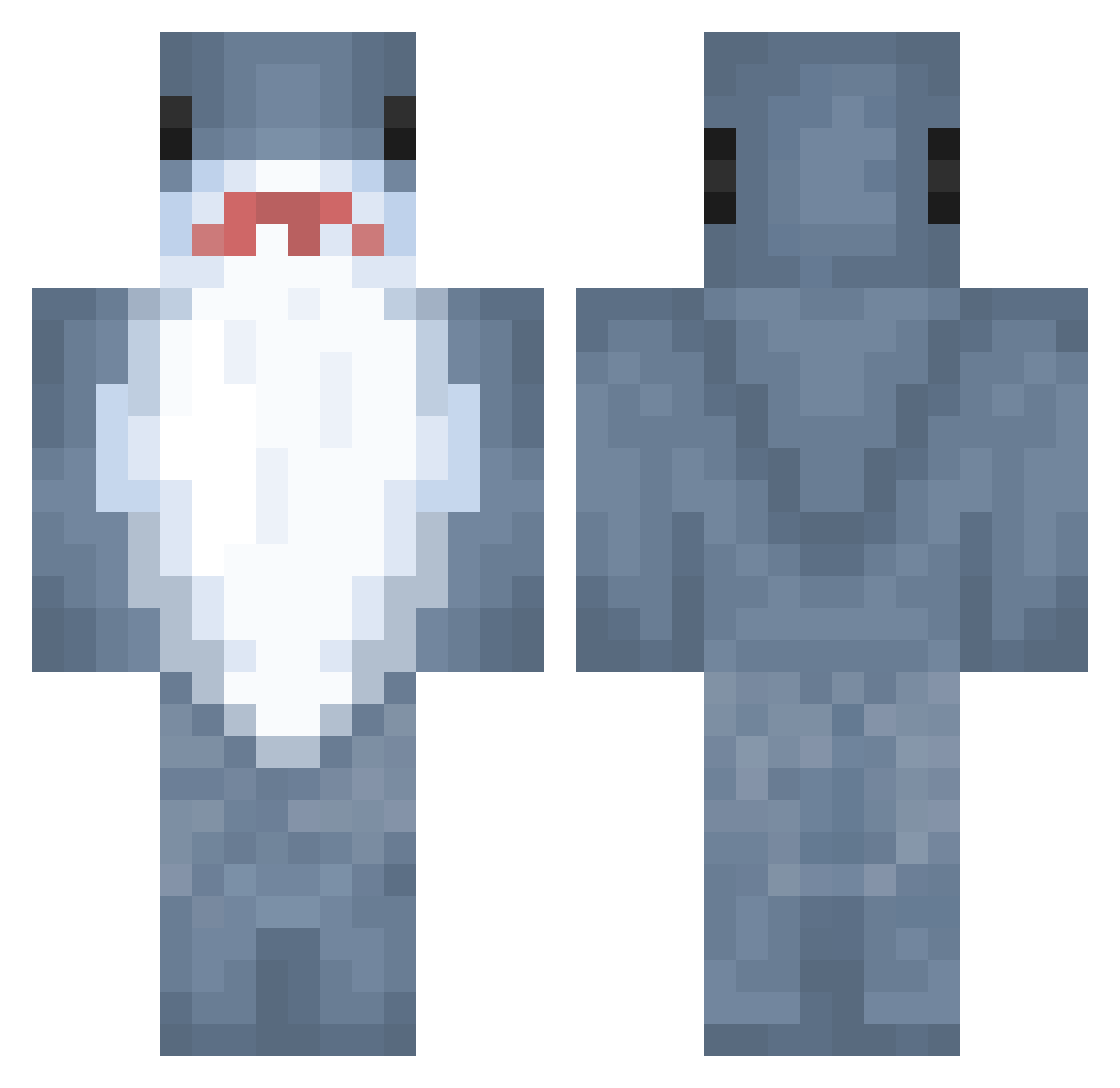
Current Minecraft skin of the player ra3y_alzb, loaded from the official Mojang API. Rotate the 3D model with your mouse or finger, then download the skin as a PNG file and use it in Minecraft: Bedrock Edition or Java Edition for free. When ra3y_alzb changes their skin, this page updates automatically and the old skin stays in the history below.
Other players with this skin (890)
ra3y_alzb was the 541st player we have seen with this skin, first spotted on 27.09.2026. The same skin was seen on these players. Open a nickname to see their current skin and skin history.
 Lvl_2_Scute WANFH derChr1ssi paperballs YUE_YUE_ VuazySugarBoo SumireBocchi Xunged Fatdurian numami haoteng Sakajin o0Ritsu0o o3sky Megalodon20111 xomaelle SupaSafeBoi Bream_03 Jordhaj LorianLW pho2 Sharkattack777 Bingling0 BurritoJung JessDeer AdoroGoticas edenaimelespates BigEntei Valtoco ZogShark Francohbk Randomdice101 LazyRare ValiantEar SharkPlays07 chaos_mushroom bennyboopy SelimER OrionGames mia11037 jainting InsaneRhyme Dr_LEGRYS_ jhjerry05 Lellelinda DANIXD98 TheSlickFack Lunared_ CiiiiCiiii emeraldflame3 Book99 treyoasis SBYeep MrFisterr Kxyoc FRGRIL futakomori DerLocked aw2310 Roy018
More Shark Minecraft skins
How to install the ra3y_alzb skin
- Press the Download button above to save the skin as a PNG file.
- Minecraft: Bedrock Edition (PE): open the Dressing Room from the main menu (or tap your character → Edit Character), go to Classic Skins → Owned, press the + (new skin) button, choose the downloaded PNG and pick the Classic (Steve) model. Works on PC and mobile; consoles cannot import custom skins.
- Minecraft: Java Edition: open the Minecraft Launcher, go to the Skins tab, click New Skin, load the PNG, pick the Classic (Steve) model and press Save & Use. You can also upload it at minecraft.net → Profile → Change Skin.
The skin does not show up after import - what should I do?
Restart Minecraft and open the Dressing Room again - imported skins sometimes appear only after a restart. Also make sure you selected the imported skin and picked the Classic (Steve) model.
Which model should I choose, Classic or Slim?
This skin is designed for the Classic (Steve) model. If you pick the wrong model, the arms of the skin will look stretched or squeezed.
Is the skin of ra3y_alzb free to download?
Yes. Press Download, save the PNG file and use it in Minecraft: Bedrock Edition or Java Edition - no payment or registration needed. The skin also works on multiplayer servers and Realms.
More skins
Looking for more? Go back to all Minecraft skins and check the top skins of the week, month and all time, or find any player's skin by nickname.