
qwerty0334 - Minecraft Skins & Skin History
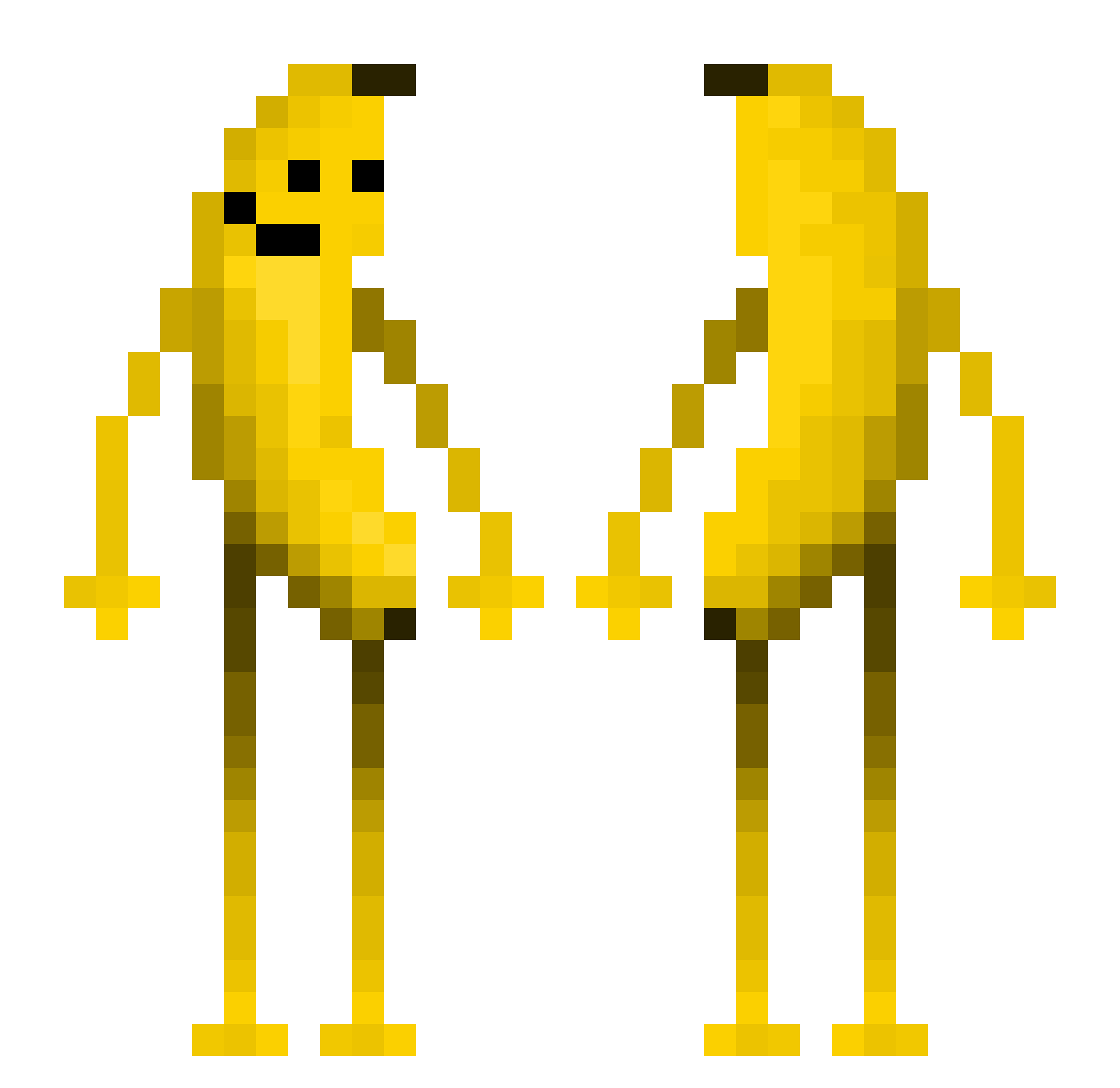
Current Minecraft skin of the player qwerty0334, loaded from the official Mojang API. Rotate the 3D model with your mouse or finger, then download the skin as a PNG file and use it in Minecraft: Bedrock Edition or Java Edition for free. When qwerty0334 changes their skin, this page updates automatically and the old skin stays in the history below.
Other players with this skin (559)
qwerty0334 was the 308th player we have seen with this skin, first spotted on 22.09.2026. The same skin was seen on these players. Open a nickname to see their current skin and skin history.
 Thr1eK JTGAMING22555 yellowplan guommcc DeepMarvelous564 papipappa chunchongchong pumkin987 jaytan3 dogen3918 KYUBIpanda SKRUTTPOJKENS JaredInThe_Vent littlewobbles DonaAna chicsloso SECR3TSQU1RR3l A_failure5582 kar1ssn1337 sssssss01 Galaxy_0705 pencilplayer vislaber JoshFOP ADR1AN0979 TheBigLemon6969 pdxz De_vil__ Dinizoid Fatcat_20 Mortis9786 toobad973 petrik2010 droppe DaRcDaNi Baaaaaap Mmaaxxiimmuuss Gripette2 ToFries Mr_herman_ rapaduraz dalvout shlawe Nukevillage Fork_Love noahnearr Dogari0 Nimdiebahn ELwhite Sun_In_My_Mouth s3lmzz PommeV pisang04 yeeyeeyeettt 7BlocoLegit titoklein Local_script ho1yhaein Songchuhe bobo123456789
More Fruit Minecraft skins
How to install the qwerty0334 skin
- Press the Download button above to save the skin as a PNG file.
- Minecraft: Bedrock Edition (PE): open the Dressing Room from the main menu (or tap your character → Edit Character), go to Classic Skins → Owned, press the + (new skin) button, choose the downloaded PNG and pick the Classic (Steve) model. Works on PC and mobile; consoles cannot import custom skins.
- Minecraft: Java Edition: open the Minecraft Launcher, go to the Skins tab, click New Skin, load the PNG, pick the Classic (Steve) model and press Save & Use. You can also upload it at minecraft.net → Profile → Change Skin.
The skin does not show up after import - what should I do?
Restart Minecraft and open the Dressing Room again - imported skins sometimes appear only after a restart. Also make sure you selected the imported skin and picked the Classic (Steve) model.
Which model should I choose, Classic or Slim?
This skin is designed for the Classic (Steve) model. If you pick the wrong model, the arms of the skin will look stretched or squeezed.
Is the skin of qwerty0334 free to download?
Yes. Press Download, save the PNG file and use it in Minecraft: Bedrock Edition or Java Edition - no payment or registration needed. The skin also works on multiplayer servers and Realms.
More skins
Looking for more? Go back to all Minecraft skins and check the top skins of the week, month and all time, or find any player's skin by nickname.