
quagatron - Minecraft Skins & Skin History
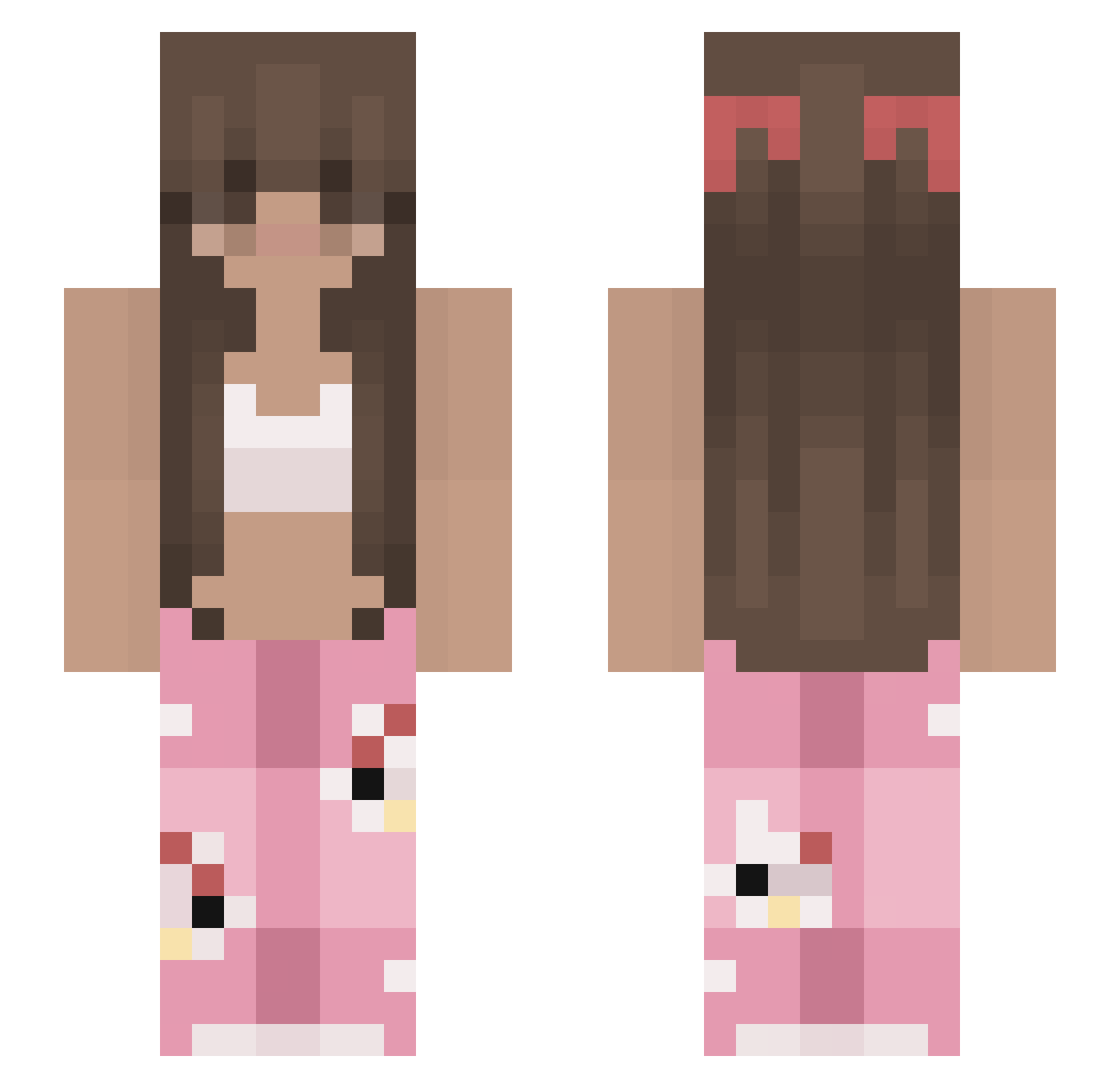
Current Minecraft skin of the player quagatron, loaded from the official Mojang API. Rotate the 3D model with your mouse or finger, then download the skin as a PNG file and use it in Minecraft: Bedrock Edition or Java Edition for free. When quagatron changes their skin, this page updates automatically and the old skin stays in the history below.
Other players with this skin (213)
quagatron was the 124th player we have seen with this skin, first spotted on 20.09.2026. The same skin was seen on these players. Open a nickname to see their current skin and skin history.
 veronica_sara Nico7e analemon Oriririri ICEKING1960 Foxyy1234 adcb HanJi520 lauraxbz AgentMomo23 xingliai Dziudzia Jilileinchen _lxura Veruuuu_1 ssudethv Hyper__69 barbatos88 sxlviaa4 amarysso_ 444ineida elivision02 Viifon allyahs RPK_Fiflak Superlorry02 AIr__HEad Whocki hejlili NiamhCai Yeosy kaisquared2 SixThrasher BlessXBless uackus Am3err PinkyTrish CaptainBrick72 SulYil FlolBoy shing4766 nurdiey LarissaIR Lucyama NerdSurprise FCN__ Dewiering NovaxShocks Morizinha Mashamallow_ WhoIsJulianna K1y0k0 JainaInes lais_ zuuii Carolzz8 ayzeennn Lola147 Sikiju Farahlabg
More Pyjamas Minecraft skins
How to install the quagatron skin
- Press the Download button above to save the skin as a PNG file.
- Minecraft: Bedrock Edition (PE): open the Dressing Room from the main menu (or tap your character → Edit Character), go to Classic Skins → Owned, press the + (new skin) button, choose the downloaded PNG and pick the Slim (Alex) model. Works on PC and mobile; consoles cannot import custom skins.
- Minecraft: Java Edition: open the Minecraft Launcher, go to the Skins tab, click New Skin, load the PNG, pick the Slim (Alex) model and press Save & Use. You can also upload it at minecraft.net → Profile → Change Skin.
The skin does not show up after import - what should I do?
Restart Minecraft and open the Dressing Room again - imported skins sometimes appear only after a restart. Also make sure you selected the imported skin and picked the Slim (Alex) model.
Which model should I choose, Classic or Slim?
This skin is designed for the Slim (Alex) model. If you pick the wrong model, the arms of the skin will look stretched or squeezed.
Is the skin of quagatron free to download?
Yes. Press Download, save the PNG file and use it in Minecraft: Bedrock Edition or Java Edition - no payment or registration needed. The skin also works on multiplayer servers and Realms.
More skins
Looking for more? Go back to all Minecraft skins and check the top skins of the week, month and all time, or find any player's skin by nickname.