
qellox - Minecraft Skins & Skin History
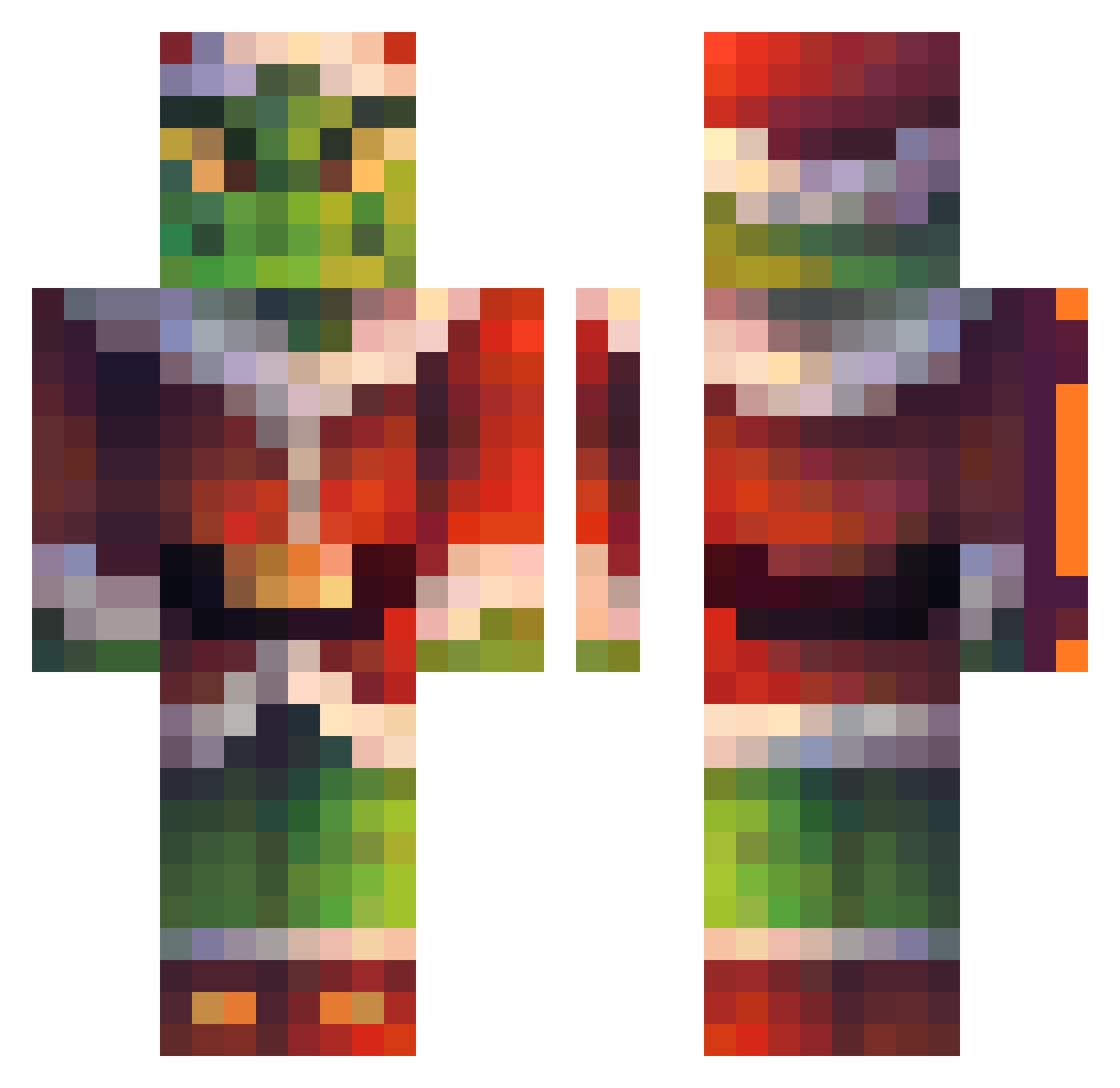
Current Minecraft skin of the player qellox, loaded from the official Mojang API. Rotate the 3D model with your mouse or finger, then download the skin as a PNG file and use it in Minecraft: Bedrock Edition or Java Edition for free. When qellox changes their skin, this page updates automatically and the old skin stays in the history below.
Other players with this skin (274)
qellox was the 238th player we have seen with this skin, first spotted on 06.11.2026. The same skin was seen on these players. Open a nickname to see their current skin and skin history.
 vqjov Pokruk mincraftf Adom577 Sheaj2000 Brezelq5 JackHamm_er Alberto_Strange Roneiere chwitme BearMellow RedFeather686 Munchkin1327 BabaChimkin vt_USER dalensen mlgofarc THEdeanCLONE ojciecgalot Firecrafter201 xRadeNN JooTaa_ BreathingHuman Zircarlos21 zoisiter PaltaHaze archer4320 johannessoren Devi_lll a1ona JamarcusJ Bronkotastisch RedSolid4358916 wjewon ohhjuju Brugamen krittyt 00522 TemeSaurus NEoTImK27 AndiFront11 sancheeezz Sympathie0 sunghalo klebox Kuddo0 BielAQ 1amShort Gnobeee Jhobar laproom mrchaise20072007 Fire_Force StarEnforcer1 didehdgur TheGoblin058 Maxi19_MC KhumedOn zSouza killermagic2267
More The Grinch Minecraft skins
How to install the qellox skin
- Press the Download button above to save the skin as a PNG file.
- Minecraft: Bedrock Edition (PE): open the Dressing Room from the main menu (or tap your character → Edit Character), go to Classic Skins → Owned, press the + (new skin) button, choose the downloaded PNG and pick the Classic (Steve) model. Works on PC and mobile; consoles cannot import custom skins.
- Minecraft: Java Edition: open the Minecraft Launcher, go to the Skins tab, click New Skin, load the PNG, pick the Classic (Steve) model and press Save & Use. You can also upload it at minecraft.net → Profile → Change Skin.
The skin does not show up after import - what should I do?
Restart Minecraft and open the Dressing Room again - imported skins sometimes appear only after a restart. Also make sure you selected the imported skin and picked the Classic (Steve) model.
Which model should I choose, Classic or Slim?
This skin is designed for the Classic (Steve) model. If you pick the wrong model, the arms of the skin will look stretched or squeezed.
Is the skin of qellox free to download?
Yes. Press Download, save the PNG file and use it in Minecraft: Bedrock Edition or Java Edition - no payment or registration needed. The skin also works on multiplayer servers and Realms.
More skins
Looking for more? Go back to all Minecraft skins and check the top skins of the week, month and all time, or find any player's skin by nickname.