
qZeth - Minecraft Skins & Skin History
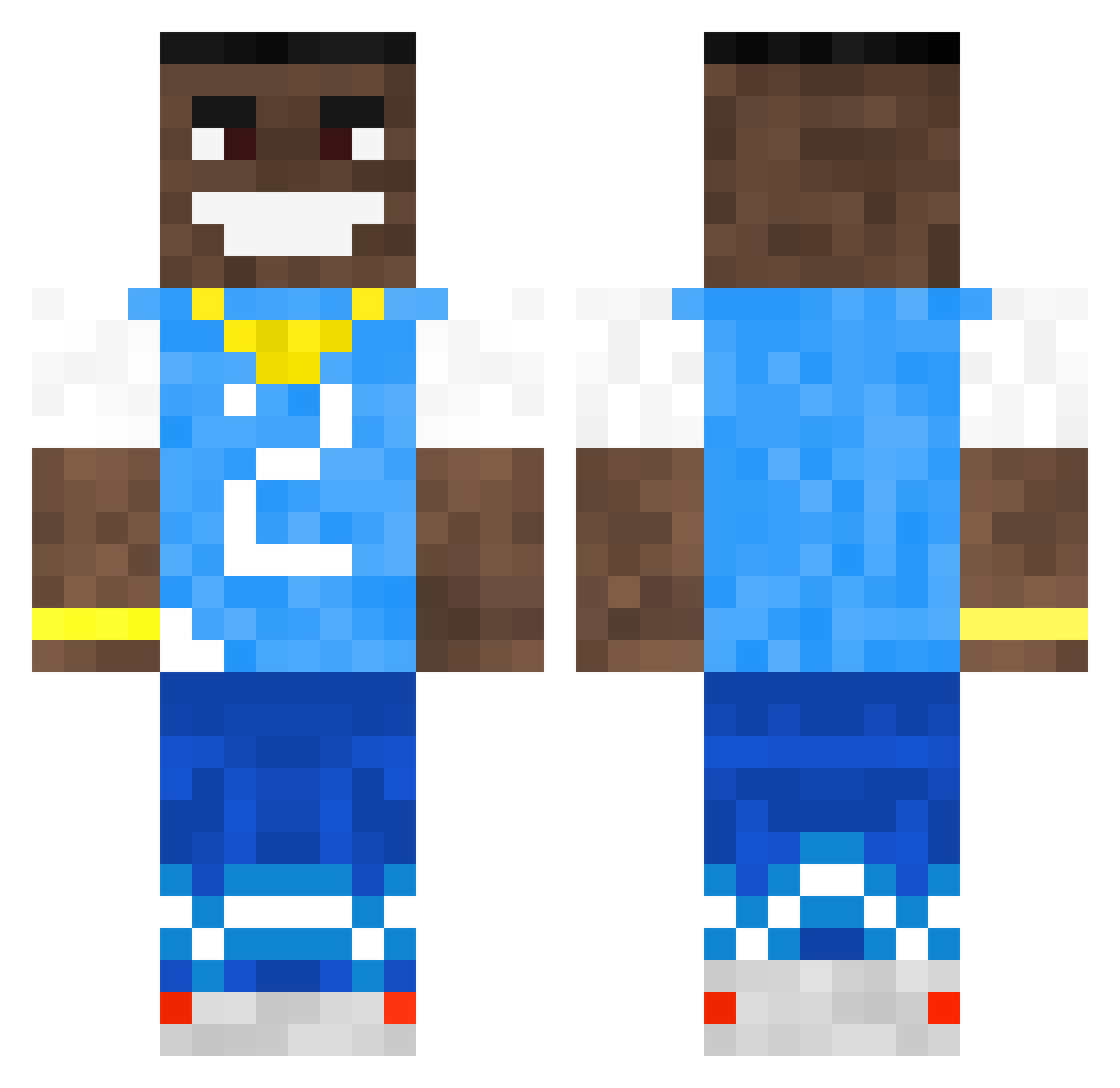
Current Minecraft skin of the player qZeth, loaded from the official Mojang API. Rotate the 3D model with your mouse or finger, then download the skin as a PNG file and use it in Minecraft: Bedrock Edition or Java Edition for free. When qZeth changes their skin, this page updates automatically and the old skin stays in the history below.
Other players with this skin (502)
qZeth was the 454th player we have seen with this skin, first spotted on 23.10.2026. The same skin was seen on these players. Open a nickname to see their current skin and skin history.
 CadenhasBapple amenkes MalaKill3r Tman_is_daddy Andresgaghes xXx_DaBaby_xXx r41tt Wh01sCipher Ethanwalsh78 gebriel2004 Young_1PACT evta Endflipflop36a ccdillon44 CoolKid6969 yuvi200430 BigYoinker285 DieserFalxe MadweirdYO Replayzz1 camhawk7 CptHopper yungnoti Fortiz_ Supee19 ZarexuSS SOOOMISSHER JOBKAARS Maddutje DanielNguyen111 Mikelhino fireboy124 TheSpecialKidd rugn2 BABATUNDDEE lnfrno boxen_ Yusuf93 CosmicReplayz_ McManderson Naskiiii Diaz69 ValidGarlic342 Fabiannumber1 dPequeno ItzRiz_ crazydogrio KKKonaaa Diego300IQ D0nk3yBuck3t Reidlaz DrMilgy mattq eSxrry UNC_Bogoss vspecturbo KpitaineFlamme BigChiefMali KaizznChamp Soldmymum09
More Dababy Minecraft skins
How to install the qZeth skin
- Press the Download button above to save the skin as a PNG file.
- Minecraft: Bedrock Edition (PE): open the Dressing Room from the main menu (or tap your character → Edit Character), go to Classic Skins → Owned, press the + (new skin) button, choose the downloaded PNG and pick the Classic (Steve) model. Works on PC and mobile; consoles cannot import custom skins.
- Minecraft: Java Edition: open the Minecraft Launcher, go to the Skins tab, click New Skin, load the PNG, pick the Classic (Steve) model and press Save & Use. You can also upload it at minecraft.net → Profile → Change Skin.
The skin does not show up after import - what should I do?
Restart Minecraft and open the Dressing Room again - imported skins sometimes appear only after a restart. Also make sure you selected the imported skin and picked the Classic (Steve) model.
Which model should I choose, Classic or Slim?
This skin is designed for the Classic (Steve) model. If you pick the wrong model, the arms of the skin will look stretched or squeezed.
Is the skin of qZeth free to download?
Yes. Press Download, save the PNG file and use it in Minecraft: Bedrock Edition or Java Edition - no payment or registration needed. The skin also works on multiplayer servers and Realms.
More skins
Looking for more? Go back to all Minecraft skins and check the top skins of the week, month and all time, or find any player's skin by nickname.