
pyltt1k - Minecraft Skins & Skin History
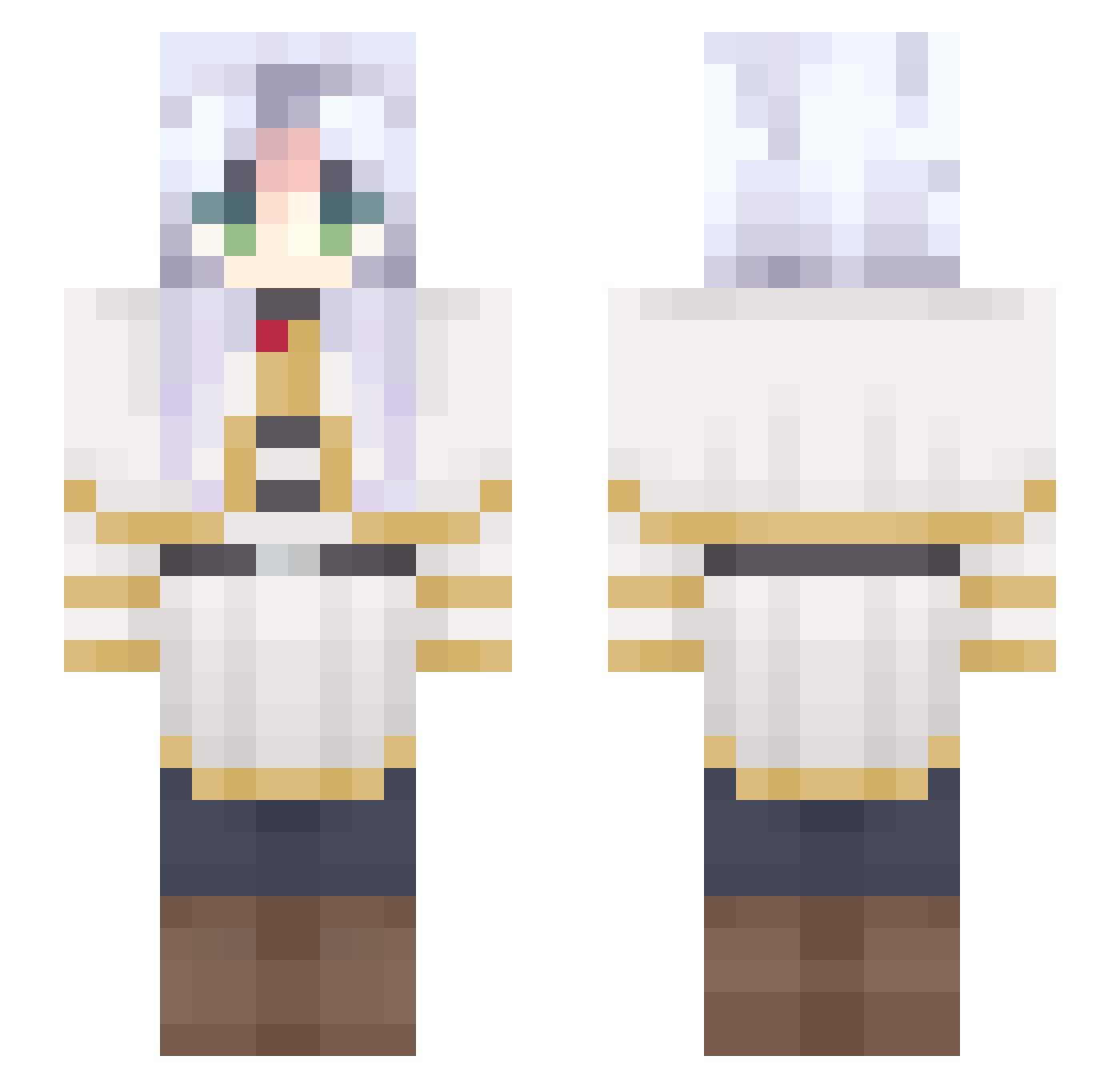
Current Minecraft skin of the player pyltt1k, loaded from the official Mojang API. Rotate the 3D model with your mouse or finger, then download the skin as a PNG file and use it in Minecraft: Bedrock Edition or Java Edition for free. When pyltt1k changes their skin, this page updates automatically and the old skin stays in the history below.
Other players with this skin (592)
pyltt1k was the 542nd player we have seen with this skin, first spotted on 18.10.2026. The same skin was seen on these players. Open a nickname to see their current skin and skin history.
 LeitoMessi SwixiDixi AuBerst nanachi_mochi Finger_man99 TravisScottFan60 MiguelAraAra SailorMena BknotBk Miiinako INEAL_Lzz Mekoby Monet99 lewxsly Kyrem3 Caffein8edCorpse Nekopinn sho1218 kazuyaaaaaa sangoku9870 lunazea Rewook Shinyumbreon9 NerdNuggets1 Ay4nam1 xSehyeon CrackerJack42069 2vkz Sariel077 xXPanzuXx Xiang866 Marquioshs stormchief60 Delia_yeye jinyu23 Kikylana13 Aceblasted Guichanist6 A11an n4okins ChewyCh1 Astolfo_Name yolteon Rank_S DeveloperUnknown Tonyanya girlymetal nFrieren freak_genius dontcareaboutme Jackie_2008 haruya0106 _M1MM1_ Wel33 Ninhalateur Desvox DarkMoth5 Zylectro BusyPoet93117 sorangan_
More Frieren Beyond Journeys End Minecraft skins
See all 119 Frieren Beyond Journeys End skins
How to install the pyltt1k skin
- Press the Download button above to save the skin as a PNG file.
- Minecraft: Bedrock Edition (PE): open the Dressing Room from the main menu (or tap your character → Edit Character), go to Classic Skins → Owned, press the + (new skin) button, choose the downloaded PNG and pick the Slim (Alex) model. Works on PC and mobile; consoles cannot import custom skins.
- Minecraft: Java Edition: open the Minecraft Launcher, go to the Skins tab, click New Skin, load the PNG, pick the Slim (Alex) model and press Save & Use. You can also upload it at minecraft.net → Profile → Change Skin.
The skin does not show up after import - what should I do?
Restart Minecraft and open the Dressing Room again - imported skins sometimes appear only after a restart. Also make sure you selected the imported skin and picked the Slim (Alex) model.
Which model should I choose, Classic or Slim?
This skin is designed for the Slim (Alex) model. If you pick the wrong model, the arms of the skin will look stretched or squeezed.
Is the skin of pyltt1k free to download?
Yes. Press Download, save the PNG file and use it in Minecraft: Bedrock Edition or Java Edition - no payment or registration needed. The skin also works on multiplayer servers and Realms.
More skins
Looking for more? Go back to all Minecraft skins and check the top skins of the week, month and all time, or find any player's skin by nickname.