
pureta_gamer - Minecraft Skins & Skin History
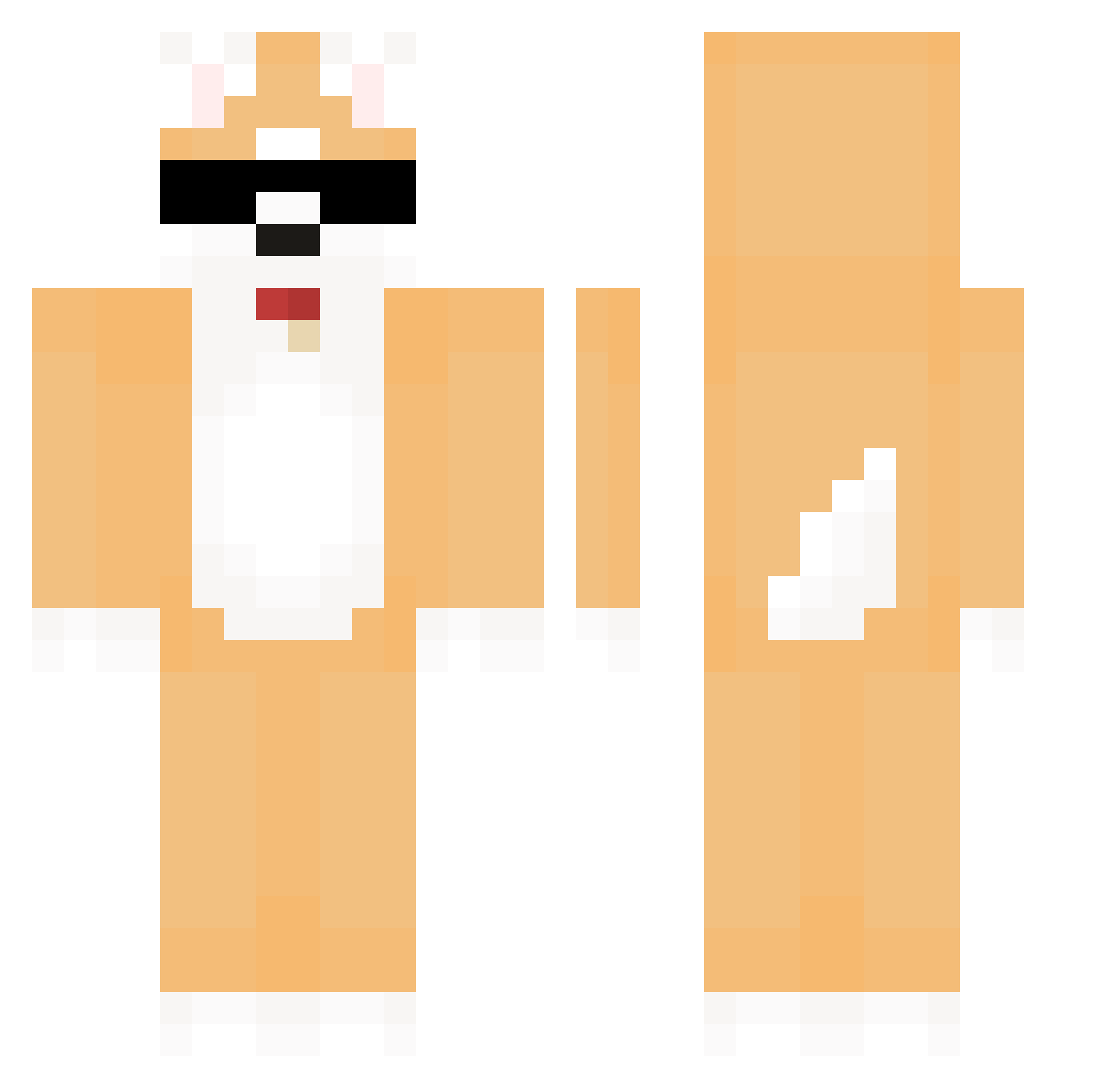
Current Minecraft skin of the player pureta_gamer, loaded from the official Mojang API. Rotate the 3D model with your mouse or finger, then download the skin as a PNG file and use it in Minecraft: Bedrock Edition or Java Edition for free. When pureta_gamer changes their skin, this page updates automatically and the old skin stays in the history below.
Other players with this skin (581)
pureta_gamer was the 242nd player we have seen with this skin, first spotted on 09.09.2026. The same skin was seen on these players. Open a nickname to see their current skin and skin history.
 DeftScorpion370 Seijxz Love_Seu1gi demian521 YeoWool_l goarsenal snowsipp Bota0922 willi941284 Cheuk_it DyslexicNat localvillagehero by_wish toria_5_ dokyrong Lior69 Trrray Swin_xd ScrunklyGenius rmgyin3 Gu__Cheng wookchu angmouse BanBan2007 ish7324 Su__min Ribokris Single4Wrist RoadkiL1446 SkyeSwine Leif2021 Skrr_HAMM BOT9156 TheCreater92 LuisVilla muffecraft SHW2 elKuschel Suzuchann PuffyApe6678018 iamdude316 A_N001 hitomin18 Kitanid gksdjf_06 j2_hu rexchang001 DAEMIN612 Moosyt La_pyu Jojinwoo_ S0AP caccuocvien maxdodo mangnaUni Shadow233 SJBKING Dlamt jikura3523 MikiWilko
More Shiba Inu Minecraft skins
How to install the pureta_gamer skin
- Press the Download button above to save the skin as a PNG file.
- Minecraft: Bedrock Edition (PE): open the Dressing Room from the main menu (or tap your character → Edit Character), go to Classic Skins → Owned, press the + (new skin) button, choose the downloaded PNG and pick the Classic (Steve) model. Works on PC and mobile; consoles cannot import custom skins.
- Minecraft: Java Edition: open the Minecraft Launcher, go to the Skins tab, click New Skin, load the PNG, pick the Classic (Steve) model and press Save & Use. You can also upload it at minecraft.net → Profile → Change Skin.
The skin does not show up after import - what should I do?
Restart Minecraft and open the Dressing Room again - imported skins sometimes appear only after a restart. Also make sure you selected the imported skin and picked the Classic (Steve) model.
Which model should I choose, Classic or Slim?
This skin is designed for the Classic (Steve) model. If you pick the wrong model, the arms of the skin will look stretched or squeezed.
Is the skin of pureta_gamer free to download?
Yes. Press Download, save the PNG file and use it in Minecraft: Bedrock Edition or Java Edition - no payment or registration needed. The skin also works on multiplayer servers and Realms.
More skins
Looking for more? Go back to all Minecraft skins and check the top skins of the week, month and all time, or find any player's skin by nickname.