
pretshells - Minecraft Skins & Skin History
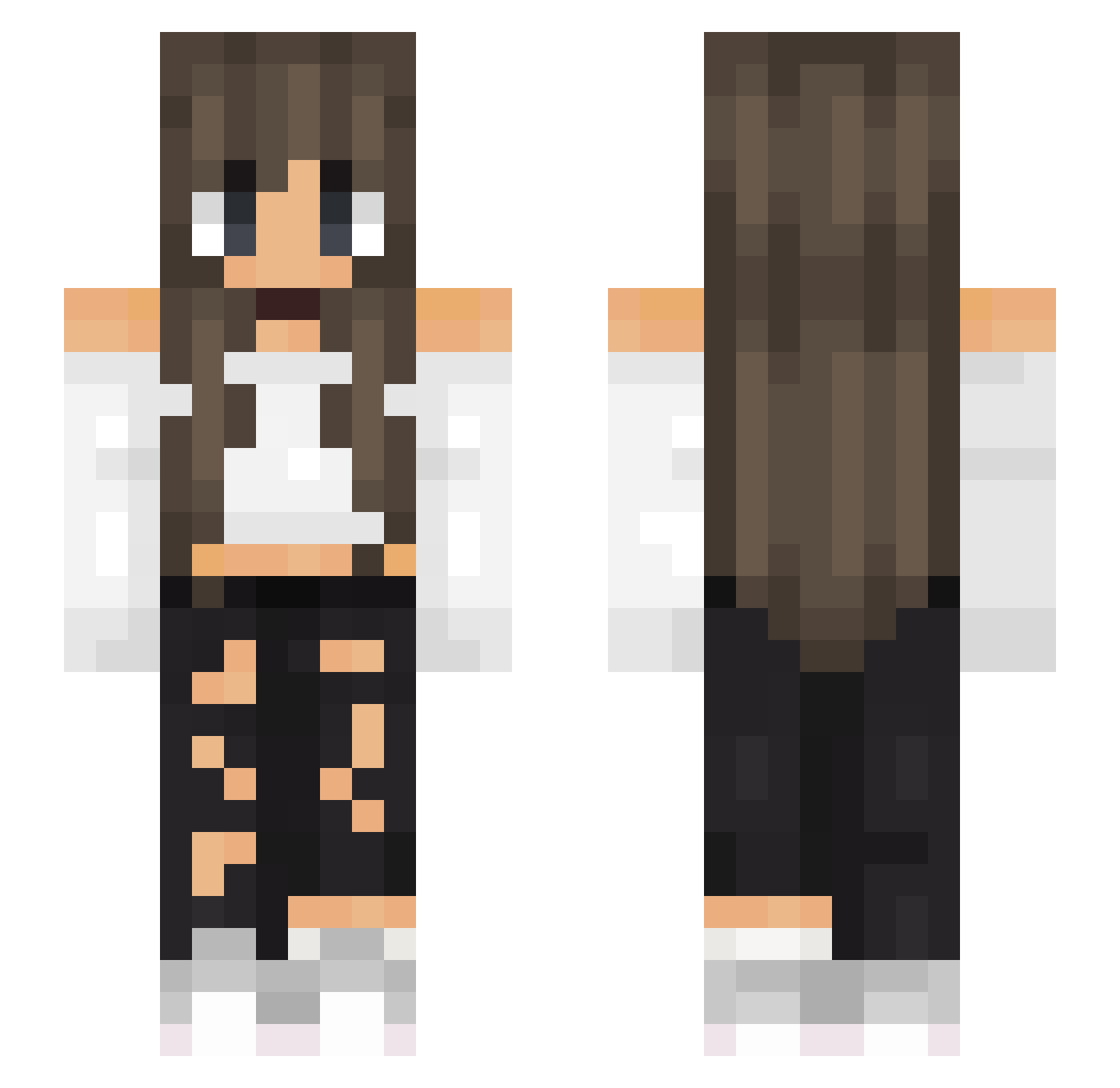
Current Minecraft skin of the player pretshells, loaded from the official Mojang API. Rotate the 3D model with your mouse or finger, then download the skin as a PNG file and use it in Minecraft: Bedrock Edition or Java Edition for free. When pretshells changes their skin, this page updates automatically and the old skin stays in the history below.
Other players with this skin (517)
pretshells was the 451st player we have seen with this skin, first spotted on 19.10.2026. The same skin was seen on these players. Open a nickname to see their current skin and skin history.
 LuMa2010 alisonhare Priestwp MaryChikibrjak Amebulle helencheen _Clarinette Overkill1979 LilyCoorne valeriaaa The_High_Turtle Audd26 Izabelaa yawngoblin Lucianan87 _Marzbarz_Playz_ UnkreativesBerry jimeenaa8 LadyYuki77 NinaTnd 8_L0LKA_8 Nathalian3688 Sternenfloh Prinzessin04 bela_0402 meli_ska iRennan_ SpaghettiPacket Kayomiha xEvqx ImJustASister sveni_me Lyiia ps4forlife Niuta07 erineltzholtz Magffer Kaylee_Bearr Werka209 Pitchip IceTek01 HBzuza Britou01 mONESY6 La_Voyageuse munchy210 ChaaaToxx Terpsicore87 Emma948 Chia_150 yoitslexis Diamond_Mari14 ALYZOO pexeEXE XDduda Patate4uFour Lates10 PauanCo Madzikowa12 Savage9032
More Off Shoulder Minecraft skins
See all 443 Off Shoulder skins
How to install the pretshells skin
- Press the Download button above to save the skin as a PNG file.
- Minecraft: Bedrock Edition (PE): open the Dressing Room from the main menu (or tap your character → Edit Character), go to Classic Skins → Owned, press the + (new skin) button, choose the downloaded PNG and pick the Slim (Alex) model. Works on PC and mobile; consoles cannot import custom skins.
- Minecraft: Java Edition: open the Minecraft Launcher, go to the Skins tab, click New Skin, load the PNG, pick the Slim (Alex) model and press Save & Use. You can also upload it at minecraft.net → Profile → Change Skin.
The skin does not show up after import - what should I do?
Restart Minecraft and open the Dressing Room again - imported skins sometimes appear only after a restart. Also make sure you selected the imported skin and picked the Slim (Alex) model.
Which model should I choose, Classic or Slim?
This skin is designed for the Slim (Alex) model. If you pick the wrong model, the arms of the skin will look stretched or squeezed.
Is the skin of pretshells free to download?
Yes. Press Download, save the PNG file and use it in Minecraft: Bedrock Edition or Java Edition - no payment or registration needed. The skin also works on multiplayer servers and Realms.
More skins
Looking for more? Go back to all Minecraft skins and check the top skins of the week, month and all time, or find any player's skin by nickname.