
ppanykang12 - Minecraft Skins & Skin History
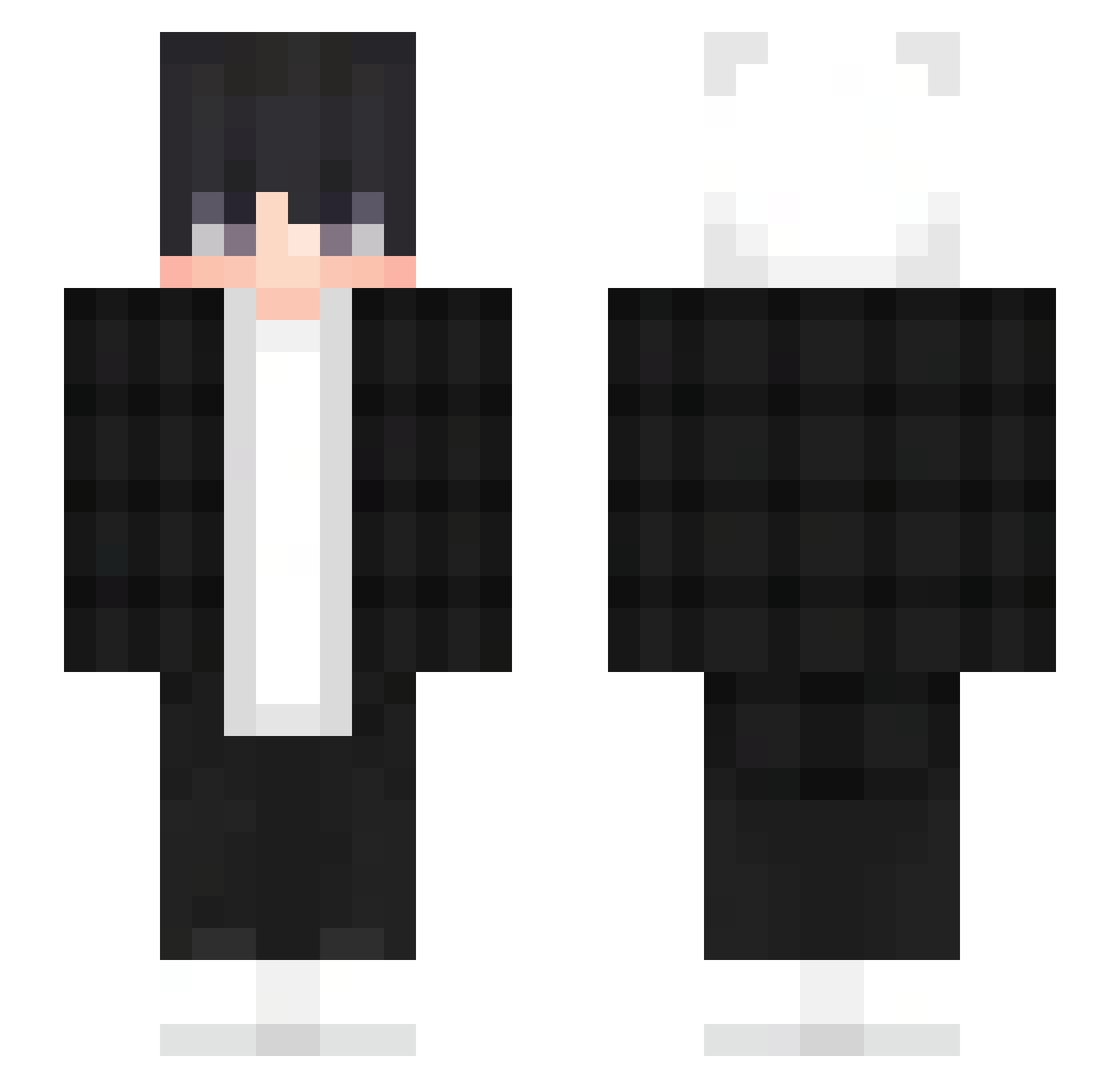
Current Minecraft skin of the player ppanykang12, loaded from the official Mojang API. Rotate the 3D model with your mouse or finger, then download the skin as a PNG file and use it in Minecraft: Bedrock Edition or Java Edition for free. When ppanykang12 changes their skin, this page updates automatically and the old skin stays in the history below.
Other players with this skin (303)
ppanykang12 was the 113th player we have seen with this skin, first spotted on 26.08.2026. The same skin was seen on these players. Open a nickname to see their current skin and skin history.
 kyo206 heyin0730 BricksChan Patiino01 OG_KAPI SleepyBoy_ Ruftuo Maty_xdd blackpeach9544 THEFLAYM winstern84 Chrxme____ SilverRefine AsajZed AnyhttXT1 GoldWizard848 Donks74 Blank_012 Jason39 MinSoOZzAnG jackjackge yuya0318 Aunaria dingdang__ ignacs Juxest Miktae antos151 XHxlpyX Unknovus dragonuk Son9Bai esrangel_1 D4rk_God XXXFearLessXXX kgsdass12354 HustensaftDexler LoneDust_72 AintThatKrazy renweiwei Creeeoo Pradyotff freshing_ Skywalker5730 MisterPatryk13 suo710 _reckon oYakshaa Papazito69 Ditaozera hairyshrimp Jonas6345 xXKITKENXx MICZA_ WoodyhoVidea FreaKoh_ JudoL0621 Abdullmanu786 20Ross20 HU_A1
How to install the ppanykang12 skin
- Press the Download button above to save the skin as a PNG file.
- Minecraft: Bedrock Edition (PE): open the Dressing Room from the main menu (or tap your character → Edit Character), go to Classic Skins → Owned, press the + (new skin) button, choose the downloaded PNG and pick the Slim (Alex) model. Works on PC and mobile; consoles cannot import custom skins.
- Minecraft: Java Edition: open the Minecraft Launcher, go to the Skins tab, click New Skin, load the PNG, pick the Slim (Alex) model and press Save & Use. You can also upload it at minecraft.net → Profile → Change Skin.
The skin does not show up after import - what should I do?
Restart Minecraft and open the Dressing Room again - imported skins sometimes appear only after a restart. Also make sure you selected the imported skin and picked the Slim (Alex) model.
Which model should I choose, Classic or Slim?
This skin is designed for the Slim (Alex) model. If you pick the wrong model, the arms of the skin will look stretched or squeezed.
Is the skin of ppanykang12 free to download?
Yes. Press Download, save the PNG file and use it in Minecraft: Bedrock Edition or Java Edition - no payment or registration needed. The skin also works on multiplayer servers and Realms.
More skins
Looking for more? Go back to all Minecraft skins and check the top skins of the week, month and all time, or find any player's skin by nickname.