
powerjay897 - Minecraft Skins & Skin History
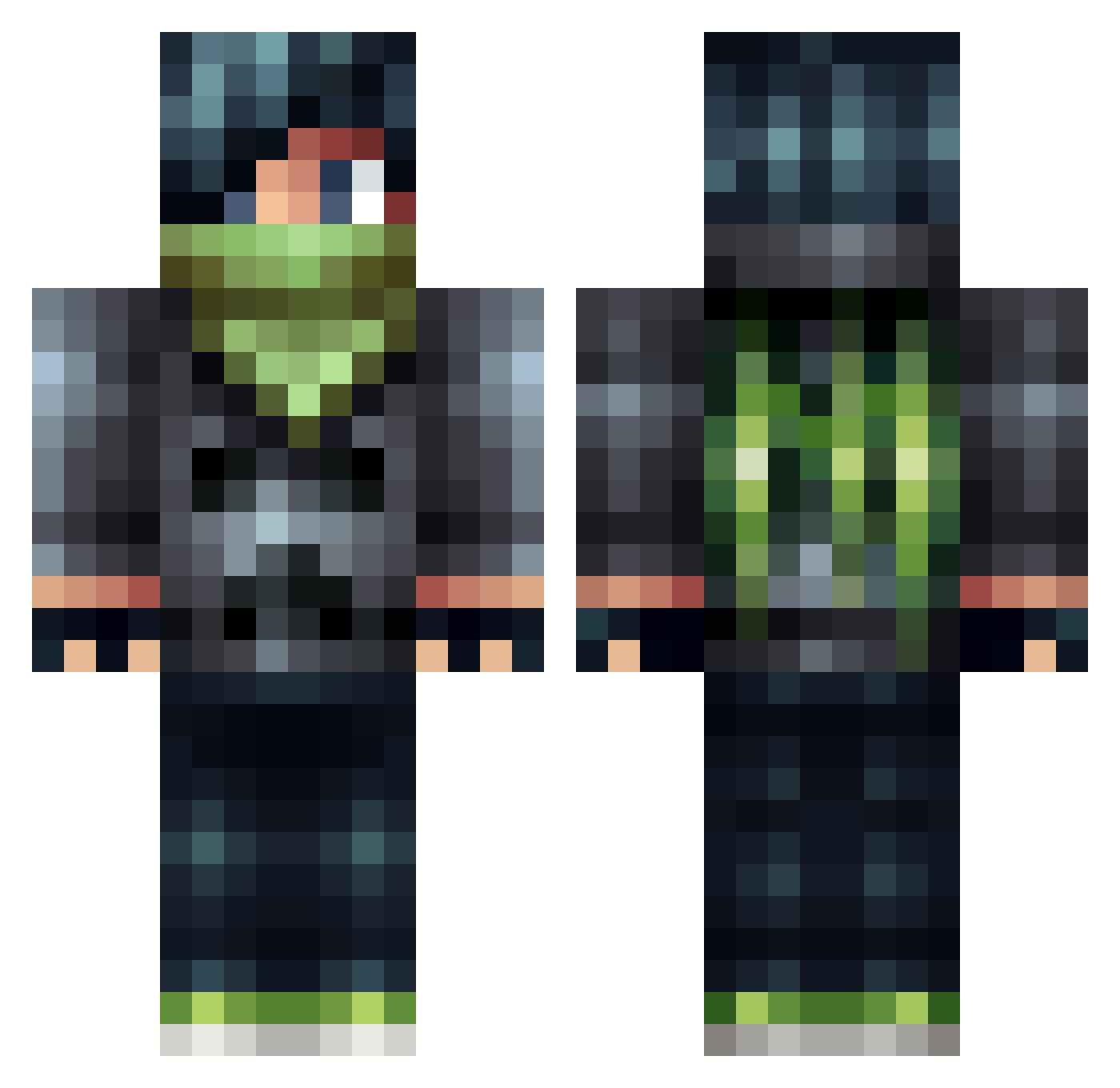
Current Minecraft skin of the player powerjay897, loaded from the official Mojang API. Rotate the 3D model with your mouse or finger, then download the skin as a PNG file and use it in Minecraft: Bedrock Edition or Java Edition for free. When powerjay897 changes their skin, this page updates automatically and the old skin stays in the history below.
Other players with this skin (506)
powerjay897 was the 395th player we have seen with this skin, first spotted on 14.10.2026. The same skin was seen on these players. Open a nickname to see their current skin and skin history.
 Hahvx Trencher_of_Doom victor36507 andiee51 DJBossAssassin nand05kank kevinmerrigan Fewdebois Haifighter Surk1n saba_kunn Areoswish devonnugget Danger000 yoasif butter803 DavidMeijer gamerkid411 Luige15 gamer7707 ANTH0NI0 deadlox2024 inferno_chief_56 Flyingjet100 PickyPart Spike2127 Happylawless dabrats olicraft22 PETERPOUS9 Harry_Saunders goldenfire11 maxendaan Reflex109 mortal_men MineownerLOL Ninja_Nine 9wai Krash0 blue_waffel Nominal06 Kuro974 BloodyWitness GrEEpLp lov3ny SeanNikolov Multiplex3rz TheGod023 iShootRocks Its_Jimbo IamNotQuick2 Heliotrix _Motive FlipHazard veikkotapio Negitory kyronr Uprootedspade02 logantracy ejc115
More Bandit Minecraft skins
How to install the powerjay897 skin
- Press the Download button above to save the skin as a PNG file.
- Minecraft: Bedrock Edition (PE): open the Dressing Room from the main menu (or tap your character → Edit Character), go to Classic Skins → Owned, press the + (new skin) button, choose the downloaded PNG and pick the Classic (Steve) model. Works on PC and mobile; consoles cannot import custom skins.
- Minecraft: Java Edition: open the Minecraft Launcher, go to the Skins tab, click New Skin, load the PNG, pick the Classic (Steve) model and press Save & Use. You can also upload it at minecraft.net → Profile → Change Skin.
The skin does not show up after import - what should I do?
Restart Minecraft and open the Dressing Room again - imported skins sometimes appear only after a restart. Also make sure you selected the imported skin and picked the Classic (Steve) model.
Which model should I choose, Classic or Slim?
This skin is designed for the Classic (Steve) model. If you pick the wrong model, the arms of the skin will look stretched or squeezed.
Is the skin of powerjay897 free to download?
Yes. Press Download, save the PNG file and use it in Minecraft: Bedrock Edition or Java Edition - no payment or registration needed. The skin also works on multiplayer servers and Realms.
More skins
Looking for more? Go back to all Minecraft skins and check the top skins of the week, month and all time, or find any player's skin by nickname.