
SeanNikolov - Minecraft Skins & Skin History
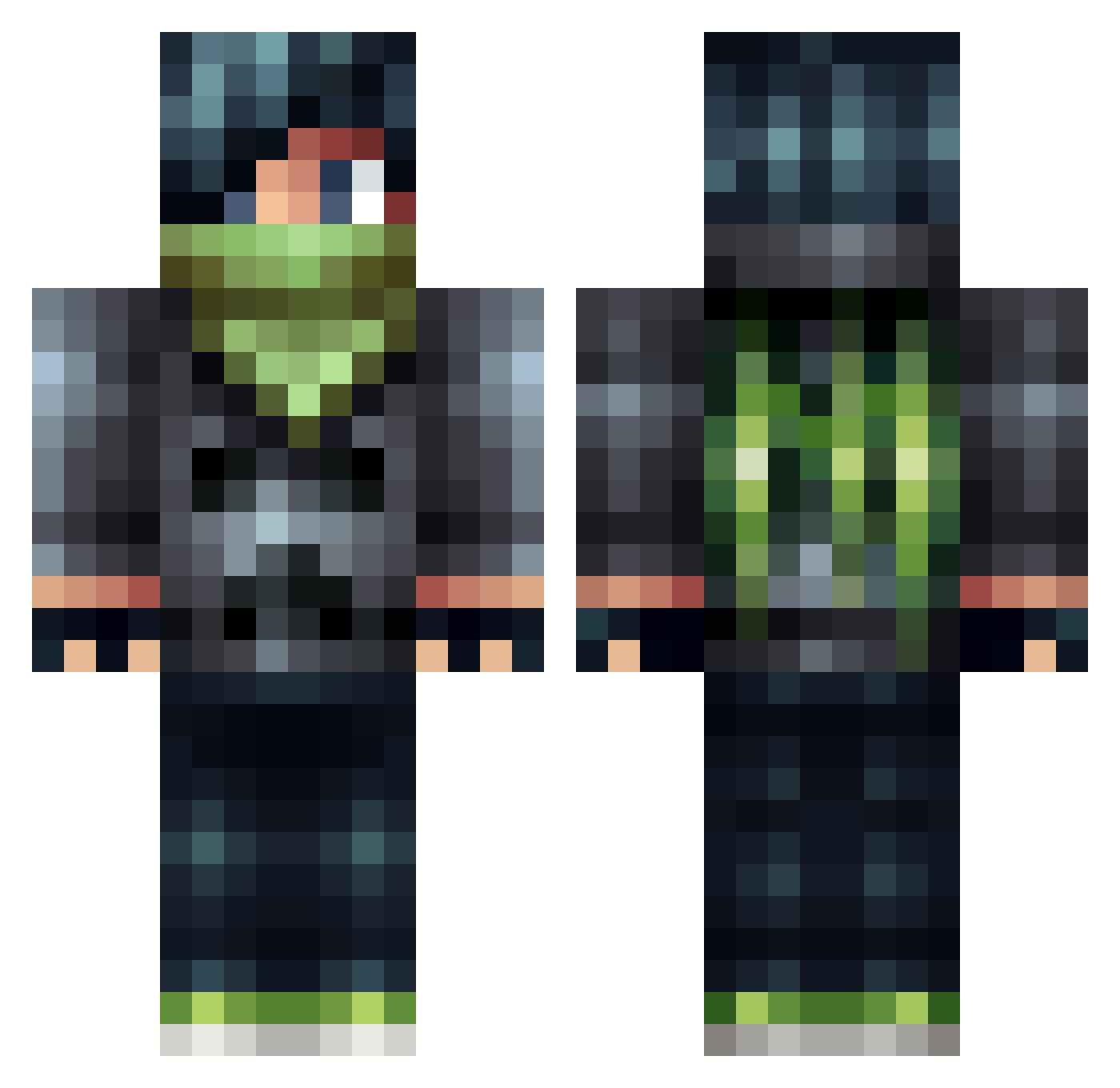
Current Minecraft skin of the player SeanNikolov, loaded from the official Mojang API. Rotate the 3D model with your mouse or finger, then download the skin as a PNG file and use it in Minecraft: Bedrock Edition or Java Edition for free. When SeanNikolov changes their skin, this page updates automatically and the old skin stays in the history below.
Other players with this skin (506)
SeanNikolov was the 419th player we have seen with this skin, first spotted on 18.10.2026. The same skin was seen on these players. Open a nickname to see their current skin and skin history.
 Multiplex3rz IamNotQuick2 GrEEpLp _Motive Kuro974 veikkotapio Krash0 9wai Ninja_Nine MineownerLOL kyronr mortal_men Reflex109 maxendaan gamindninja101 olicraft22 Happylawless Soccerplayer82 toftof2003 PickyPart Pluggshot Flyingjet100 S3XYPANTS69 TheRafilUddin Finnchhh deadlox2024 Hodge gamer7707 goldenballs198 Lestroth Straxed HockeyWild gamerkid411 DavidMeijer devonnugget Surk1n Jaenewarrior4 Fewdebois kevinmerrigan ShaboogieSam316 victor36507 ShadowsCarnage Hahvx Zekrom_ex powerjay897 Trencher_of_Doom die123 AceAndJoker andiee51 Jatter DJBossAssassin nand05kank Vortex4534 Green_Machine999 RustyDogers jacipoo Haifighter saba_kunn Areoswish RazaHD
More Bandit Minecraft skins
How to install the SeanNikolov skin
- Press the Download button above to save the skin as a PNG file.
- Minecraft: Bedrock Edition (PE): open the Dressing Room from the main menu (or tap your character → Edit Character), go to Classic Skins → Owned, press the + (new skin) button, choose the downloaded PNG and pick the Classic (Steve) model. Works on PC and mobile; consoles cannot import custom skins.
- Minecraft: Java Edition: open the Minecraft Launcher, go to the Skins tab, click New Skin, load the PNG, pick the Classic (Steve) model and press Save & Use. You can also upload it at minecraft.net → Profile → Change Skin.
The skin does not show up after import - what should I do?
Restart Minecraft and open the Dressing Room again - imported skins sometimes appear only after a restart. Also make sure you selected the imported skin and picked the Classic (Steve) model.
Which model should I choose, Classic or Slim?
This skin is designed for the Classic (Steve) model. If you pick the wrong model, the arms of the skin will look stretched or squeezed.
Is the skin of SeanNikolov free to download?
Yes. Press Download, save the PNG file and use it in Minecraft: Bedrock Edition or Java Edition - no payment or registration needed. The skin also works on multiplayer servers and Realms.
More skins
Looking for more? Go back to all Minecraft skins and check the top skins of the week, month and all time, or find any player's skin by nickname.