
portal2atlantis - Minecraft Skins & Skin History
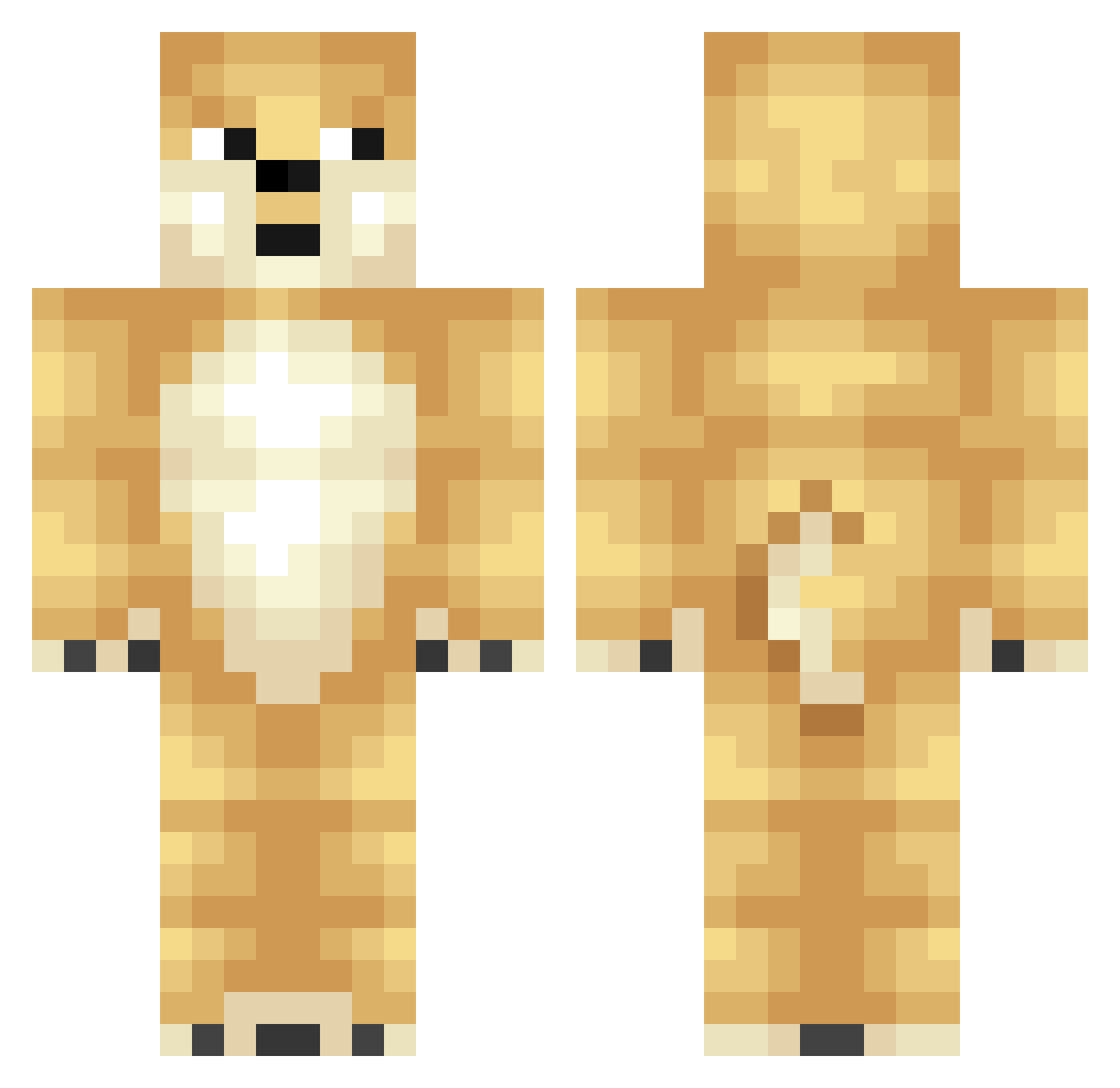
Current Minecraft skin of the player portal2atlantis, loaded from the official Mojang API. Rotate the 3D model with your mouse or finger, then download the skin as a PNG file and use it in Minecraft: Bedrock Edition or Java Edition for free. When portal2atlantis changes their skin, this page updates automatically and the old skin stays in the history below.
Other players with this skin (346)
portal2atlantis was the 29th player we have seen with this skin, first spotted on 01.08.2026. The same skin was seen on these players. Open a nickname to see their current skin and skin history.
 TheGamingDoge lurkingant0935 janetor Naona tings5 NateCrafter3 KiKi6349 IFlaggy Pizza187 Unfunn firewhere saloco3 mudo1537 allanvakt DingsenMC VerglasVargeux Benco__ EliteZealot343 PegaZeus YoLegitBoi6 AgusGamer5007 hannahzissou niqer Attitud3 Marcus_Whit KVG38 SCobilz ASP_2000 HalfInchPunisher I_AM_1245_COREY MrDengo Barndog64 minecraft8001 pip188 Gangsta_Unicorn BoogerSnack DoggeDoggelito captain_zoe Cayaw JamesVance TitaniumTJ Flash_Whiplash monkie_ neokuy Pikashan MUSINSA 3SteaksPam akko_81 DemZombieSlayer BobBanana Alaningsin GrateBanter AthleticSoup DisheyPie45 _minchar Drakz5 Etu34Gamer ToastersForSale Blackeagler Cold_Uncle
More Shiba Inu Minecraft skins
How to install the portal2atlantis skin
- Press the Download button above to save the skin as a PNG file.
- Minecraft: Bedrock Edition (PE): open the Dressing Room from the main menu (or tap your character → Edit Character), go to Classic Skins → Owned, press the + (new skin) button, choose the downloaded PNG and pick the Classic (Steve) model. Works on PC and mobile; consoles cannot import custom skins.
- Minecraft: Java Edition: open the Minecraft Launcher, go to the Skins tab, click New Skin, load the PNG, pick the Classic (Steve) model and press Save & Use. You can also upload it at minecraft.net → Profile → Change Skin.
The skin does not show up after import - what should I do?
Restart Minecraft and open the Dressing Room again - imported skins sometimes appear only after a restart. Also make sure you selected the imported skin and picked the Classic (Steve) model.
Which model should I choose, Classic or Slim?
This skin is designed for the Classic (Steve) model. If you pick the wrong model, the arms of the skin will look stretched or squeezed.
Is the skin of portal2atlantis free to download?
Yes. Press Download, save the PNG file and use it in Minecraft: Bedrock Edition or Java Edition - no payment or registration needed. The skin also works on multiplayer servers and Realms.
More skins
Looking for more? Go back to all Minecraft skins and check the top skins of the week, month and all time, or find any player's skin by nickname.