
pogjxmie - Minecraft Skins & Skin History
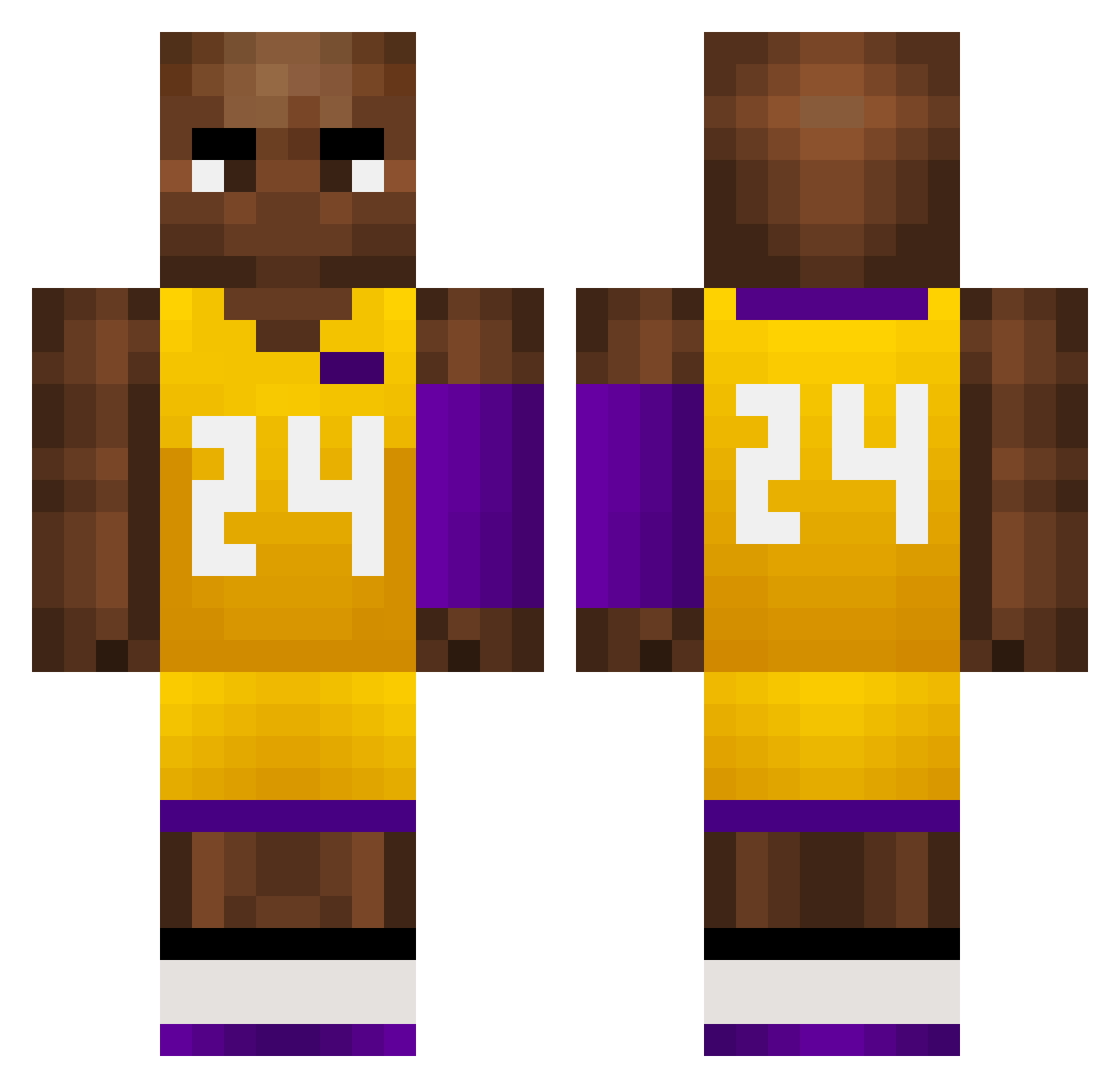
Current Minecraft skin of the player pogjxmie, loaded from the official Mojang API. Rotate the 3D model with your mouse or finger, then download the skin as a PNG file and use it in Minecraft: Bedrock Edition or Java Edition for free. When pogjxmie changes their skin, this page updates automatically and the old skin stays in the history below.
Other players with this skin (726)
pogjxmie was the 234th player we have seen with this skin, first spotted on 29.08.2026. The same skin was seen on these players. Open a nickname to see their current skin and skin history.
 Zyn0lol DXO358 DieguinhoGZ niko12311 Aimsoul BeniM2 WBX128 zjld zLg145 ALAAASO xjz1213 baibian KOBE_NBA Dzzz__ MoiCestBen xswl6666 Meiflow TT_000 kuaitoukid Nasvay41k jokerTOP1 Kangminghui imyzz29 youngpatte Draftzed Mr_Fishermann MXT208 _INeverGiveUP gigglebites Kimon_0402 ZRAWP Carloscua Nxo510 Zabbit alfieisnonce69 myback74 BenLeponGe57 julitogil DavidSheeran Hunder4643 kobelaoda Fu_AsahiBoy guohaoyang666 zverens1230 tCX425 JU4MP4 kirbaby Dpaps PETER_MVP TheRailyard UpBomb joaoo00 brxtal 7Laaay Mrundy AntiYuuiMaschine Riot2702 Tony14Basket Nakaseta DippDante
More Kobe Bryant Minecraft skins
How to install the pogjxmie skin
- Press the Download button above to save the skin as a PNG file.
- Minecraft: Bedrock Edition (PE): open the Dressing Room from the main menu (or tap your character → Edit Character), go to Classic Skins → Owned, press the + (new skin) button, choose the downloaded PNG and pick the Classic (Steve) model. Works on PC and mobile; consoles cannot import custom skins.
- Minecraft: Java Edition: open the Minecraft Launcher, go to the Skins tab, click New Skin, load the PNG, pick the Classic (Steve) model and press Save & Use. You can also upload it at minecraft.net → Profile → Change Skin.
The skin does not show up after import - what should I do?
Restart Minecraft and open the Dressing Room again - imported skins sometimes appear only after a restart. Also make sure you selected the imported skin and picked the Classic (Steve) model.
Which model should I choose, Classic or Slim?
This skin is designed for the Classic (Steve) model. If you pick the wrong model, the arms of the skin will look stretched or squeezed.
Is the skin of pogjxmie free to download?
Yes. Press Download, save the PNG file and use it in Minecraft: Bedrock Edition or Java Edition - no payment or registration needed. The skin also works on multiplayer servers and Realms.
More skins
Looking for more? Go back to all Minecraft skins and check the top skins of the week, month and all time, or find any player's skin by nickname.