
pog_POG12345678 - Minecraft Skins & Skin History
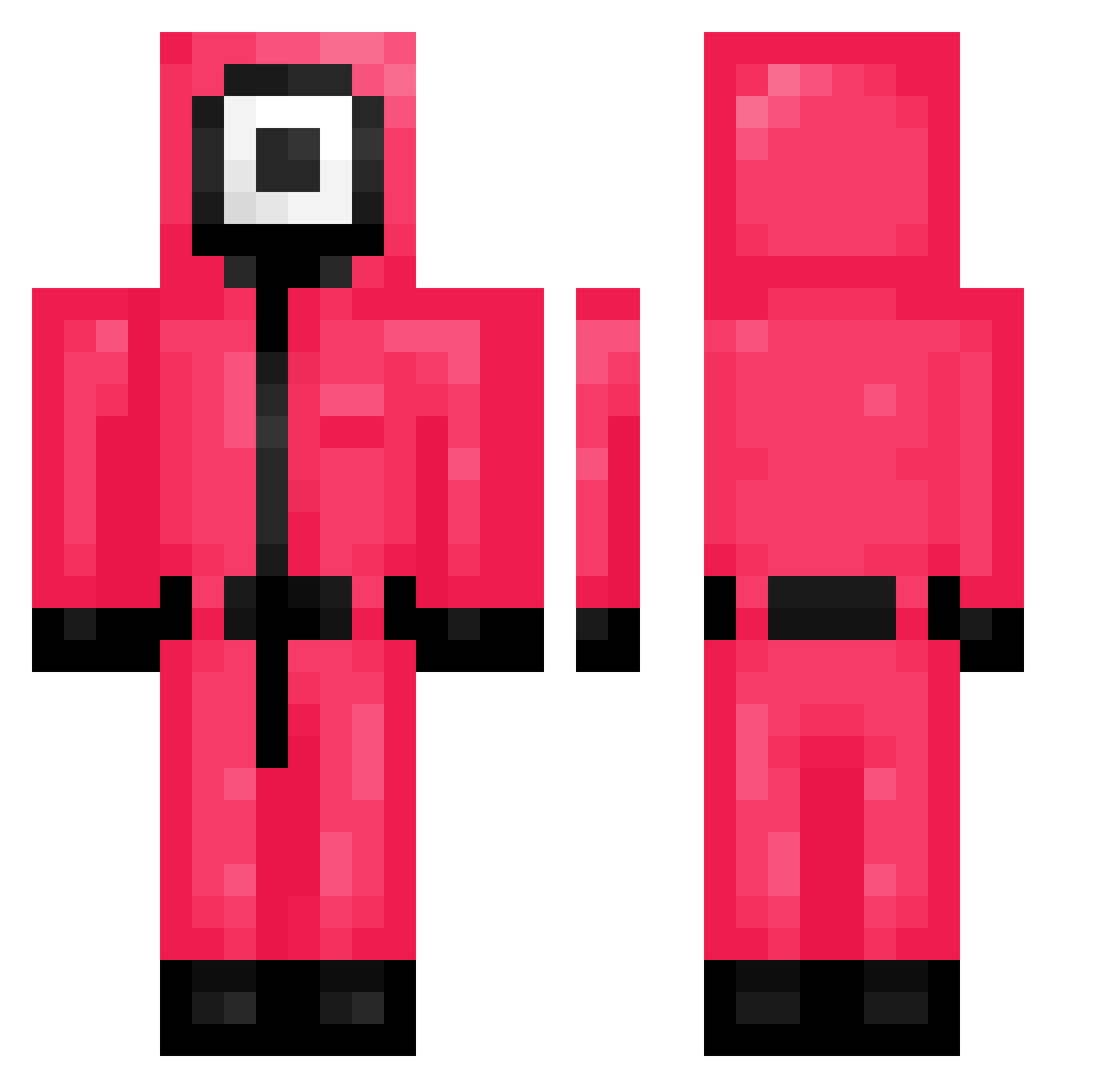
Current Minecraft skin of the player pog_POG12345678, loaded from the official Mojang API. Rotate the 3D model with your mouse or finger, then download the skin as a PNG file and use it in Minecraft: Bedrock Edition or Java Edition for free. When pog_POG12345678 changes their skin, this page updates automatically and the old skin stays in the history below.
Other players with this skin (214)
pog_POG12345678 was the 87th player we have seen with this skin, first spotted on 30.08.2026. The same skin was seen on these players. Open a nickname to see their current skin and skin history.
 Danidv Amiruxx Holrith Ollifuri Bravo4454 scottney SUPERSHAMEN gun8709 Akumazan PiruletaHardcore 169s kblee1302 ConnorHasMoney juanjo0503 reynolds941992 oIiquid HarbingrMoon Waryell sprattoon3 gksquf1009 TheFatal1tyy eatingout tonyxrip Javier_Jackson TheGumption ollonkaka SpinyEvening872 huns1518 Loog2K gejaji beenposh Stiah juiceboxslurper NotJohnSmith KaratyChop7 CeltnieksBobiks KoomaPanda Roaan_Reddy YairVar Mikaza2 BigFil799 Mheenim ruibow1020 lilhoon0901 potato_06ganzi Andrewwwwwwwke Tyeagle Jamajka2009 Freakaussiekid ALENtheLEGEND Du_du0 INfelic cottog8444 ritchlol omartr Dradiscan Toaaxi ace38332 EnergeNick FireliciousKatie
More Guard Minecraft skins
How to install the pog_POG12345678 skin
- Press the Download button above to save the skin as a PNG file.
- Minecraft: Bedrock Edition (PE): open the Dressing Room from the main menu (or tap your character → Edit Character), go to Classic Skins → Owned, press the + (new skin) button, choose the downloaded PNG and pick the Classic (Steve) model. Works on PC and mobile; consoles cannot import custom skins.
- Minecraft: Java Edition: open the Minecraft Launcher, go to the Skins tab, click New Skin, load the PNG, pick the Classic (Steve) model and press Save & Use. You can also upload it at minecraft.net → Profile → Change Skin.
The skin does not show up after import - what should I do?
Restart Minecraft and open the Dressing Room again - imported skins sometimes appear only after a restart. Also make sure you selected the imported skin and picked the Classic (Steve) model.
Which model should I choose, Classic or Slim?
This skin is designed for the Classic (Steve) model. If you pick the wrong model, the arms of the skin will look stretched or squeezed.
Is the skin of pog_POG12345678 free to download?
Yes. Press Download, save the PNG file and use it in Minecraft: Bedrock Edition or Java Edition - no payment or registration needed. The skin also works on multiplayer servers and Realms.
More skins
Looking for more? Go back to all Minecraft skins and check the top skins of the week, month and all time, or find any player's skin by nickname.