
pmm618 - Minecraft Skins & Skin History
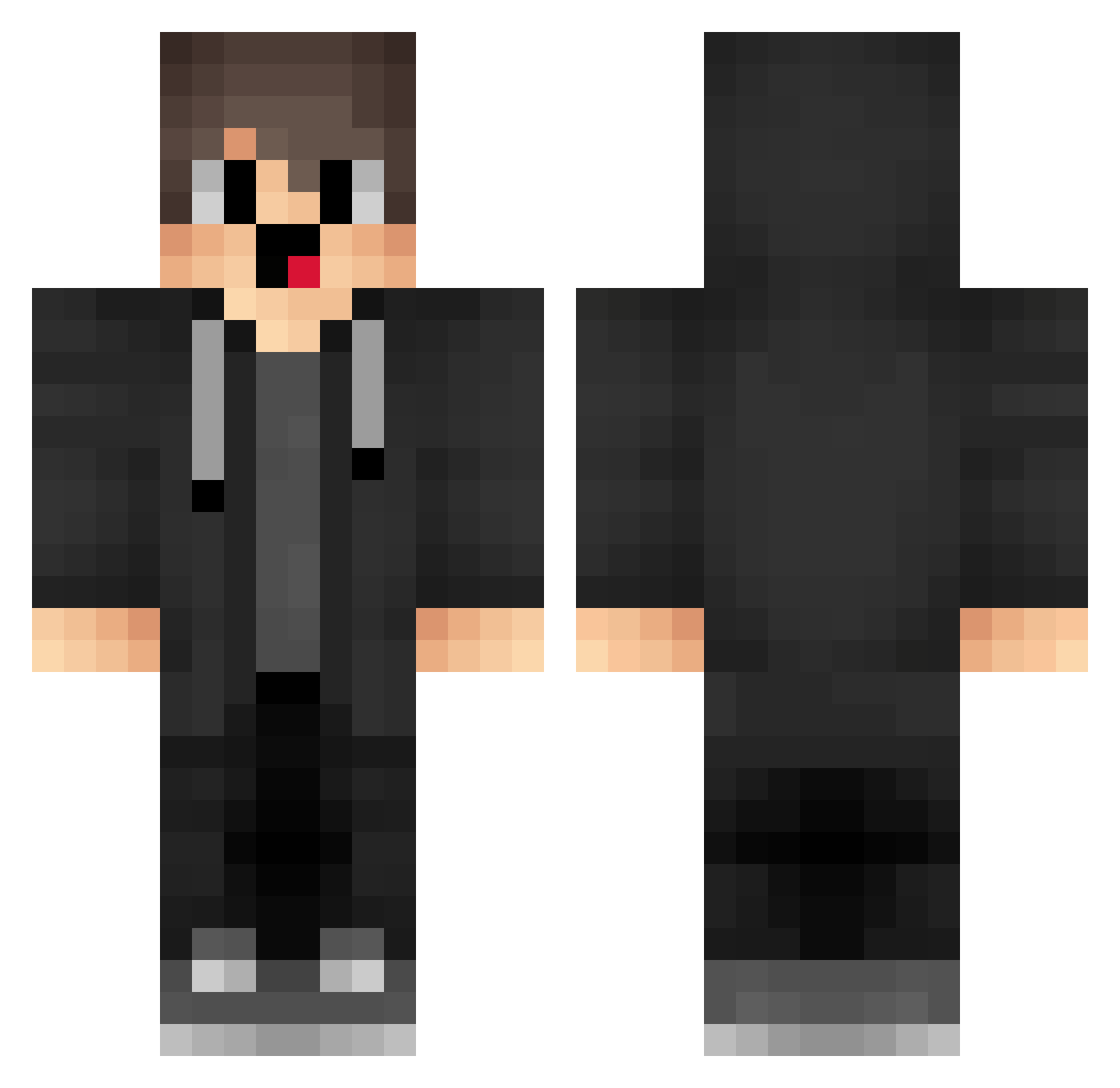
Current Minecraft skin of the player pmm618, loaded from the official Mojang API. Rotate the 3D model with your mouse or finger, then download the skin as a PNG file and use it in Minecraft: Bedrock Edition or Java Edition for free. When pmm618 changes their skin, this page updates automatically and the old skin stays in the history below.
Other players with this skin (1878)
pmm618 was the 1855th player we have seen with this skin, first spotted on 18.11.2026. The same skin was seen on these players. Open a nickname to see their current skin and skin history.
 LeaderCHOU Zwf866 rcm237 emt100 glF38 Buccled DzH731 pXW745 xjL755 oracels UrB689 merzicurve Merryzzzzzzzzzz jKw651 qjr896 box_ISqluhHVO916 SjP629 QkL267 JiR640 lGt810 hOo393 whisper1145 JXh454 CristianQ11 merziuhc Iql45 yIJ638 rJk366 ztB749 mFl765 TZs538 studentwen pon255 Borryzz EoM567 qiushangsi_sb yXs273 uuI828 vLU188 mGy896 aAg60 Pasha_Cutec jiU381 RyskFTW ndx397 litevsv4 GoodF5Z zeleputi cFp367 Hcg297 box_iTtHAcguC652 ZhQ488 Sa3ura_18 captainblob CkD926 Mezzio GzO893 JCO59 aHw330 LowIQKid0055
How to install the pmm618 skin
- Press the Download button above to save the skin as a PNG file.
- Minecraft: Bedrock Edition (PE): open the Dressing Room from the main menu (or tap your character → Edit Character), go to Classic Skins → Owned, press the + (new skin) button, choose the downloaded PNG and pick the Classic (Steve) model. Works on PC and mobile; consoles cannot import custom skins.
- Minecraft: Java Edition: open the Minecraft Launcher, go to the Skins tab, click New Skin, load the PNG, pick the Classic (Steve) model and press Save & Use. You can also upload it at minecraft.net → Profile → Change Skin.
The skin does not show up after import - what should I do?
Restart Minecraft and open the Dressing Room again - imported skins sometimes appear only after a restart. Also make sure you selected the imported skin and picked the Classic (Steve) model.
Which model should I choose, Classic or Slim?
This skin is designed for the Classic (Steve) model. If you pick the wrong model, the arms of the skin will look stretched or squeezed.
Is the skin of pmm618 free to download?
Yes. Press Download, save the PNG file and use it in Minecraft: Bedrock Edition or Java Edition - no payment or registration needed. The skin also works on multiplayer servers and Realms.
More skins
Looking for more? Go back to all Minecraft skins and check the top skins of the week, month and all time, or find any player's skin by nickname.