
plenckk - Minecraft Skins & Skin History
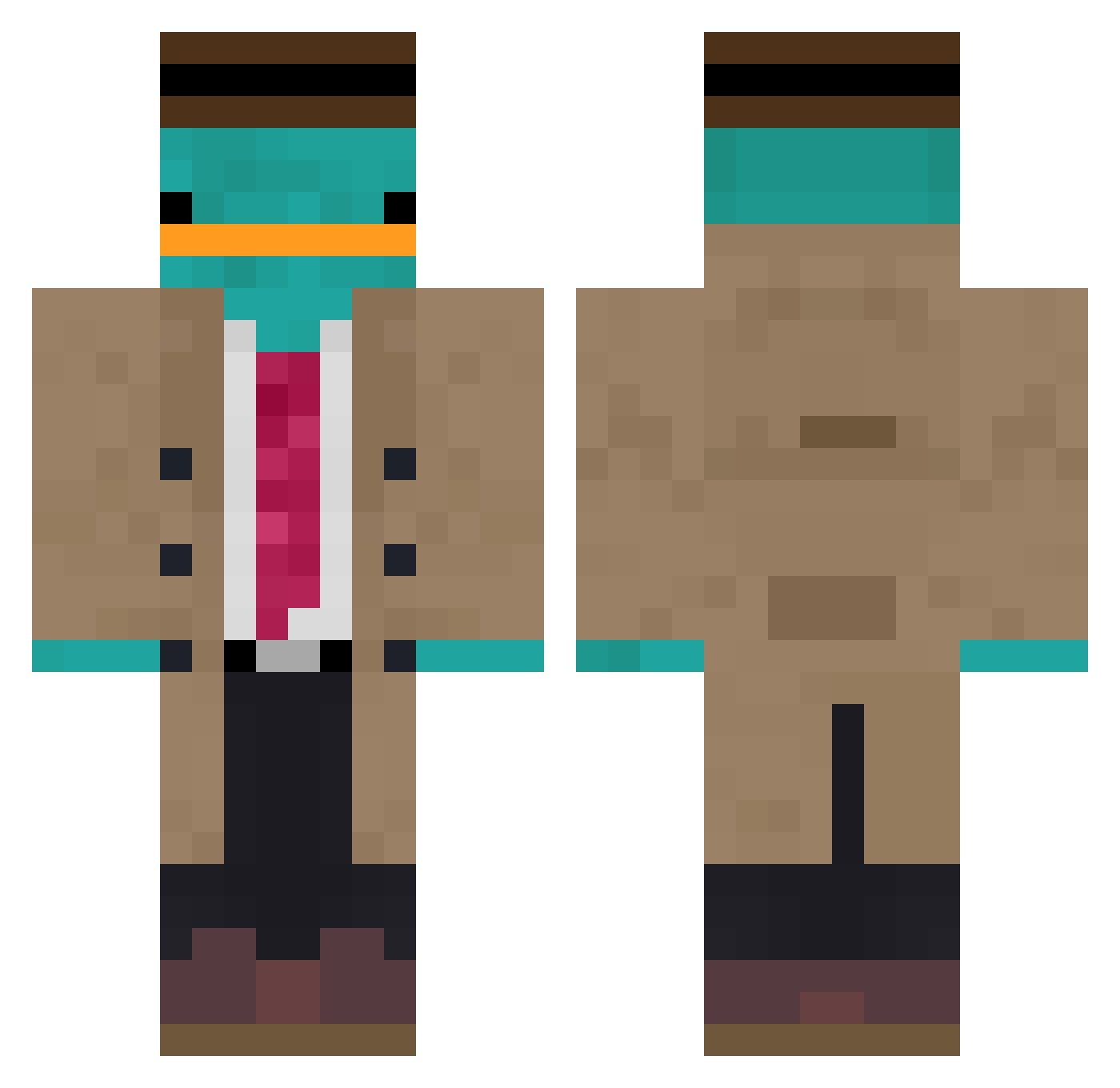
Current Minecraft skin of the player plenckk, loaded from the official Mojang API. Rotate the 3D model with your mouse or finger, then download the skin as a PNG file and use it in Minecraft: Bedrock Edition or Java Edition for free. When plenckk changes their skin, this page updates automatically and the old skin stays in the history below.
Other players with this skin (853)
plenckk was the 789th player we have seen with this skin, first spotted on 13.10.2026. The same skin was seen on these players. Open a nickname to see their current skin and skin history.
 foxyttv Dolis gtc2000 fresha_vocadoo Pizzamouth Pro323535 VRAX_24 BenChaperone MooningBaboonzzz Lxvin3 wjsdjstn SzymonHop Emirosko idrasticz Shaylinds06 epicoen amoxxii Frederik_Damm wsad1337 B23EF_123 C013J Pedermanden LucasRRS314 CraftyDVD abmoody xd_Prime Nodgear Ebruinus CharlieEcho0713 Seatamer72 Raaaccchhh FrostRex Fenister WainTo EinSalvo Zumo__ handsomeliza Hi_Im_Elicio_ tdog12345 lxsto4kin officialLivia LessXGaming Ka_wa_ra_gi im_so_bad3412 w172226 megmayo demdem16 Tanimoto InfernoParadox Taylong GAGA_e Rubinsky123 Howhow1106 JEONG_JIMIN Nomdee galukrr kolis1e9 kobert3 CoinCoinn_ Blue_Dreamin
More Platypus Minecraft skins
How to install the plenckk skin
- Press the Download button above to save the skin as a PNG file.
- Minecraft: Bedrock Edition (PE): open the Dressing Room from the main menu (or tap your character → Edit Character), go to Classic Skins → Owned, press the + (new skin) button, choose the downloaded PNG and pick the Classic (Steve) model. Works on PC and mobile; consoles cannot import custom skins.
- Minecraft: Java Edition: open the Minecraft Launcher, go to the Skins tab, click New Skin, load the PNG, pick the Classic (Steve) model and press Save & Use. You can also upload it at minecraft.net → Profile → Change Skin.
The skin does not show up after import - what should I do?
Restart Minecraft and open the Dressing Room again - imported skins sometimes appear only after a restart. Also make sure you selected the imported skin and picked the Classic (Steve) model.
Which model should I choose, Classic or Slim?
This skin is designed for the Classic (Steve) model. If you pick the wrong model, the arms of the skin will look stretched or squeezed.
Is the skin of plenckk free to download?
Yes. Press Download, save the PNG file and use it in Minecraft: Bedrock Edition or Java Edition - no payment or registration needed. The skin also works on multiplayer servers and Realms.
More skins
Looking for more? Go back to all Minecraft skins and check the top skins of the week, month and all time, or find any player's skin by nickname.