
playerinos - Minecraft Skins & Skin History
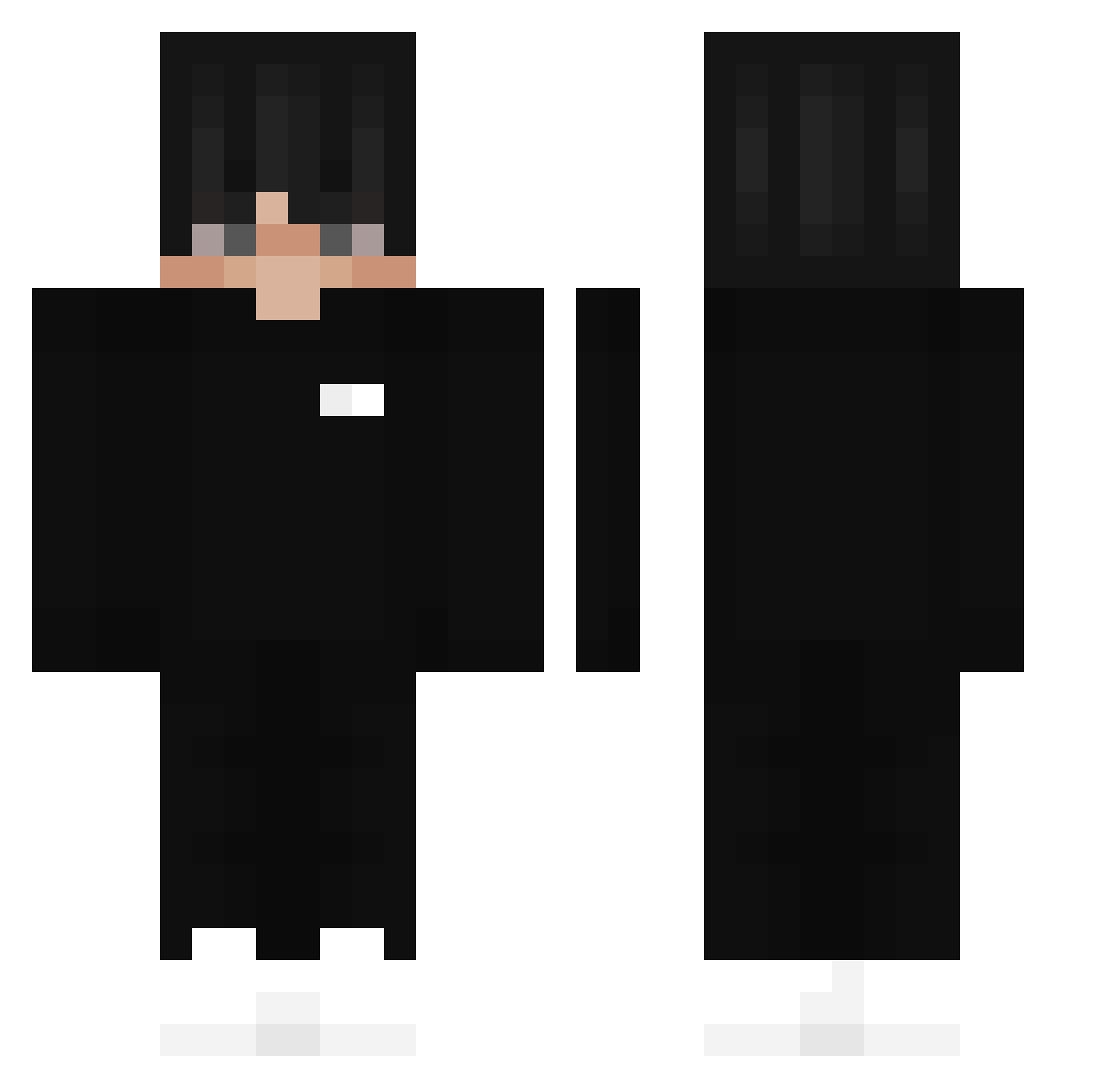
Current Minecraft skin of the player playerinos, loaded from the official Mojang API. Rotate the 3D model with your mouse or finger, then download the skin as a PNG file and use it in Minecraft: Bedrock Edition or Java Edition for free. When playerinos changes their skin, this page updates automatically and the old skin stays in the history below.
Other players with this skin (209)
playerinos was the 36th player we have seen with this skin, first spotted on 11.08.2026. The same skin was seen on these players. Open a nickname to see their current skin and skin history.
 DaddyLove loki0809 Edveee versaceplug Olivvver cryystalx Fykt duca_lex Alienare crazycos123 Garaaa_ D0mey SeiZonClicker Michmil M1DGAP MarcoNorway SGMY sickgamer iFoxi moosehut SpectreZxZ KwenT_ Shipsterns DrDemonn ROG1212 winter1811 SebaLexz MZKS_KKS jglad9 weql Ausgewechselter TeddzyJr DashyCrashy Estebanor ExoticSniper57 RED_Zonee krystek190 Dani212 WingzOnFire Esrar1234 macieksigma Kalamity9194 Snakynico Hidreen Sol4r_24 ItsHedgehog SeraiKateAn vdpe Josh_x70 NKS_STRIKE tophmagophe Itsmon vaft Zeknoss Hubercik_2013 ChristianBoulton SNXYT21 Maundolo Coopex1 qrsigma
More Streetwear Minecraft skins
How to install the playerinos skin
- Press the Download button above to save the skin as a PNG file.
- Minecraft: Bedrock Edition (PE): open the Dressing Room from the main menu (or tap your character → Edit Character), go to Classic Skins → Owned, press the + (new skin) button, choose the downloaded PNG and pick the Classic (Steve) model. Works on PC and mobile; consoles cannot import custom skins.
- Minecraft: Java Edition: open the Minecraft Launcher, go to the Skins tab, click New Skin, load the PNG, pick the Classic (Steve) model and press Save & Use. You can also upload it at minecraft.net → Profile → Change Skin.
The skin does not show up after import - what should I do?
Restart Minecraft and open the Dressing Room again - imported skins sometimes appear only after a restart. Also make sure you selected the imported skin and picked the Classic (Steve) model.
Which model should I choose, Classic or Slim?
This skin is designed for the Classic (Steve) model. If you pick the wrong model, the arms of the skin will look stretched or squeezed.
Is the skin of playerinos free to download?
Yes. Press Download, save the PNG file and use it in Minecraft: Bedrock Edition or Java Edition - no payment or registration needed. The skin also works on multiplayer servers and Realms.
More skins
Looking for more? Go back to all Minecraft skins and check the top skins of the week, month and all time, or find any player's skin by nickname.