
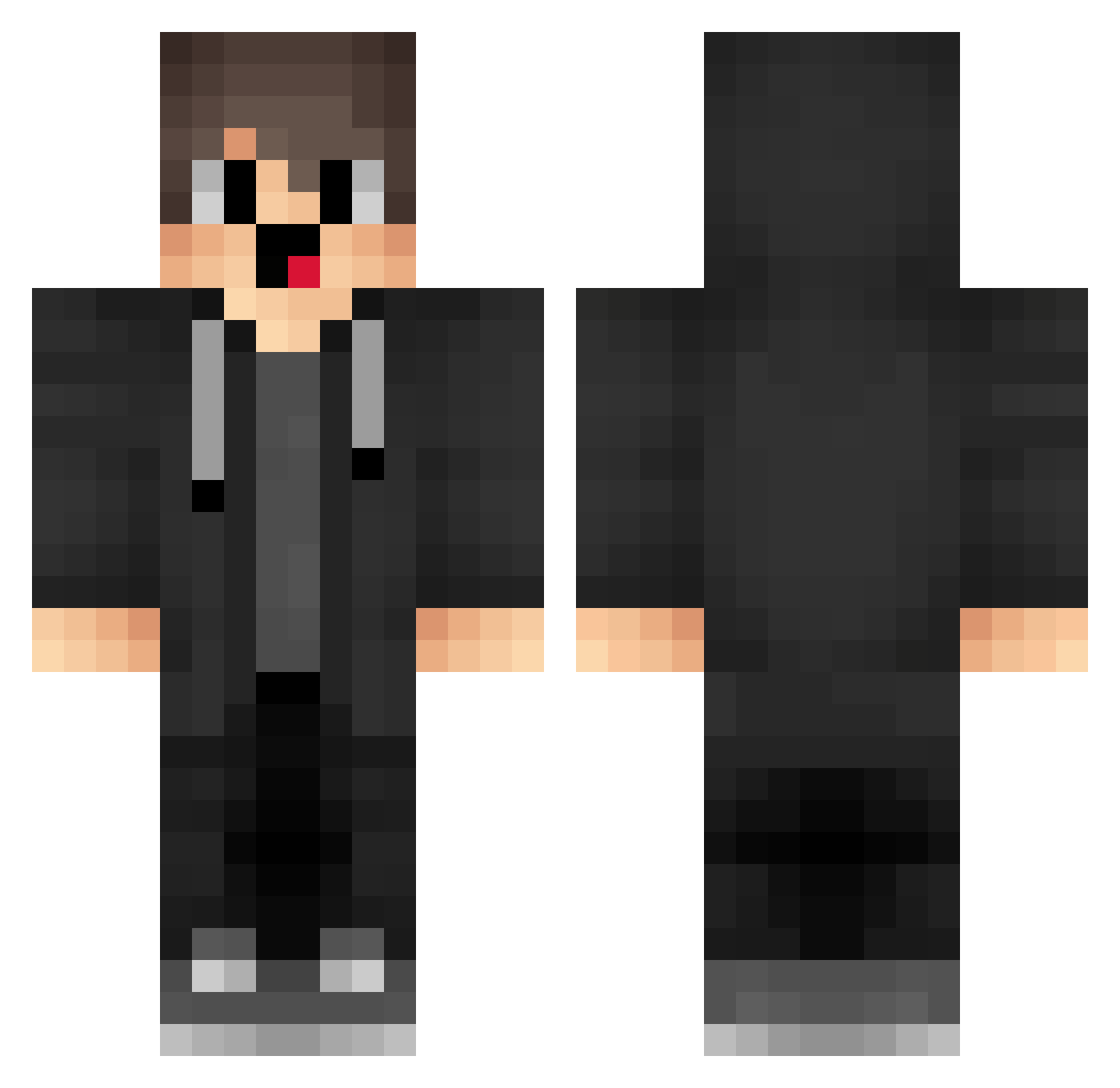
Current Minecraft skin of the player player100320, loaded from the official Mojang API. Rotate the 3D model with your mouse or finger, then download the skin as a PNG file and use it in Minecraft: Bedrock Edition or Java Edition for free. When player100320 changes their skin, this page updates automatically and the old skin stays in the history below.
Other players with this skin (1279)
player100320 was the 174th player we have seen with this skin, first spotted on 04.08.2026. The same skin was seen on these players. Open a nickname to see their current skin and skin history.
 NYg446 ShanPAXL kIR376 Vaoxyzz Sa3ura_20 St999 jz_HJfrWNMeFG414 UcU379 jqm470 MERRYZZ1 MdB361 Imagine_Skull Rvu276 JOp544 talselim BadVaper Sa3ura_26 xiaowan_1152 cFU24 cdc368 Official_Merryzz Yag102 WLP768 uFm538 saN731 MerryzzV4 AshStretchum gVj348 zdC252 Ruoper YlK828 lPY377 cemyarrakistiyor bLB316 sSp208 ZfX78 sZF933 lVb825 Eudemonia_Wnxfis Zfo530 lufei_nrhj8_0106 L05ER1MAO StM720 box_sDeHUVZHV955 fTB83 uLq209 SnU907 SxhQWQ
 IllicitSaturn72 VSB684 merzibypasses box_MbzkWOXag337 FFf988 QRP285 sb_oyQDr_07_28 VP12USR vsS549 BadIsiand Oba516 wsb809
How to install the player100320 skin
- Press the Download button above to save the skin as a PNG file.
- Minecraft: Bedrock Edition (PE): open the Dressing Room from the main menu (or tap your character → Edit Character), go to Classic Skins → Owned, press the + (new skin) button, choose the downloaded PNG and pick the Classic (Steve) model. Works on PC and mobile; consoles cannot import custom skins.
- Minecraft: Java Edition: open the Minecraft Launcher, go to the Skins tab, click New Skin, load the PNG, pick the Classic (Steve) model and press Save & Use. You can also upload it at minecraft.net → Profile → Change Skin.
The skin does not show up after import - what should I do?
Restart Minecraft and open the Dressing Room again - imported skins sometimes appear only after a restart. Also make sure you selected the imported skin and picked the Classic (Steve) model.
Which model should I choose, Classic or Slim?
This skin is designed for the Classic (Steve) model. If you pick the wrong model, the arms of the skin will look stretched or squeezed.
Is the skin of player100320 free to download?
Yes. Press Download, save the PNG file and use it in Minecraft: Bedrock Edition or Java Edition - no payment or registration needed. The skin also works on multiplayer servers and Realms.
More skins
Looking for more? Go back to all Minecraft skins and check the top skins of the week, month and all time, or find any player's skin by nickname.