
pklazy - Minecraft Skins & Skin History
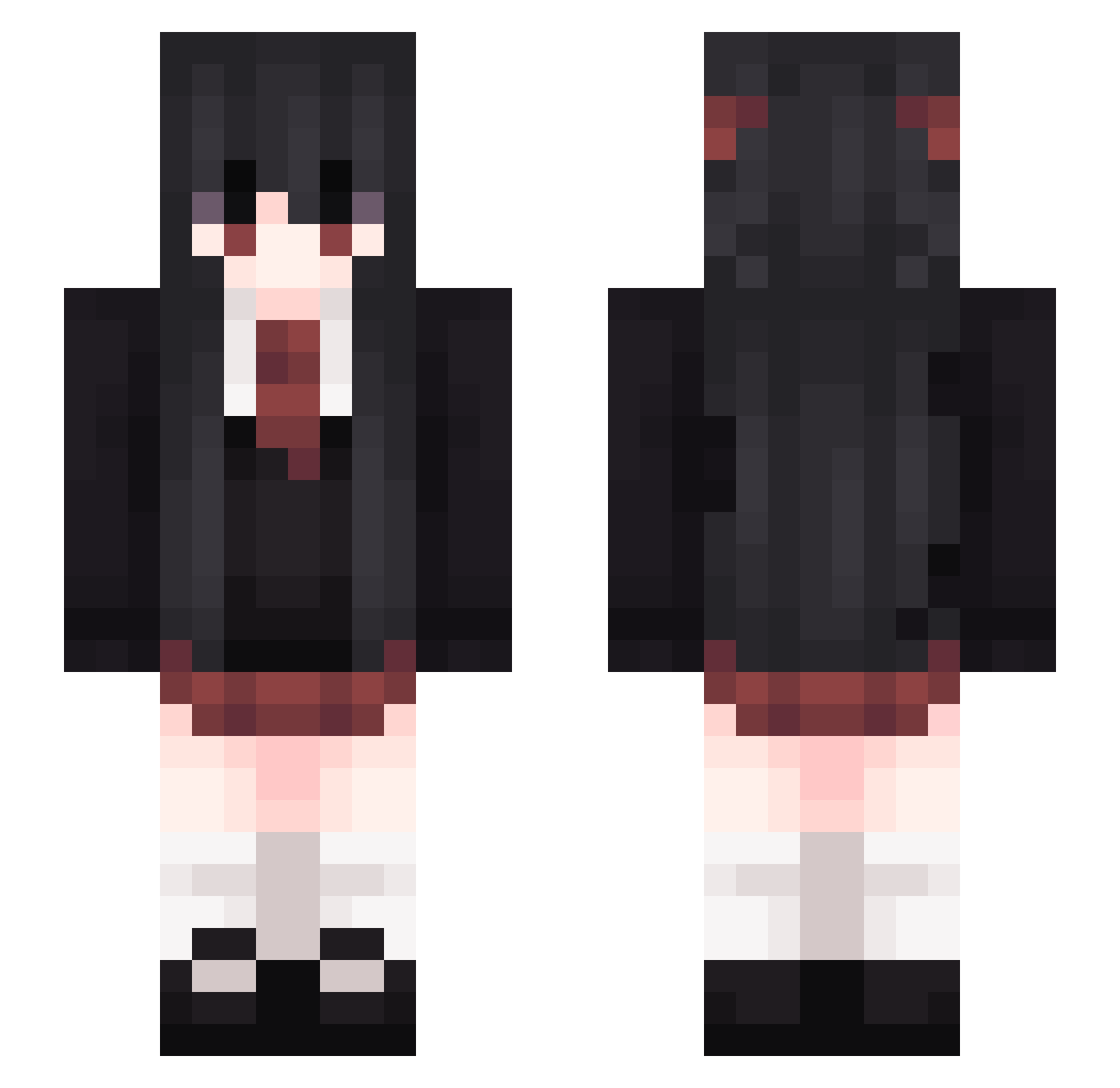
Current Minecraft skin of the player pklazy, loaded from the official Mojang API. Rotate the 3D model with your mouse or finger, then download the skin as a PNG file and use it in Minecraft: Bedrock Edition or Java Edition for free. When pklazy changes their skin, this page updates automatically and the old skin stays in the history below.
Other players with this skin (230)
pklazy was the 71st player we have seen with this skin, first spotted on 22.08.2026. The same skin was seen on these players. Open a nickname to see their current skin and skin history.
 San_gold ZOOsimi
 Kst1zZ JumSoon ecstc352 Uliana_Dalas Kiwithekitty 3yxo _Milk_Latte_ Fallerkids _Qadrix_ BigE2099 fengtang_zs xiao_tians_ Raidbost Minoa618 Unit_XE Mimikyuute Huo_sir Pumpalump Knight_Yue sanses9 HoneyWhite lil_miggl sxntip CC_lin0 Michiru1011 Jadz1a NicoAkr Revelia_ Microducky thesunnychang MomoTakahashi ERROR2_4 69PP F43rr Lobsterx_ ZMBot Piloty Royalkids PakkarDX lingyuening Wymyn cherry_teu Tsubaki_Mika Gong_ji Ogue12345 CherishTheDogg banrrd Yun_FC BigDext3r Squishyfoxi cloversoups mizumisaki CODE_035 Custom_ MATSUOUKI Alika_Buckley Lewday ImNotFlashYT
More School Uniform Minecraft skins
See all 5831 School Uniform skins
How to install the pklazy skin
- Press the Download button above to save the skin as a PNG file.
- Minecraft: Bedrock Edition (PE): open the Dressing Room from the main menu (or tap your character → Edit Character), go to Classic Skins → Owned, press the + (new skin) button, choose the downloaded PNG and pick the Slim (Alex) model. Works on PC and mobile; consoles cannot import custom skins.
- Minecraft: Java Edition: open the Minecraft Launcher, go to the Skins tab, click New Skin, load the PNG, pick the Slim (Alex) model and press Save & Use. You can also upload it at minecraft.net → Profile → Change Skin.
The skin does not show up after import - what should I do?
Restart Minecraft and open the Dressing Room again - imported skins sometimes appear only after a restart. Also make sure you selected the imported skin and picked the Slim (Alex) model.
Which model should I choose, Classic or Slim?
This skin is designed for the Slim (Alex) model. If you pick the wrong model, the arms of the skin will look stretched or squeezed.
Is the skin of pklazy free to download?
Yes. Press Download, save the PNG file and use it in Minecraft: Bedrock Edition or Java Edition - no payment or registration needed. The skin also works on multiplayer servers and Realms.
More skins
Looking for more? Go back to all Minecraft skins and check the top skins of the week, month and all time, or find any player's skin by nickname.