
pikanean20202 - Minecraft Skins & Skin History
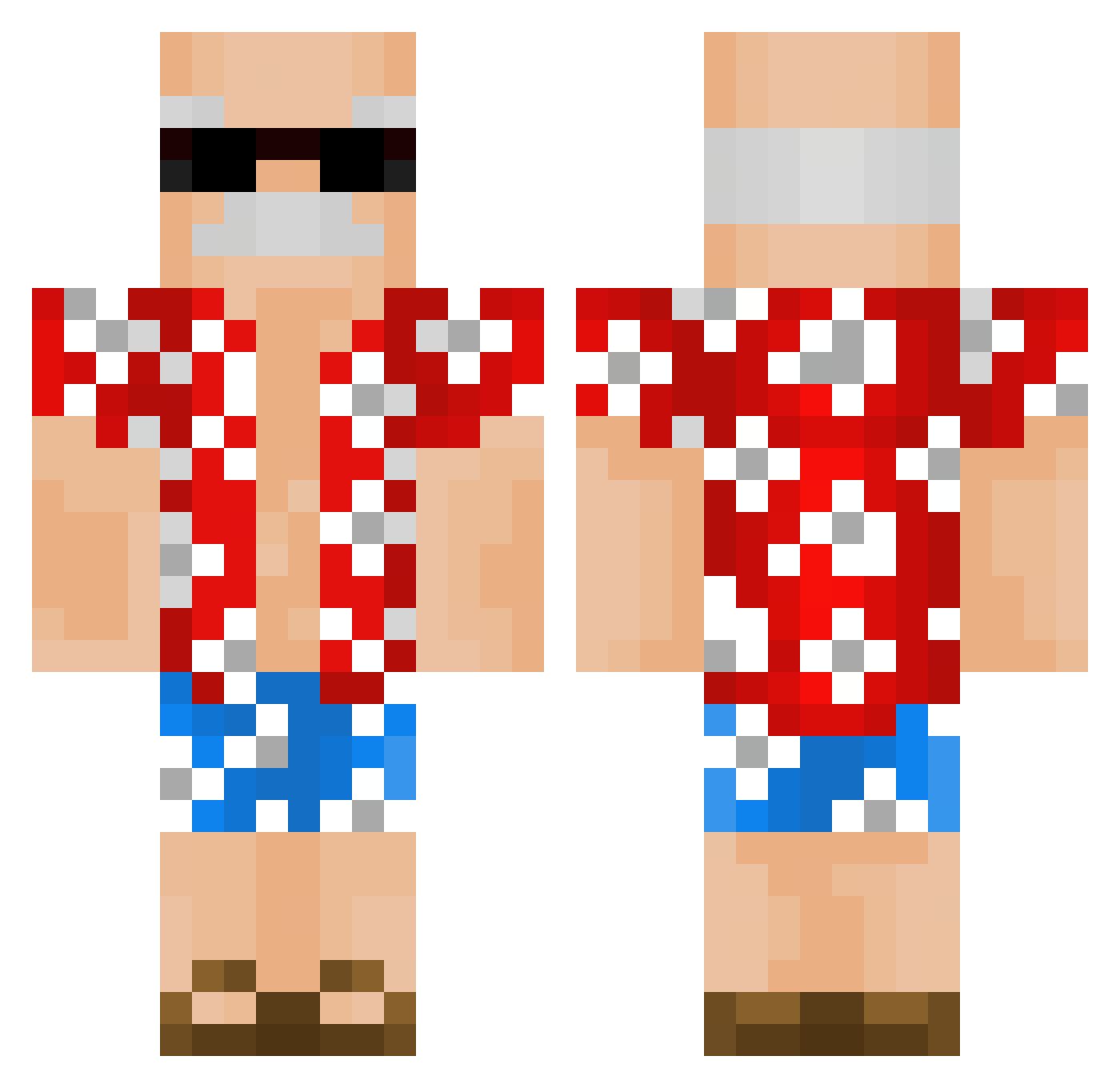
Current Minecraft skin of the player pikanean20202, loaded from the official Mojang API. Rotate the 3D model with your mouse or finger, then download the skin as a PNG file and use it in Minecraft: Bedrock Edition or Java Edition for free. When pikanean20202 changes their skin, this page updates automatically and the old skin stays in the history below.
Other players with this skin (337)
pikanean20202 was the 315th player we have seen with this skin, first spotted on 25.10.2026. The same skin was seen on these players. Open a nickname to see their current skin and skin history.
 Koekenbakker34 davidd234 SKalmar_gabry Icexbr eliaaaas0_0 JOAOPEDRO2003 FreshSauce milkycheese89 Shaoyuyu imfatashgahdam LordKasper11 elmojito4 Jaafuu Kuno9k OpaIstBack StanRamd TREMPASSOUKKJ Mistergix bigchad118 Mood777 Leonson07 Diengor Kamil5384 wolbo avihay212167 Noobuuro LeblebiFunClup Asnasty _Move_Relearner luolicheng Dr_Emixam MaZe_PaZe Veor Ykuul dlwodnjs0224 Melciuz Donald_43 Djmitra jorginhoisgod Jakoger Samooka Balmyasteroid Bagaren_Erik seeyou_ MattGeoWild XI_Vanilla CrocodileChase10 milanator kvsti2010 Ejiom RH_Buddi Hunter85case1 nasyasu Su_yeah Hoffevelo OolzenN Oak61 Hyunkyu55 Monguise_Sherman illaj
More Old Man Minecraft skins
How to install the pikanean20202 skin
- Press the Download button above to save the skin as a PNG file.
- Minecraft: Bedrock Edition (PE): open the Dressing Room from the main menu (or tap your character → Edit Character), go to Classic Skins → Owned, press the + (new skin) button, choose the downloaded PNG and pick the Classic (Steve) model. Works on PC and mobile; consoles cannot import custom skins.
- Minecraft: Java Edition: open the Minecraft Launcher, go to the Skins tab, click New Skin, load the PNG, pick the Classic (Steve) model and press Save & Use. You can also upload it at minecraft.net → Profile → Change Skin.
The skin does not show up after import - what should I do?
Restart Minecraft and open the Dressing Room again - imported skins sometimes appear only after a restart. Also make sure you selected the imported skin and picked the Classic (Steve) model.
Which model should I choose, Classic or Slim?
This skin is designed for the Classic (Steve) model. If you pick the wrong model, the arms of the skin will look stretched or squeezed.
Is the skin of pikanean20202 free to download?
Yes. Press Download, save the PNG file and use it in Minecraft: Bedrock Edition or Java Edition - no payment or registration needed. The skin also works on multiplayer servers and Realms.
More skins
Looking for more? Go back to all Minecraft skins and check the top skins of the week, month and all time, or find any player's skin by nickname.