
pigeon233_ - Minecraft Skins & Skin History
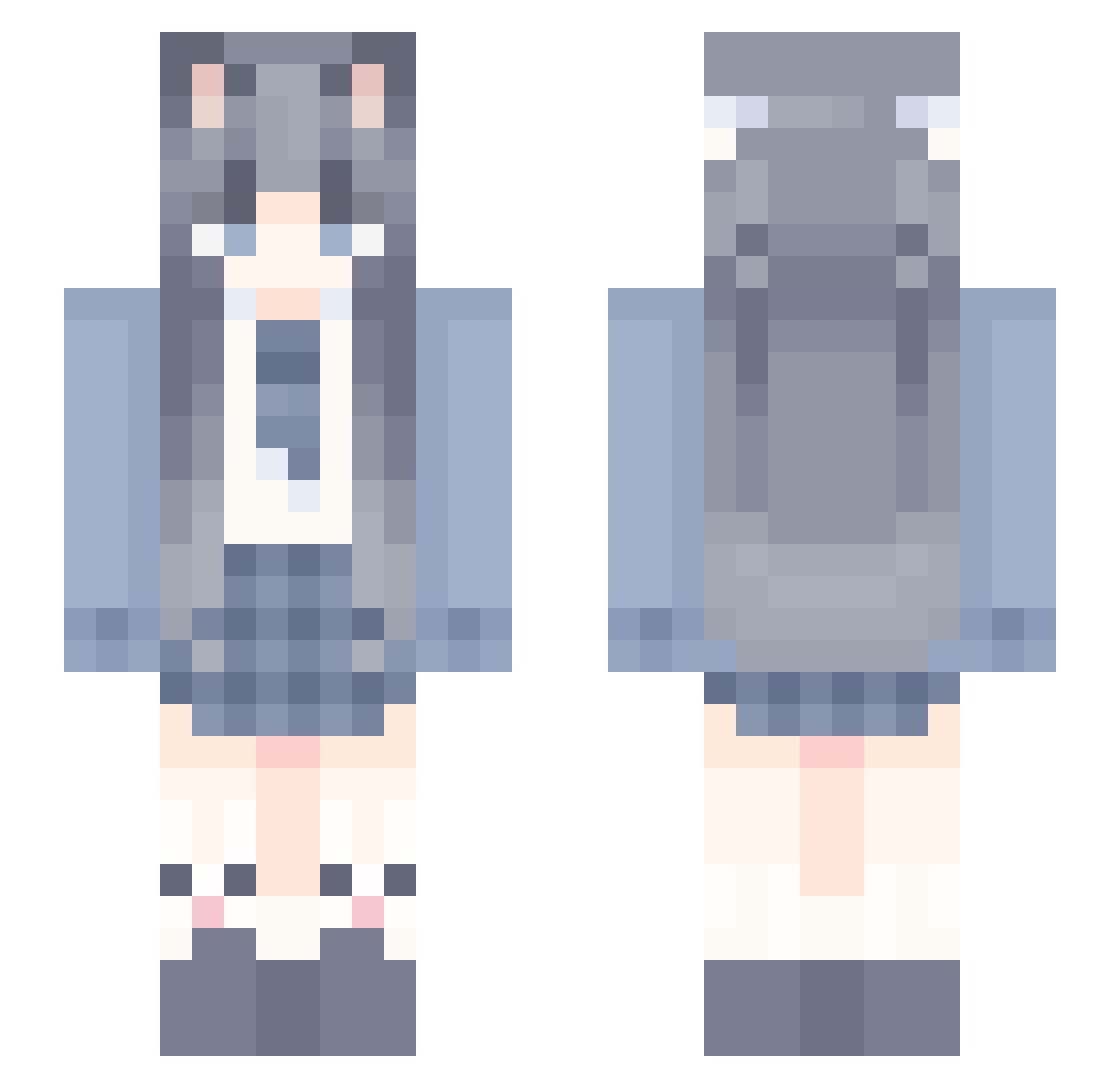
Current Minecraft skin of the player pigeon233_, loaded from the official Mojang API. Rotate the 3D model with your mouse or finger, then download the skin as a PNG file and use it in Minecraft: Bedrock Edition or Java Edition for free. When pigeon233_ changes their skin, this page updates automatically and the old skin stays in the history below.
Other players with this skin (1213)
pigeon233_ was the 421st player we have seen with this skin, first spotted on 01.09.2026. The same skin was seen on these players. Open a nickname to see their current skin and skin history.
 Alienark VsakanaV YY1126 nyrT1e po0000op lxhl_scare HuanzhiZ benana37 Kleyn10086 NILEEEEEEEE UpliftPlot Yutlg Xiamuxiu fauitcay huhulu bbzai_ Sh1kiN4tsume ChaiQwQ Yukinolai syukong bettertomorrow uytuuyt _Persicaria_ Rainless_sky mcdevz_20fps Exusiai55 Zuoxing ABooyy Nineluo ME93BAE TMeRS1 A3A2 Mark85_ouo AIMONENGZHU LorenzoVal0315 puppiiwi kami12306 Misty_Orchid yan_emm Qskn Sue11234 Starv0 piao002 Annline qifengqf0 Swordsoul02 zhuyuy kanmou AN4459 qlgf FantasticMingume livvvGiba xiaocheng520_131 jianmu Atste 7mle universeDADA sincosint tco__ CHOCHIO
More School Uniform Minecraft skins
See all 7009 School Uniform skins
How to install the pigeon233_ skin
- Press the Download button above to save the skin as a PNG file.
- Minecraft: Bedrock Edition (PE): open the Dressing Room from the main menu (or tap your character → Edit Character), go to Classic Skins → Owned, press the + (new skin) button, choose the downloaded PNG and pick the Slim (Alex) model. Works on PC and mobile; consoles cannot import custom skins.
- Minecraft: Java Edition: open the Minecraft Launcher, go to the Skins tab, click New Skin, load the PNG, pick the Slim (Alex) model and press Save & Use. You can also upload it at minecraft.net → Profile → Change Skin.
The skin does not show up after import - what should I do?
Restart Minecraft and open the Dressing Room again - imported skins sometimes appear only after a restart. Also make sure you selected the imported skin and picked the Slim (Alex) model.
Which model should I choose, Classic or Slim?
This skin is designed for the Slim (Alex) model. If you pick the wrong model, the arms of the skin will look stretched or squeezed.
Is the skin of pigeon233_ free to download?
Yes. Press Download, save the PNG file and use it in Minecraft: Bedrock Edition or Java Edition - no payment or registration needed. The skin also works on multiplayer servers and Realms.
More skins
Looking for more? Go back to all Minecraft skins and check the top skins of the week, month and all time, or find any player's skin by nickname.