
pietromustaffa - Minecraft Skins & Skin History
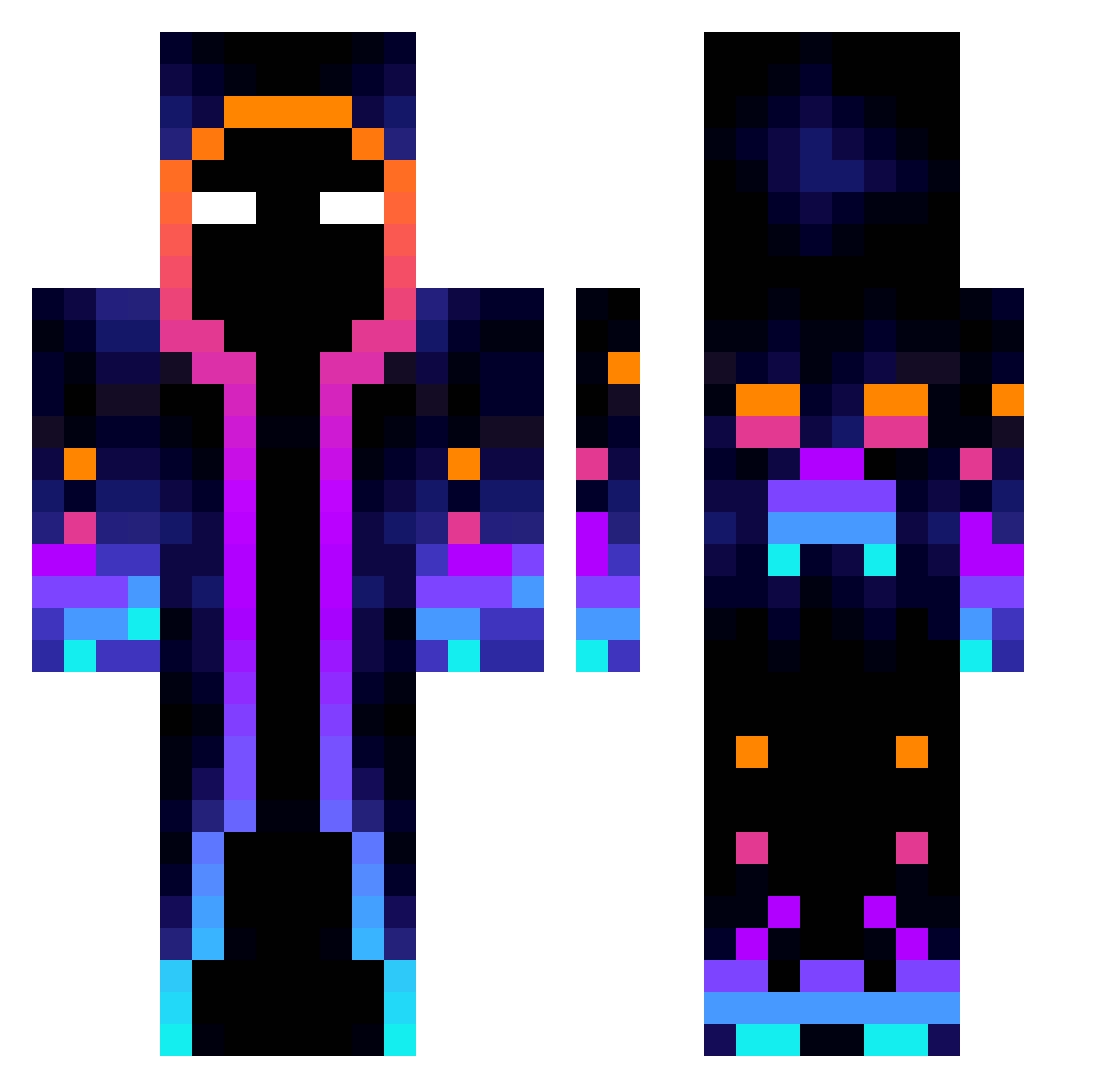
Current Minecraft skin of the player pietromustaffa, loaded from the official Mojang API. Rotate the 3D model with your mouse or finger, then download the skin as a PNG file and use it in Minecraft: Bedrock Edition or Java Edition for free. When pietromustaffa changes their skin, this page updates automatically and the old skin stays in the history below.
Other players with this skin (814)
pietromustaffa was the 106th player we have seen with this skin, first spotted on 08.08.2026. The same skin was seen on these players. Open a nickname to see their current skin and skin history.
 Lambinho9 yinuo__ Aralto13 IamReally_ BurhanSn Antimostat Jaxonbux11 nitrox3116 ELNITROSOPR horisons13 Bubble_258 FROYLAN27 CARLUUU_ b3nj4c_ Ligorias Madbroandrew madoreinu valentinhoo Mine_Ggamer StreetCF Trvvzy Quackofsky Seraphin228 Fedeatze7 Feba7 glebulinko
 Luci_Goosey420 DaddyBurgyzz LimZ21 SwordofMoonlight Duckgemer leoncrow2 Rivveq IamTheOnlyOne123 BIGHEAD071116 FrancoTheYeetGod Maselnica XxWarnixX DripPewPew AweareAxei5 Gogolift MarcCreepy_YT DENVERMAX1 _Linrond_ TruenoT ZTHHZT
 Krusher69420 StallBlue lunamaki caca2024 ExactingFlea13 Kamichua E4ch LiMing034 axugamer69 Marcino1252 KennethLCY Clientyo LCCheng0608 boodbood
More Galaxy Minecraft skins
How to install the pietromustaffa skin
- Press the Download button above to save the skin as a PNG file.
- Minecraft: Bedrock Edition (PE): open the Dressing Room from the main menu (or tap your character → Edit Character), go to Classic Skins → Owned, press the + (new skin) button, choose the downloaded PNG and pick the Classic (Steve) model. Works on PC and mobile; consoles cannot import custom skins.
- Minecraft: Java Edition: open the Minecraft Launcher, go to the Skins tab, click New Skin, load the PNG, pick the Classic (Steve) model and press Save & Use. You can also upload it at minecraft.net → Profile → Change Skin.
The skin does not show up after import - what should I do?
Restart Minecraft and open the Dressing Room again - imported skins sometimes appear only after a restart. Also make sure you selected the imported skin and picked the Classic (Steve) model.
Which model should I choose, Classic or Slim?
This skin is designed for the Classic (Steve) model. If you pick the wrong model, the arms of the skin will look stretched or squeezed.
Is the skin of pietromustaffa free to download?
Yes. Press Download, save the PNG file and use it in Minecraft: Bedrock Edition or Java Edition - no payment or registration needed. The skin also works on multiplayer servers and Realms.
More skins
Looking for more? Go back to all Minecraft skins and check the top skins of the week, month and all time, or find any player's skin by nickname.