
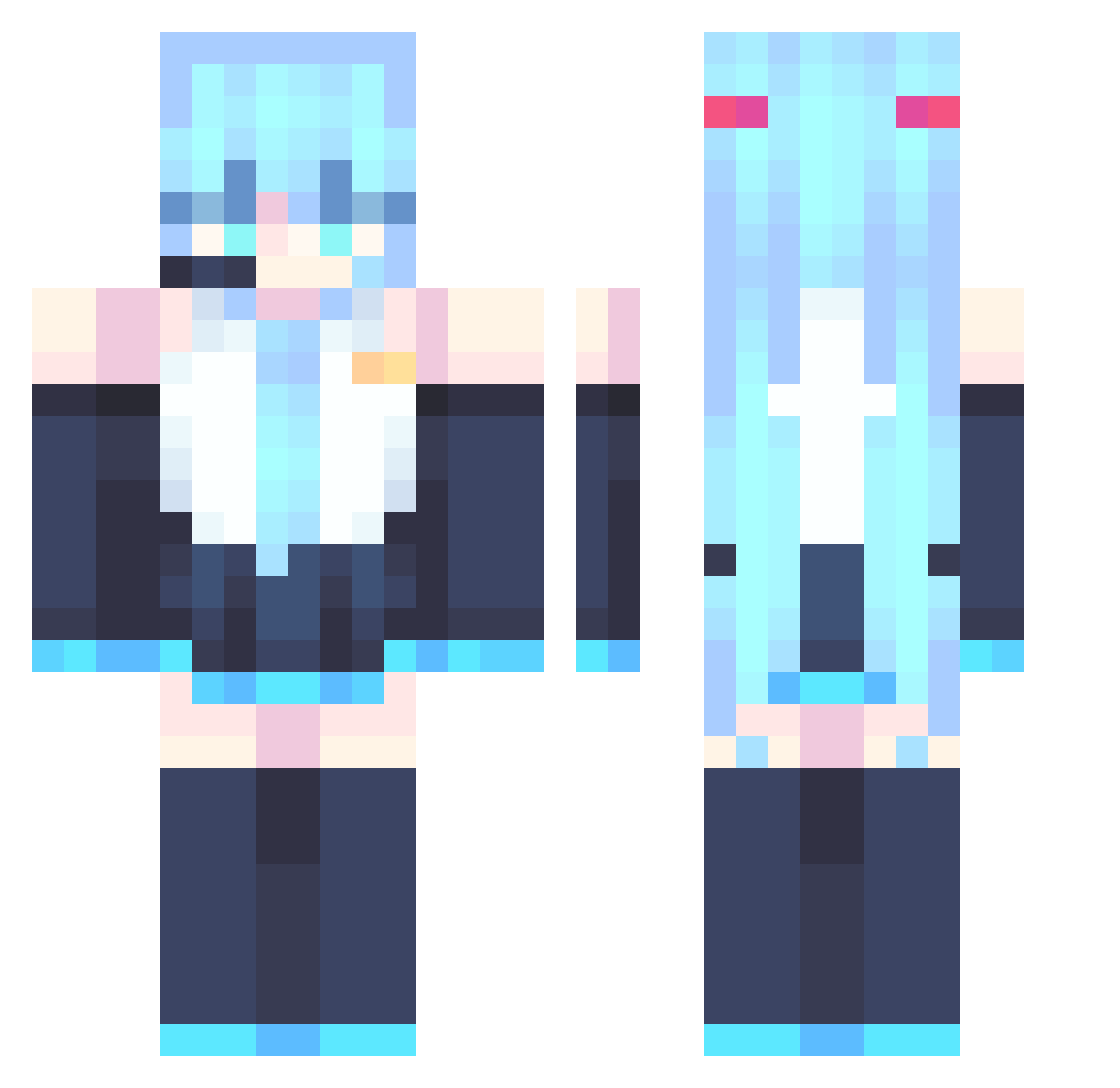
Current Minecraft skin of the player phospho2333, loaded from the official Mojang API. Rotate the 3D model with your mouse or finger, then download the skin as a PNG file and use it in Minecraft: Bedrock Edition or Java Edition for free. When phospho2333 changes their skin, this page updates automatically and the old skin stays in the history below.
Other players with this skin (674)
phospho2333 was the 506th player we have seen with this skin, first spotted on 26.09.2026. The same skin was seen on these players. Open a nickname to see their current skin and skin history.
 Ando_mp4 LyanHS KimDoChu Treebirch lafute Sergusha21 Hartsunemiku Ceo344 ShadeVictini Xing_Ze_ Xx_ISidro_montoy ParalysisDemon0 Mainen_ KuboFromPoland Jenova0406 SqeR1 SGW2025 Borklb lemonka535 abifans PHENIX6666 75br artuuuuuu t3kgamer1 murongling qdj666 Pl4nky2 Pikachu7865 Pulcinella69 KendySnow StarEaterr shang15 kinopi123 RazzleDazzleDuck MildWeeb YYFLong xXLord_Smegm4Xx AlexinPajin LazysFish skiuno Chardee00 LWNOWAY NancyQH fekilazup TGMK HookWielki Kevin3106 doyinsulun BerchxPl alexgames91 mONESYQAQ Dominikus_Ott mcgpj catslimetv basesayu quke0812 UrielOdin palladi0n KahramnEge hifamon
More Hatsune Miku Minecraft skins
See all 754 Hatsune Miku skins
How to install the phospho2333 skin
- Press the Download button above to save the skin as a PNG file.
- Minecraft: Bedrock Edition (PE): open the Dressing Room from the main menu (or tap your character → Edit Character), go to Classic Skins → Owned, press the + (new skin) button, choose the downloaded PNG and pick the Classic (Steve) model. Works on PC and mobile; consoles cannot import custom skins.
- Minecraft: Java Edition: open the Minecraft Launcher, go to the Skins tab, click New Skin, load the PNG, pick the Classic (Steve) model and press Save & Use. You can also upload it at minecraft.net → Profile → Change Skin.
The skin does not show up after import - what should I do?
Restart Minecraft and open the Dressing Room again - imported skins sometimes appear only after a restart. Also make sure you selected the imported skin and picked the Classic (Steve) model.
Which model should I choose, Classic or Slim?
This skin is designed for the Classic (Steve) model. If you pick the wrong model, the arms of the skin will look stretched or squeezed.
Is the skin of phospho2333 free to download?
Yes. Press Download, save the PNG file and use it in Minecraft: Bedrock Edition or Java Edition - no payment or registration needed. The skin also works on multiplayer servers and Realms.
More skins
Looking for more? Go back to all Minecraft skins and check the top skins of the week, month and all time, or find any player's skin by nickname.