
phecyz - Minecraft Skins & Skin History
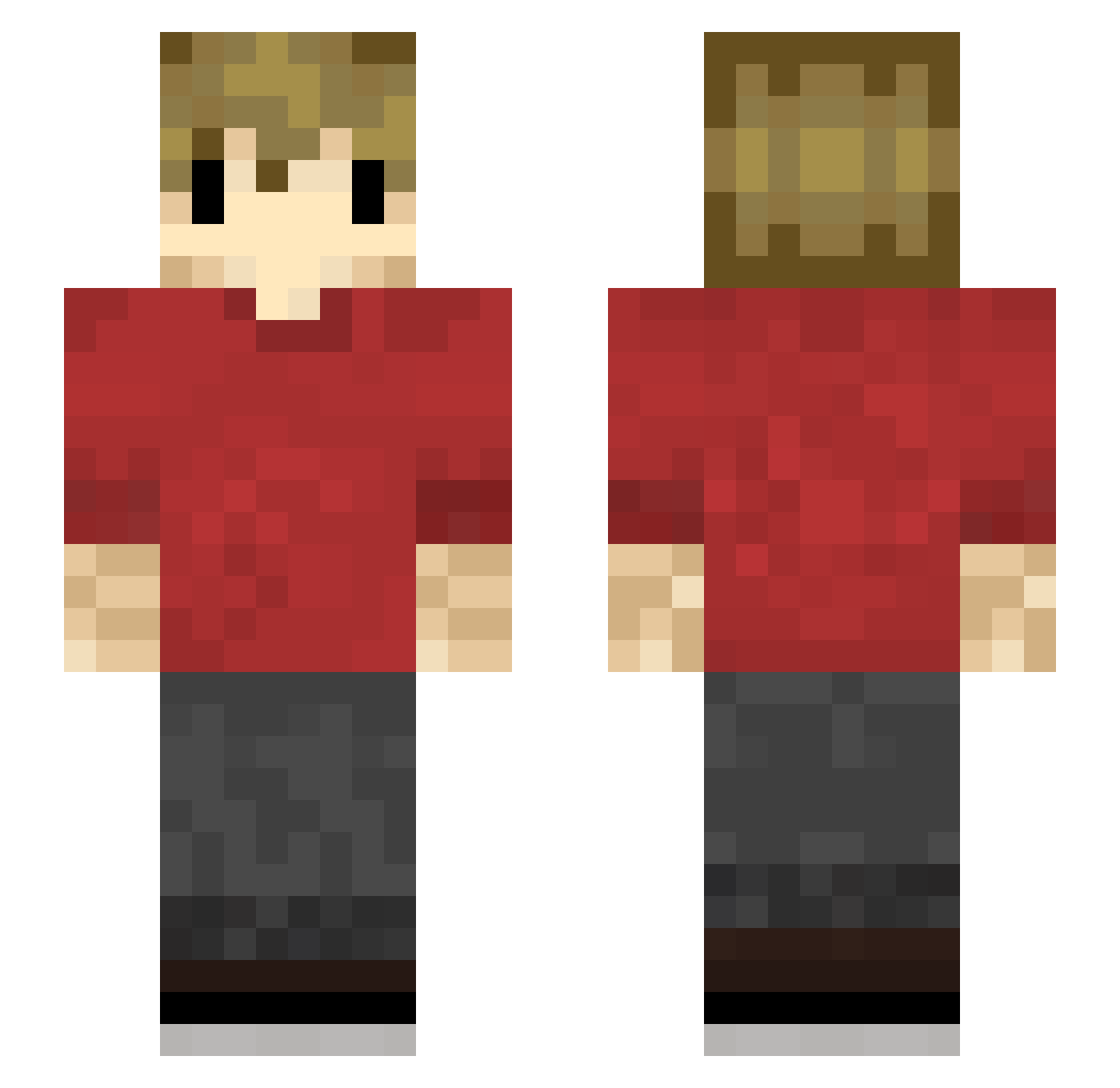
Current Minecraft skin of the player phecyz, loaded from the official Mojang API. Rotate the 3D model with your mouse or finger, then download the skin as a PNG file and use it in Minecraft: Bedrock Edition or Java Edition for free. When phecyz changes their skin, this page updates automatically and the old skin stays in the history below.
Other players with this skin (233)
phecyz was the 201st player we have seen with this skin, first spotted on 03.11.2026. The same skin was seen on these players. Open a nickname to see their current skin and skin history.
 Gulaab_Jamun ShyPeppermint8 liverpoolfreaken SwagDaddy5000 cwesthawk hindsr76 th3lebwebst3r NotKenneth123 Marcotron08 gamerboy5567 ckymnz JuicyTroll91 Jickzz bub67 MossDad_ CopperDye emmadilemma__ Markusleroux RecalledCube957 doyouhavethetime Gradinaru Sebaschin0324 princessbubblee Aenoma NichtIch_ lilgreenbean225 Mr_Avum WronskiNifto Veqluras crowlley23 Narmasjuur Colton76 Dragontrainer707 Madfapper SupremeCrystal FrankIsFrank JakeyRowe ENDIJSKLAVINS Nikola0812 SereneFromage491 Holger38 in_luck hunthouse10 Mysticalgaming62 XhonLKng Jayse1 shr0om_x wennu4n WeeViking fortresscat NonLee bobboone10 OmegaPrime1803 Zombieboy465 TundraAM dan0609 destroyer763 Qhxb7 Swail123 Waykes4
More Grian Minecraft skins
How to install the phecyz skin
- Press the Download button above to save the skin as a PNG file.
- Minecraft: Bedrock Edition (PE): open the Dressing Room from the main menu (or tap your character → Edit Character), go to Classic Skins → Owned, press the + (new skin) button, choose the downloaded PNG and pick the Slim (Alex) model. Works on PC and mobile; consoles cannot import custom skins.
- Minecraft: Java Edition: open the Minecraft Launcher, go to the Skins tab, click New Skin, load the PNG, pick the Slim (Alex) model and press Save & Use. You can also upload it at minecraft.net → Profile → Change Skin.
The skin does not show up after import - what should I do?
Restart Minecraft and open the Dressing Room again - imported skins sometimes appear only after a restart. Also make sure you selected the imported skin and picked the Slim (Alex) model.
Which model should I choose, Classic or Slim?
This skin is designed for the Slim (Alex) model. If you pick the wrong model, the arms of the skin will look stretched or squeezed.
Is the skin of phecyz free to download?
Yes. Press Download, save the PNG file and use it in Minecraft: Bedrock Edition or Java Edition - no payment or registration needed. The skin also works on multiplayer servers and Realms.
More skins
Looking for more? Go back to all Minecraft skins and check the top skins of the week, month and all time, or find any player's skin by nickname.